
Magento to Shopify Plus Migration: Technical Blueprint
By:
Review how Outsource Shopify SEO shape Shopify Plus SEO, CRO, migration risk, and revenue so ecommerce teams can prioritize safer fixes.
Migrating from Magento to Shopify Plus requires transforming a highly normalized, relational EAV database into a denormalized, API-first architecture. By mapping complex product attributes to Shopify Metaobjects and routing legacy nested URLs to flat Shopify handles, enterprise merchants can eliminate data corruption and preserve 100% of their organic search equity. Our team at Avelize executes this transition using programmatic ETL pipelines and event-driven middleware to ensure zero downtime during high-volume replatforming.
Key Takeaways
- EAV to Metaobjects: Flatten Magento's relational database into Shopify Metafields and Metaobjects, keeping within the 250-metafield limit.
- Programmatic 301 Redirects: Map legacy nested URLs to Shopify's flat structure using the Redirect API in batch payloads of 100 records.
- Multipass Authentication: Bypass closed SaaS password limitations by using Shopify Plus Multipass to authenticate legacy users securely.
- Event-Driven ERP Integration: Replace synchronous SOAP/REST calls with asynchronous, webhook-driven updates using Amazon EventBridge.
Mapping Magento EAV Database Schema to Shopify Plus Metafields in 2026
Mapping Magento’s Entity-Attribute-Value (EAV) schema to Shopify Plus requires flattening highly normalized, multi-table relational data into denormalized JSON structures. By utilizing Shopify’s native Metafields and Metaobjects via the GraphQL Admin API, enterprise teams can preserve complex product attributes, relational data hierarchies, and custom specifications without database corruption or performance degradation.
Magento stores data across multiple tables (catalog_product_entity_varchar, int, decimal), which must be consolidated before ingestion. Shopify Plus uses a denormalized database structure where custom attributes are stored as Metafields or Metaobjects. We execute this using the EAV-to-Metaobject Flattening Protocol to ensure all relational dependencies remain intact.
eav_attribute (Simple Text/Num)
Metafields (Single-line text, Number)
Direct mapping via GraphQL Admin API
catalog_product_relation (Complex/Relational)
Metaobjects (Custom structured schemas)
Reference-based mapping with multi-field JSON
Category Hierarchies
Collections & Automated Smart Collections
Flattened tag-based or rule-based categorization
To execute this mapping without data loss, you must define your target schema before writing migration scripts.
- Step 1: Export all custom attributes from the Magento
eav_attributetable. - Step 2: Map simple attributes (e.g., custom text, dimensions) to Shopify Metafields.
- Step 3: Map complex, relational attributes (e.g., product bundles, multi-value specifications) to Shopify Metaobjects.
What to Avoid
Do not attempt to map every single legacy Magento database column to a separate metafield. Exceeding Shopify's limit of 250 metafield definitions per resource type will cause API payload rejections and slow down storefront rendering times.
How to Implement
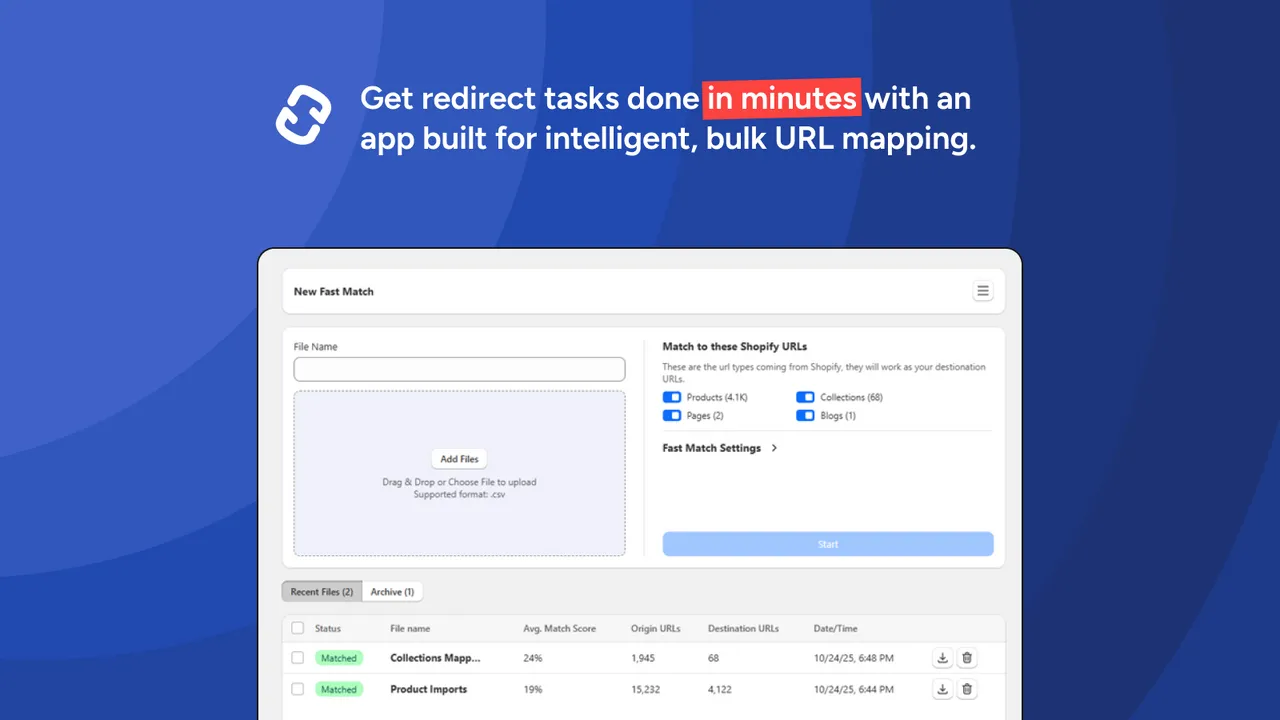
Utilize our custom Shopify development services to build a custom ETL (Extract, Transform, Load) pipeline that programmatically transforms the Magento SQL dump into JSON payloads structured for the Shopify GraphQL Admin API.
Preserving SEO Equity: Executing Bulk 301 Redirects and URL Mapping at Scale
Magento’s deeply nested category URLs (e.g., /category/sub-category/product.html) are fundamentally incompatible with Shopify’s rigid URL routing structure (e.g., /products/product-handle). Failing to map these paths correctly will destroy search engine rankings and organic traffic.
Enterprise migrations require a programmatic redirect strategy to handle 100,000+ legacy URLs without introducing latency.
The Bulk URL Mapping Checklist
- Extract legacy paths: Query the Magento
core_url_rewritetable to pull all active canonical URLs and historical redirects. - Normalize the dataset: Strip query parameters, session IDs, and trailing slashes to prevent duplicate redirect loops.
- Generate target handles: Convert Magento product and category names into clean, lowercase, hyphenated Shopify handles.
- Deploy redirects programmatically: Upload mappings using Shopify's Redirect API in bulk batches of 100 records per request.
To ensure your organic search visibility remains intact during this structural shift, consult with specialized enterprise SEO and data migration services to audit and monitor your post-launch redirect performance.
Migrating Customer Accounts and Order History Without Security Breaches
Magento secures customer passwords using secure Argon2id or SHA-256 hashing algorithms with unique, database-level salts. Because Shopify’s closed SaaS infrastructure does not allow direct write access to the password hash database, you cannot import passwords directly.
Attempting to force-import legacy password hashes will result in broken authentication flows and locked customer accounts.
Shopify Plus Multipass is a secure single sign-on (SSO) protocol that allows external identity providers to authenticate users and log them into a Shopify store seamlessly. We leverage the Multipass Handshake Pattern to transition users with zero friction.
- The Multipass Solution: Implement Shopify Plus Multipass to authenticate legacy users seamlessly via a custom secure token generated by your external identity provider.
- The Activation Flow: Import customer records with null password fields and trigger a programmatic, batch-sent customer activation email sequence.
- Order Schema Mapping: Map legacy orders to Shopify's Orders API, ensuring historical tax line items, custom discounts, and payment transaction IDs match perfectly.
Rebuilding Complex Magento ERP and Inventory Integrations on Shopify Plus APIs
Magento integrations rely on direct database queries or heavy SOAP/REST APIs that lack rate-limiting safeguards. Shopify Plus operates on an event-driven, decoupled architecture powered by the GraphQL Admin API and Webhooks.
To connect legacy ERPs like SAP, NetSuite, or Microsoft Dynamics, you must transition from synchronous pull requests to asynchronous, webhook-driven updates.
- Rate Limit Management: Shopify uses a leaky bucket algorithm for API rate limits. Your middleware must queue and throttle requests to prevent 429 Too Many Requests errors.
- Idempotency Keys: Implement unique idempotency keys on all write operations to prevent duplicate order generation or double-inventory deductions during network retries.
- Event-Driven Webhooks: Configure Shopify Webhooks utilizing Amazon EventBridge to ensure reliable, zero-downtime message delivery during high-volume sales events.
Vetting Your Magento Web Development Agency vs. Hiring a Dedicated Shopify Plus Migration Consultant
Legacy Magento web development agencies are optimized for managing on-premise servers, custom PHP compilation, and direct database management. When transitioning to a SaaS ecosystem, these agencies often try to replicate monolithic architectures on Shopify, leading to bloated codebases and broken API integrations.
A dedicated Shopify Plus migration consultant specializes in cloud-native, decoupled architectures, API rate-limiting strategies, and Shopify's unique Liquid rendering pipeline.
Key Vetting Criteria for Enterprise Migrations
- API Expertise: Ensure they can demonstrate deep proficiency with Shopify’s GraphQL Admin API, bulk import mutations, and Webhook subscriptions.
- SaaS Architecture Knowledge: They must design solutions within Shopify's platform limits rather than attempting to write custom database tables.
- Data Integrity Protocols: Verify their process for validating schema transformations and executing dry-run migrations on staging environments.
Post-Migration Performance Audit: Ensuring Speed and Scaling with Shopify Plus
Replatforming is only successful if the new storefront outperforms the legacy Magento installation under heavy traffic loads. Enterprise sites must achieve a Google Lighthouse performance score of 90+ to maximize conversion rates and support scaling with shopify plus.
A systematic post-migration audit is critical to locate and resolve performance bottlenecks before they impact your bottom line.
- Script Minimization: Audit and consolidate third-party scripts into Shopify Pixels to prevent main-thread blocking during page loads.
- Image Optimization: Ensure all theme assets utilize Shopify’s native CDN with automatic WebP/AVIF format conversion and responsive image srcsets.
- API Payload Reduction: Refactor storefront queries to request only the exact fields required, reducing the overall document size and improving Time to Interactive (TTI).
How Avelize Approaches Enterprise Replatforming
Our team approaches Magento-to-Shopify migrations with a strict, multi-phase engineering protocol designed to eliminate operational downtime and data loss. We begin with a comprehensive schema audit, followed by a dry-run migration of 10% of your catalog to validate the ETL pipeline. The entire process—from database mapping to ERP integration and final DNS cutover—is executed over a structured 12-to-16 week timeline, managed by dedicated Shopify Plus migration consultants and enterprise SEO specialists.
Ready to scale your enterprise storefront without the technical debt of legacy infrastructure? Contact our team today to discuss our Shopify Plus migration programs.
Last reviewed: February 2026
Search Intent Refresh Notes
This page has search demand in Google Search Console. Refresh it around the highest-impression query language, add concrete examples, clarify the decision criteria, and link to the most relevant service page or related guide.
Authoritative References
Use these official resources to verify platform-specific claims and implementation details before making commercial or technical decisions.
- Shopify Plus overview
- Google SEO Starter Guide
- Google canonicalization guide
- Google structured data introduction
Related Avelize Services: Services · Ecommerce Web Design Agency