
Meta Ads Ecommerce Creative Testing: High-SKU Shopify Guide
By:
Stop wasting ad spend. Isolate variables and scale winners with our Meta Ads ecommerce creative testing framework for high-SKU Shopify Plus stores.
High-SKU Shopify Plus brands frequently dilute their ad budgets and accelerate ad fatigue by testing creatives across too many products without a structured isolation framework. To solve this, our team implements a systematic Meta Ads ecommerce creative testing protocol that isolates variables, eliminates algorithmic bias, and scales high-performing assets predictably.
Key Takeaways
- The ABO-Sandbox isolation protocol: Force even budget distribution across creative variations by using Ad Set Budget Optimization (ABO) with strict minimum spend limits.
- Catalog Clustering: Group products by margin and Average Order Value (AOV) variance of less than 20% rather than testing individual SKUs.
- The 3-Tier Creative Testing Matrix: Isolate and validate hooks, visual angles, and formats sequentially to prevent variable contamination.
- Data-Driven Graduation: Scale assets only after they reach 2x target CPA and achieve a Thumb-Stop Rate above 35%.
The High-SKU Dilemma: Why Standard Meta Creative Testing Fails on Shopify
Meta Ads ecommerce creative testing is a structured media buying framework that isolates specific creative variables—such as hooks, visual angles, and formats—within dedicated sandbox campaigns. This process prevents Meta's algorithm from favoring a single dominant product, ensuring clear performance data across your entire Shopify catalog.
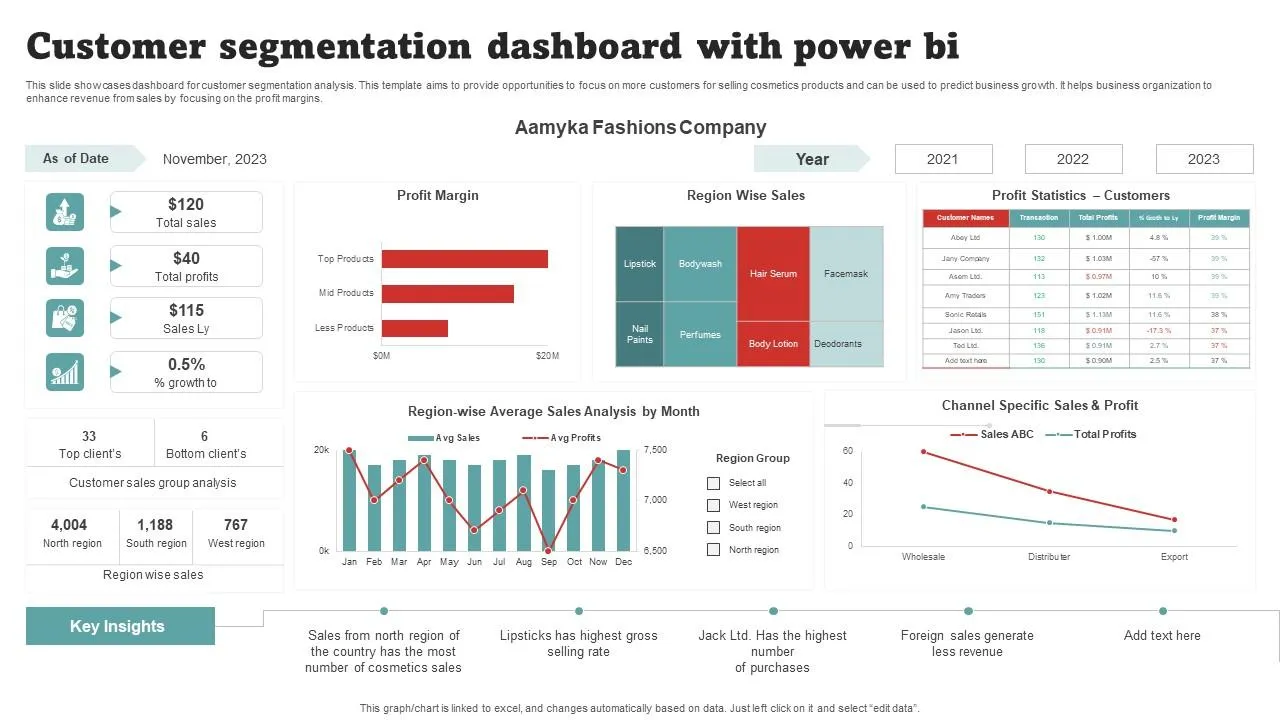
Standard creative testing relies on Meta’s algorithm to distribute budget dynamically across ad sets. When your Shopify store carries hundreds of SKUs, the algorithm automatically allocates 80% to 90% of the budget to a single high-volume product, starving your remaining catalog of impressions.
Testing Variable Campaign Budget Optimization (CBO) Ad Set Budget Optimization (ABO) Budget Control Algorithmic (Meta distributes to the easiest conversion) Controlled (You force equal spend per asset) High-SKU Suitability Poor (Favors 1-2 hero products automatically) Excellent (Ensures every product cluster gets impressions) Data Significance Low for secondary products High across all tested variationsThis automated allocation prevents you from collecting statistically significant creative data on secondary, high-margin products while accelerating ad fatigue on your primary seller. To prevent this, merchants must transition from open targeting to a structured isolation environment.
Step 1: Segmenting Your Shopify Catalog into High-Performance Testing Clusters
In our work with merchants, we advise against testing creatives at the individual SKU level. Instead, group your Shopify catalog into distinct product clusters based on shared margins, historical average order value (AOV), and customer buying personas.
Each cluster must share a uniform profit margin profile to ensure your acquisition targets remain consistent during testing. If your product pages lack consistent layout structures or clear conversion funnels across these clusters, leverage Avelize’s conversion-focused design and UX services to standardize your landing page templates before launching traffic.
- Group products with an AOV variance of less than 20% to keep purchase behavior comparable.
- Isolate your top 5% hero SKUs into their own dedicated testing clusters.
- Cluster seasonal or low-velocity SKUs to test collective creative concepts without wasting individual budgets.
Step 2: Setting Up the 'Sandboxed' Creative Testing Campaign Structure in Ads Manager
To prevent budget distribution bias, you must isolate your testing environment from your scaling campaigns. We utilize the ABO-Sandbox isolation protocol to force equal spend distribution across your test assets.
Implementation: How to Set Up the Sandbox
Create a dedicated campaign named "Creative Testing | Sandbox | [Cluster Name]". Set the campaign-level budget toggle to Off to enforce ABO. Refer to the Meta Business Help Center for step-by-step instructions on setting up ABO campaigns.
- Create one ad set per creative variable or concept you want to test.
- Set the ad set budget to 1x to 1.5x your target Cost Per Acquisition (CPA) per day.
- Target a broad audience with no interest targeting, lookalikes, or demographic restrictions.
- Turn on Advantage+ Placements to allow Meta to find the most efficient placement for each format.
- Limit each ad set to a maximum of 3 active ads to ensure even budget distribution.
How to Fix Uneven Spend Distribution
If Meta still favors one ad within your testing ad set, implement minimum and maximum spend limits at the ad set level. Set a minimum daily spend limit of 30% of the ad set budget for each asset to force the algorithm to gather impressions on all test variations.
Step 3: Executing the 3-Tier Creative Testing Matrix (Hooks, Visual Angles, and Formats)
Systematic testing requires isolating one variable at a time. Do not mix different video hooks, visual formats, and copy angles within the same testing cycle. We execute the 3-Tier Creative Testing Matrix to isolate and validate variables sequentially:
- Tier 1: Hook Testing. Keep the body of the video and the call to action identical. Test 3 distinct 3-second opening hooks to identify what stops the scroll.
- Tier 2: Visual Angle Testing. Use the winning hook from Tier 1. Test different visual presentations, such as user-generated content (UGC), 3D product renders, or split-screen comparisons.
- Tier 3: Format Testing. Take the winning visual angle and test it across different formats, including Reels 9:16, feed 1:1, and catalog sales dynamic creative formats.
Step 4: Hard Rules and Metrics for Scaling Winning Creatives to Scaling Campaigns
Never rely on subjective opinions or soft metrics like click-through rate (CTR) to determine a winning creative. You must establish strict, data-driven thresholds before moving an asset to your scaling campaign.
An ad is classified as a "Winner" and graduated to your scaling campaign only when it meets the following criteria:
- The ad has spent at least 2x your target CPA.
- The Cost Per Purchase is at or below your target threshold.
- The Thumb-Stop Rate (3-second video views divided by impressions) is above 35%.
- The Outbound Click-Through Rate is above 1.8%.
Step 5: Automating Creative Iteration Using Shopify Product Feed Custom Labels
For high-SKU stores, manual campaign management becomes unsustainable. You can automate creative testing by using custom labels within your Shopify product feed to feed dynamic product ads directly into Meta Ads Manager.
Use your product feed to assign Custom Label 0 to categorize products by margin, and Custom Label 1 to tag them by testing status (e.g., "Active_Test", "Scale", "Hold"). To ensure your product catalog data passes seamlessly to Meta without feed errors, leverage Avelize’s technical SEO and data integration services to build a clean, automated feed pipeline.
- Configure your feed to update custom labels automatically based on inventory levels and Shopify performance data.
- Build dynamic product sets in Meta Commerce Manager using these custom labels.
- Target your sandbox campaigns at the "Active_Test" product set to automate product-level creative rotation.
How Avelize Approaches High-SKU Paid Acquisition in 2026
Our team engineers custom data pipelines and conversion-optimized storefront architectures that turn paid acquisition from a guessing game into a predictable science. We audit your current Meta Ads account structure, clean up your Shopify product feed, and implement our proprietary ABO-Sandbox isolation protocol within 14 business days. By aligning your technical catalog architecture with Meta's algorithmic requirements, we consistently reduce ad fatigue and lower customer acquisition costs (CAC) by 15% to 30%.
Ready to scale your catalog efficiently? Contact us today to learn more about our Technical SEO & GEO programs and custom data integration services.
Published / Last reviewed: October 24, 2026
Related Avelize Services: Services · Ecommerce Web Design Agency