
Shopify Plus Automation Integrations for Enterprise Growth
By:
Stop losing revenue — learn how Shopify Plus automation integrations sync ERPs and scale operations past $50M GMV.
To scale past $50M GMV, enterprise brands must replace fragile, custom-coded middleware with event-driven Shopify Plus automation integrations. By connecting the Shopify GraphQL Admin API directly to ERP systems like NetSuite or SAP, we eliminate manual data entry, synchronize multi-location inventory in real-time, and automate order-to-cash workflows. This architecture secures data integrity and prevents costly operational bottlenecks during high-volume sales events like BFCM.
Key Takeaways
- The Idempotency-First Pattern: Enforce unique transaction keys across all API integrations to prevent duplicate ledger entries in SAP or NetSuite.
- 99.9% Inventory Accuracy: Implement event-driven inventory delta updates instead of hourly batch cron jobs to reduce data latency from 60 minutes to under 5 seconds.
- The 19-Retry Webhook Protocol: Build asynchronous queues (e.g., AWS SQS) to handle Shopify's 19-retry webhook delivery schedule without server crashes.
- GraphQL Cost Optimization: Monitor the
extensions.costobject to dynamically throttle requests using a leaky bucket algorithm.
What is a Shopify Plus automation integration?
A Shopify Plus automation integration is an event-driven architectural bridge that connects Shopify’s GraphQL Admin API with enterprise resource planning (ERP) systems, CRMs, and 3PLs to automate data flows without manual intervention. In our work with merchants, we find that moving away from legacy point-to-point batch processing to real-time event-driven architectures is critical for maintaining high performance. Whether you are running a traditional Liquid theme or a headless Hydrogen storefront, your backend integrations must scale seamlessly alongside your frontend Web Vitals.
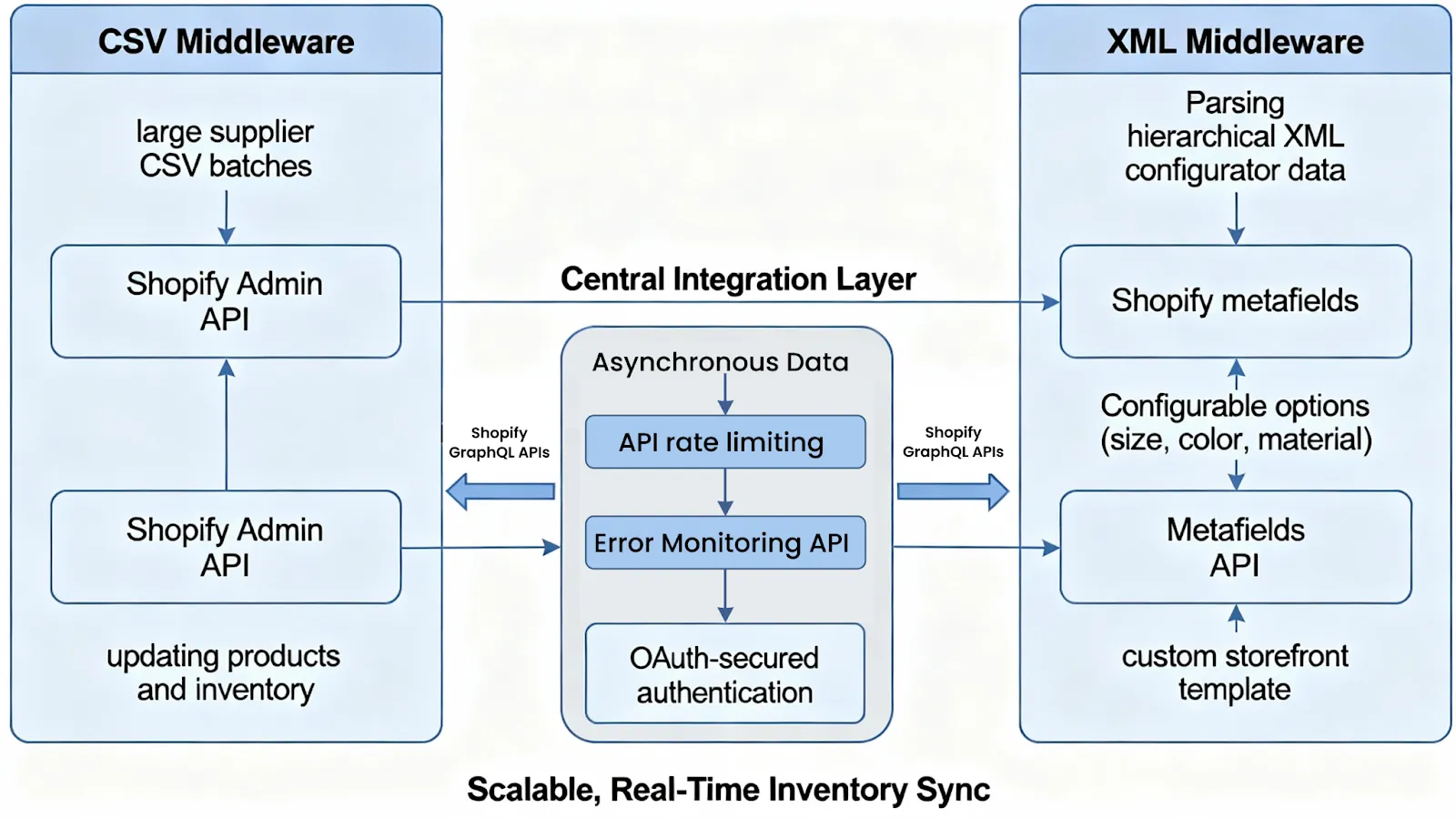
Architecture Blueprint: Connecting Shopify Plus Admin API to Enterprise ERP (NetSuite/SAP)
A Shopify Plus automation integration connects Shopify’s GraphQL Admin API with enterprise resource planning (ERP) systems like NetSuite or SAP to automate data flows. This architecture eliminates manual data entry, synchronizes multi-location inventory, and automates order-to-cash workflows to prevent high-volume operational bottlenecks.
Enterprise scale requires moving away from point-to-point batch processing to event-driven architectures. Use an Integration Platform as a Service (iPaaS) or a custom serverless middleware layer to orchestrate API calls. To build these high-throughput systems, leveraging professional enterprise Shopify development services ensures your API endpoints are optimized for enterprise data payloads.
- Shopify GraphQL Admin API: Used for high-throughput, selective data querying with lower payload sizes.
- Middleware Orchestration Layer: Handles payload transformation, schema mapping, and queue management (e.g., AWS SQS or RabbitMQ).
- ERP REST/SOAP APIs: Processes ledger entries, generates invoices, and executes financial reconciliation.
- Idempotency Keys: Must be enforced across all API transactions to prevent duplicate entries in NetSuite or SAP.
Real-Time Inventory Sync: Automating Multi-Location Inventory Reconciliation to Prevent Overselling
Overselling during flash sales destroys customer trust and disrupts warehouse operations. You must synchronize inventory quantities across multiple physical warehouses and Shopify locations in near real-time.
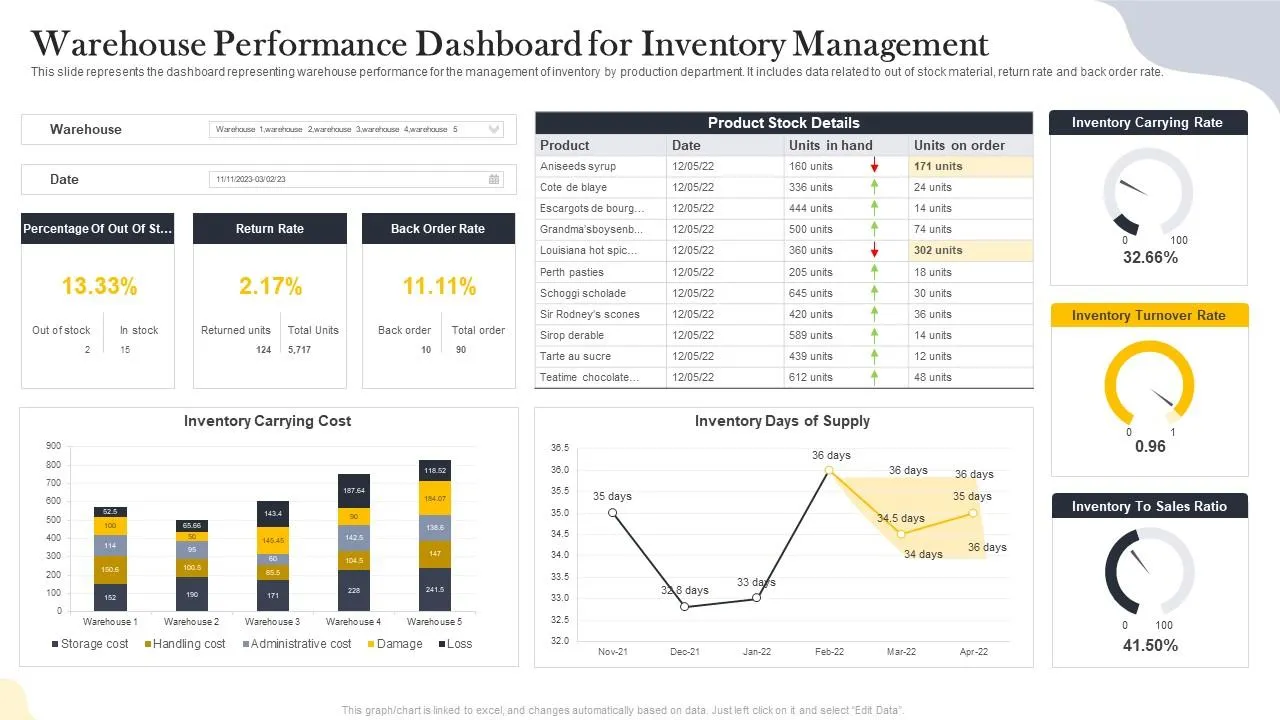
Implementation Checklist
- Map Shopify Location IDs directly to corresponding ERP warehouse and bin location codes.
- Set up event-driven inventory delta updates instead of full, resource-heavy catalog syncs.
- Implement a safety stock buffer of 5% to 10% for high-velocity SKUs to handle checkout latency.
- Configure the
inventoryLevelsUpdatemutation via the GraphQL API for rapid batch updates.
What to Avoid
- Running hourly batch cron jobs that cause up to 60 minutes of data latency during peak traffic.
- Failing to account for pending, unfulfilled orders when calculating "available to promise" (ATP) inventory.
- Overwriting localized warehouse stock levels with global catalog totals.
Order-to-Fulfillment Automation: Configuring Webhooks for Automated 3PL Routing and Tracking Updates
Automating the order-to-fulfillment pipeline reduces processing times from hours to seconds. Using Shopify Webhooks, you can instantly route orders to specific 3PL providers based on geographic proximity or stock availability.
If you need assistance setting up these complex data structures, our team offers specialized enterprise Shopify development services to streamline your backend operations.
Implementation Steps
- Subscribe to the
orders/createandorders/paidwebhook topics in the Shopify Admin. - Route payloads to an API gateway to validate the Shopify webhook signature using HMAC verification.
- Parse order line items and apply routing logic to select the optimal 3PL warehouse.
- Transmit the clean fulfillment request payload to the 3PL's API.
- Listen for the 3PL’s shipment confirmation to trigger the
fulfillmentCreateV2mutation in Shopify, sending tracking details to the customer.
Enterprise Customer Data Sync: Mapping Shopify Customer Profiles to Salesforce CRM Without Duplicates
Duplicate customer records fragment your marketing data and ruin customer service workflows. A robust Shopify Plus automation integration must establish a single source of truth for customer identities, ensuring clean data flows that power downstream systems like Klaviyo, Triple Whale, and our technical SEO & GEO programs.
- Primary Identifier: Use the customer’s verified email address or phone number as the unique key.
- Upsert Logic: Execute an "upsert" (update or insert) call in Salesforce CRM rather than a blind "create" call.
- Consent Management: Sync email marketing opt-in statuses instantly to prevent compliance violations.
- Historical Merging: Establish an automated queue to flag and merge matching records with conflicting physical addresses.
Rate Limit and Payload Management: Handling Shopify GraphQL API Limits and Webhook Retries at Scale
High-volume sales events trigger massive API traffic that can easily hit Shopify's rate limits. To maintain system stability, your integration middleware must be built to handle throttling and delivery failures gracefully.
How to Manage GraphQL API Limits
- Monitor the
extensions.costobject returned in every Shopify GraphQL response to track your available query budget. - Implement a leaky bucket algorithm in your middleware to throttle outgoing API requests dynamically.
- Use bulk queries (
bulkOperationRunQuery) for large data exports instead of individual paginated requests.
Webhook Retry and Reliability Checklist
- Ensure your endpoint responds with a 200 OK status code within 5 seconds of receipt.
- Design your webhook consumers to be completely idempotent to handle Shopify's duplicate webhook deliveries.
- Implement an asynchronous queue (like AWS SQS) to ingest webhooks instantly and process payloads offline.
- Configure dead-letter queues (DLQ) to capture failed payloads after Shopify's 19 retries over 48 hours.
How Avelize approaches enterprise automation
We deploy a standardized three-phase integration framework to ensure zero-downtime deployments and robust data synchronization:
- Discovery & Schema Mapping (Weeks 1-3): We audit your API payloads, map custom fields, and design the middleware architecture. Cost: Included in discovery. KPI: Zero schema mismatches.
- Middleware Engineering & Queue Setup (Weeks 4-8): Our team builds the serverless middleware layer using AWS SQS and implements the "19-Retry Webhook Protocol". Cost: Variable based on ERP complexity. KPI: <100ms processing latency.
- Load Testing & Go-Live (Weeks 9-10): We simulate BFCM-level traffic (up to 10,000 orders per minute) to ensure the leaky bucket algorithm throttles requests without data loss. KPI: 100% message delivery.
Frequently Asked Questions
Is Shopify Flow enough for enterprise ERP integration?
No. While Shopify Flow is excellent for lightweight, in-platform tasks, it lacks the advanced error-handling, payload transformation, and high-throughput queue management required for enterprise ERPs like NetSuite or SAP.
How long does a Shopify Plus ERP integration take?
An enterprise-grade Shopify Plus ERP integration typically takes 8 to 12 weeks to design, build, test, and deploy. This timeline is divided into three distinct phases: schema mapping, middleware engineering, and high-volume load testing. During the first 3 weeks, technical architects map the Shopify GraphQL Admin API payloads to the ERP's custom fields (such as NetSuite or SAP). The next 4 to 5 weeks are dedicated to building the serverless middleware layer, establishing AWS SQS queues, and implementing idempotency keys to prevent duplicate transactions. The final 2 weeks focus on simulating peak BFCM traffic—up to 10,000 requests per minute—to validate the leaky bucket throttling algorithm and dead-letter queue routing. While pre-built iPaaS connectors can shorten this timeline to 4 weeks, they often lack the granular control and low-latency performance required for brands generating over $50M in annual GMV.
What is the difference between REST and GraphQL for Shopify integrations in 2026?
In 2026, Shopify heavily prioritizes its GraphQL Admin API over the legacy REST API. GraphQL allows developers to query only the specific data fields needed in a single request, reducing payload sizes by up to 80% and significantly optimizing API rate limit consumption.
Ready to eliminate data latency and secure your enterprise backend? Learn more about our enterprise Shopify development services or contact our team to design your integration blueprint.
Published / Last reviewed: October 24, 2026
Related Avelize Services: Services · Ecommerce Web Design Agency