
Shopify Plus Conversion Strategy: UX, Speed & CRO Priorities
By:
Find the Shopify Plus conversion blockers that slow growth, from checkout friction and app bloat to merchandising gaps, UX debt, and measurement issues.
A Shopify Plus CRO audit is a systematic, data-driven evaluation of an enterprise merchant's storefront architecture, user experience design, and checkout flow to identify conversion barriers. In our work with merchants, we find that high-volume Shopify Plus stores frequently leak revenue due to slow mobile load times and checkout friction. By optimizing Core Web Vitals and streamlining product detail pages (PDPs), enterprise brands can systematically reclaim lost margins and maximize their return on ad spend.
Key Takeaways
- The 300px Mobile Fold Rule: Ensure the product title, price, reviews, and primary CTA are visible within the first 300 pixels of vertical scroll on mobile devices.
- The AJAX Drawer Acceleration Protocol: Replace standard cart page redirects with an optimized AJAX-powered cart drawer to reduce checkout friction.
- The BFCM-30 Rollback Playbook: Clean up obsolete tracking pixels, uninstalled app scripts, and legacy Liquid code to improve Largest Contentful Paint (LCP) by up to 25%.
- Statistical Rigor: Run A/B tests for a minimum of 14 days to reach at least 95% statistical significance before implementing permanent theme changes.
1. Audit Your Shopify Plus Theme Performance and Core Web Vitals
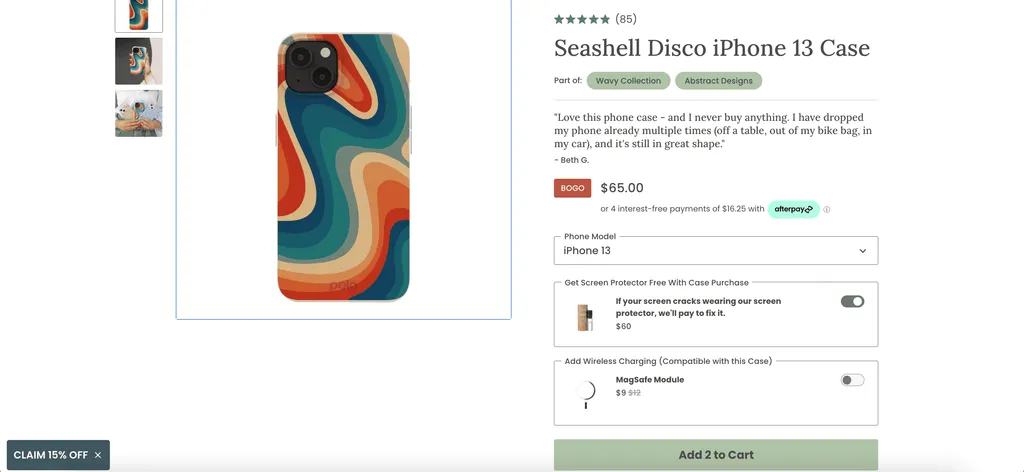
Site speed directly correlates with conversion rates. For enterprise brands, a one-second delay in page load time can decrease conversions by up to 20%. To identify speed bottlenecks, utilize our professional Shopify development services to benchmark your Core Web Vitals against industry standards.
Common Mistakes
- Relying solely on Shopify's dashboard speed score, which lacks real-user monitoring data.
- Allowing uninstalled app scripts to remain in your
theme.liquidfile, creating unnecessary render-blocking requests. - Uploading uncompressed, non-WebP product images directly to the admin panel.
How to Fix
- Analyze your Largest Contentful Paint (LCP) and Cumulative Layout Shift (CLS) using Google PageSpeed Insights.
- Implement lazy loading for all images below the fold and preconnect to critical third-party domains.
- Audit your theme code to remove legacy JavaScript files and obsolete tracking pixels.
2. Optimize Above-the-Fold Shopify UX Design for Mobile Devices
Mobile traffic accounts for over 70% of traffic for 8-figure Shopify Plus brands. If your product price, reviews, and primary call-to-action (CTA) are not visible without scrolling, you are losing sales. Deploying tailored data-driven design and UX services ensures that your mobile layout prioritizes the checkout path without overwhelming the user.
Common Mistakes
- Using massive, non-dismissible promotional banners that push the product title and price below the fold.
- Failing to implement a sticky "Add to Cart" button on mobile screens.
- Using multi-column layouts on mobile that force users to pinch and zoom to read product details.
How to Fix
- Ensure the product title, star rating, price, and "Add to Cart" button are visible within the first 300 pixels of vertical scroll.
- Implement a sticky bottom CTA bar that anchors to the screen once the primary buy button is scrolled out of view.
- Use swipeable image carousels with clear visual pagination indicators instead of vertical image stacks.
3. Streamline Product Page Optimization for High-Volume SKUs
Enterprise merchants with large catalogs must optimize their product detail pages (PDPs) for rapid decision-making. Cluttered pages cause decision fatigue and cart abandonment. If your catalog requires advanced filtering or dynamic variant logic, leverage our custom Shopify development to build lightweight, high-performing PDP templates.
Feature Standard PDP Layout Optimized Shopify Plus PDP Mobile Fold CTA and price pushed below the fold by large banners Title, price, reviews, and CTA visible within top 300px Cart Transition Redirects to a slow, dedicated cart page Instant slide-out AJAX cart drawer with dynamic free shipping bar Variant Selection Clunky dropdown menus with out-of-stock options selectable Visual color swatches and size buttons with instant availability updates Checkout Flow Legacy checkout.liquid with third-party app latency Shopify Checkout Extensibility and native Shopify FunctionsCommon Mistakes
- Displaying out-of-stock variants as selectable options, leading to frustration when the user attempts to purchase.
- Using generic dropdown menus for color and size options instead of visual swatches.
- Failing to structure product data correctly, which harms search visibility; consulting our technical SEO and data services can resolve these metadata alignment issues.
How to Fix (PDP Checklist)
- Audit your top 10% of SKUs that generate 80% of your store revenue.
- Implement visual color swatches and size buttons that update price and availability instantly without page reloads.
- Use collapsible accordion tabs for technical specifications, shipping details, and return policies to minimize vertical scroll.
4. Fix Cart Drawer Friction to Boost Your Ecommerce Conversion Rate
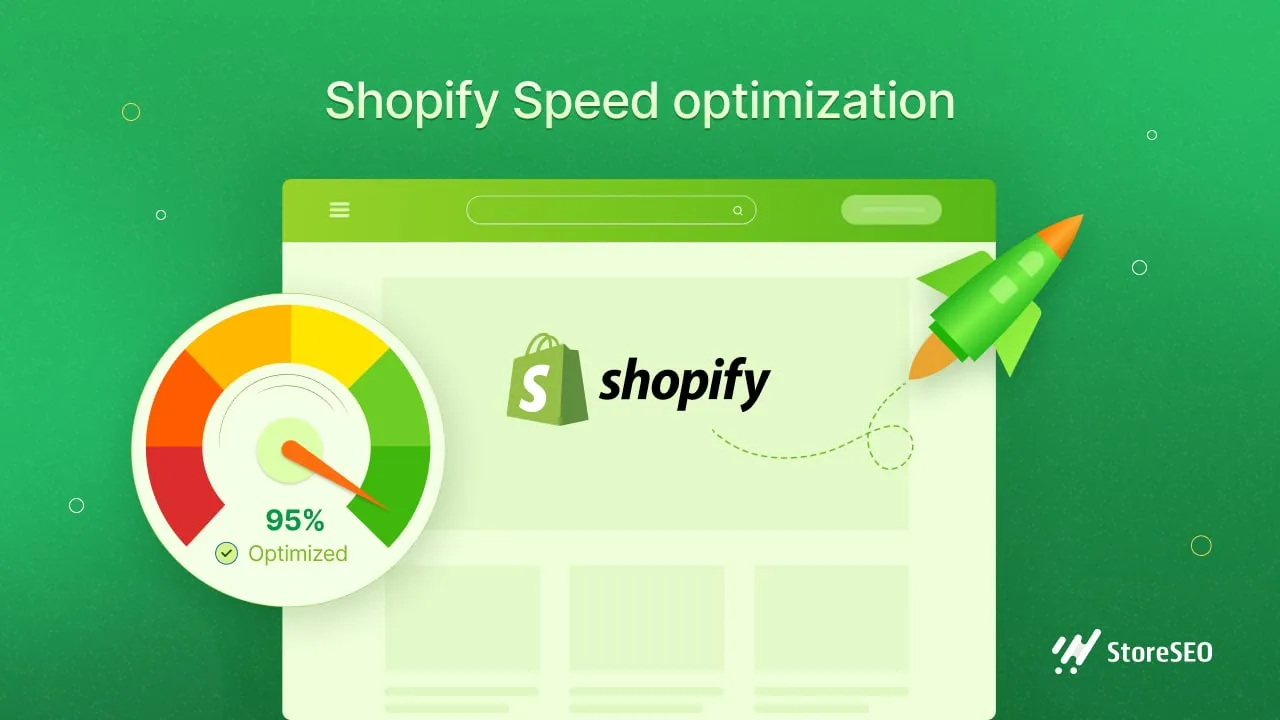
The cart drawer is the bridge between product discovery and checkout. Any friction at this stage directly lowers your overall ecommerce conversion rate. We recommend tracking these drop-offs using tools like Klaviyo and Triple Whale to ensure your remarketing and attribution align with actual user behavior.
Common Mistakes
- Redirecting users to a dedicated cart page instead of utilizing a fast, AJAX-powered cart drawer.
- Hiding shipping fees, taxes, and duties until the final step of the checkout process.
- Failing to display accepted payment methods and trust badges within the cart interface.
How to Fix
- Configure your AJAX cart drawer to slide out instantly when a user clicks "Add to Cart."
- Integrate a dynamic shipping progress bar showing the exact amount needed to qualify for free shipping.
- Embed one-click checkout options like Shop Pay, Apple Pay, and Google Pay directly inside the cart drawer.
5. Leverage Shopify Plus Features for Dynamic Pricing and Trust Signals
Shopify Plus provides exclusive access to Shopify Functions and Checkout Extensibility. These tools allow you to customize the checkout flow and display dynamic trust signals without compromising site performance. This is especially critical as Tobi Lütke and the Shopify product team phase out legacy checkout architectures in 2026.
Common Mistakes
- Using heavy, third-party apps to run simple volume discounts, which slows down the checkout process.
- Failing to customize the checkout page layout to match your brand's look and feel.
- Omitting security badges and satisfaction guarantees from the checkout sidebar.
How to Fix
- Migrate legacy checkout customizations to Shopify Checkout Extensibility before the deprecation of
checkout.liquid. - Build native discount logic using Shopify Functions to ensure load times remain under 1.5 seconds.
- Inject real-time social proof and product upsells directly into the checkout sidebar using native checkout UI extensions.
6. Establish a Continuous CRO Testing Framework on Shopify Plus
An enterprise CRO audit is not a one-time event. To maintain high conversion rates, you must implement a structured testing framework to validate your optimization hypotheses.
Common Mistakes
- Testing multiple major changes simultaneously, making it impossible to isolate which change impacted performance.
- Stopping A/B tests early before reaching at least 95% statistical significance.
- Relying purely on quantitative data while ignoring qualitative insights from user recordings and heatmaps.
How to Fix
- Formulate clear hypotheses based on analytics data (e.g., "Changing the CTA color to green will increase click-through rate by 5%").
- Run every A/B test for a minimum of 14 days to account for weekly traffic and purchasing cycles.
- Use session recording tools to watch users interact with your optimized pages to identify any remaining usability issues.
How Avelize Approaches This
Our team approaches conversion rate optimization through a structured, four-week technical and behavioral audit. We analyze your store's performance metrics, user session recordings, and checkout analytics to build a prioritized optimization roadmap.
- Week 1: Technical & Web Vitals Audit - We identify render-blocking scripts and database bottlenecks.
- Week 2: UX & Behavioral Analysis - We map user friction points using heatmaps and session replays.
- Week 3: Hypotheses & Test Setup - We configure A/B tests targeting high-impact elements like the mobile fold and cart drawer.
- Week 4: Implementation & Reporting - We deploy winning variations natively using clean Liquid or Hydrogen React components.
This program typically starts at $7,500 as a flat-rate audit or as part of our ongoing CRO retainers, targeting a 10% to 25% lift in mobile conversion rates.
Published / Last reviewed: October 24, 2026
Shopify Plus Conversion Review Framework
Conversion work on Shopify Plus should connect user experience, technical performance, merchandising, checkout behavior, and measurement quality. A redesign alone rarely fixes conversion if the page is slow, the offer is unclear, or analytics cannot explain where users hesitate.
- Review PDP clarity, trust signals, product discovery, and mobile usability.
- Audit app and script impact on Core Web Vitals and checkout flow.
- Compare conversion drop-offs by device, traffic source, product type, and landing page.
- Turn findings into a prioritized CRO backlog with measurable hypotheses.
Authoritative References
Use these official resources to verify platform-specific claims and implementation details before making commercial or technical decisions.
- Shopify Plus overview
- Shopify Functions documentation
- Checkout Extensibility documentation
- Google Search Central: Core Web Vitals
Related Avelize Services: Services · Ecommerce Web Design Agency