
Shopify Plus Conversion Strategy: UX, Speed & CRO Priorities
By:
Find the Shopify Plus conversion blockers that slow growth, from checkout friction and app bloat to merchandising gaps, UX debt, and measurement issues.
High-intent mobile traffic fails to convert on Shopify Plus stores primarily due to default checkout friction, slow Largest Contentful Paint (LCP) times, and unoptimized collection page layouts. In our work with merchants, we resolve these leaks by migrating to Checkout Extensibility, deploying custom Web Pixel APIs, and implementing server-side A/B testing. By systematically removing these technical barriers, enterprise brands can immediately scale their average order value and conversion rates.
Key Takeaways:- The 24-Product Limit: Prevent mobile page lag and layout shifts by capping collection grids and utilizing a "Load More" button.
- Checkout Extensibility Migration: Replace legacy checkout.liquid with native one-page checkout and custom UI extensions to reduce shipping input errors by up to 20%.
- The 5ms Shopify Functions Rule: Use backend APIs like the Cart Transformer and Product Discount APIs to run dynamic upsells without slowing down the storefront.
- Server-Side A/B Testing: Run CRO experiments via Cloudflare Workers or Shopify Oxygen to protect Largest Contentful Paint (LCP) and search rankings.
Audit Your Funnel: Identifying Shopify Plus Drop-off Points with Custom Pixels
Shopify Plus CRO is the systematic process of diagnosing, testing, and refining the enterprise Shopify user experience to turn high-intent traffic into buyers. It leverages custom pixels, Checkout Extensibility, and custom merchandising layouts to maximize average order value and minimize mobile checkout abandonment.
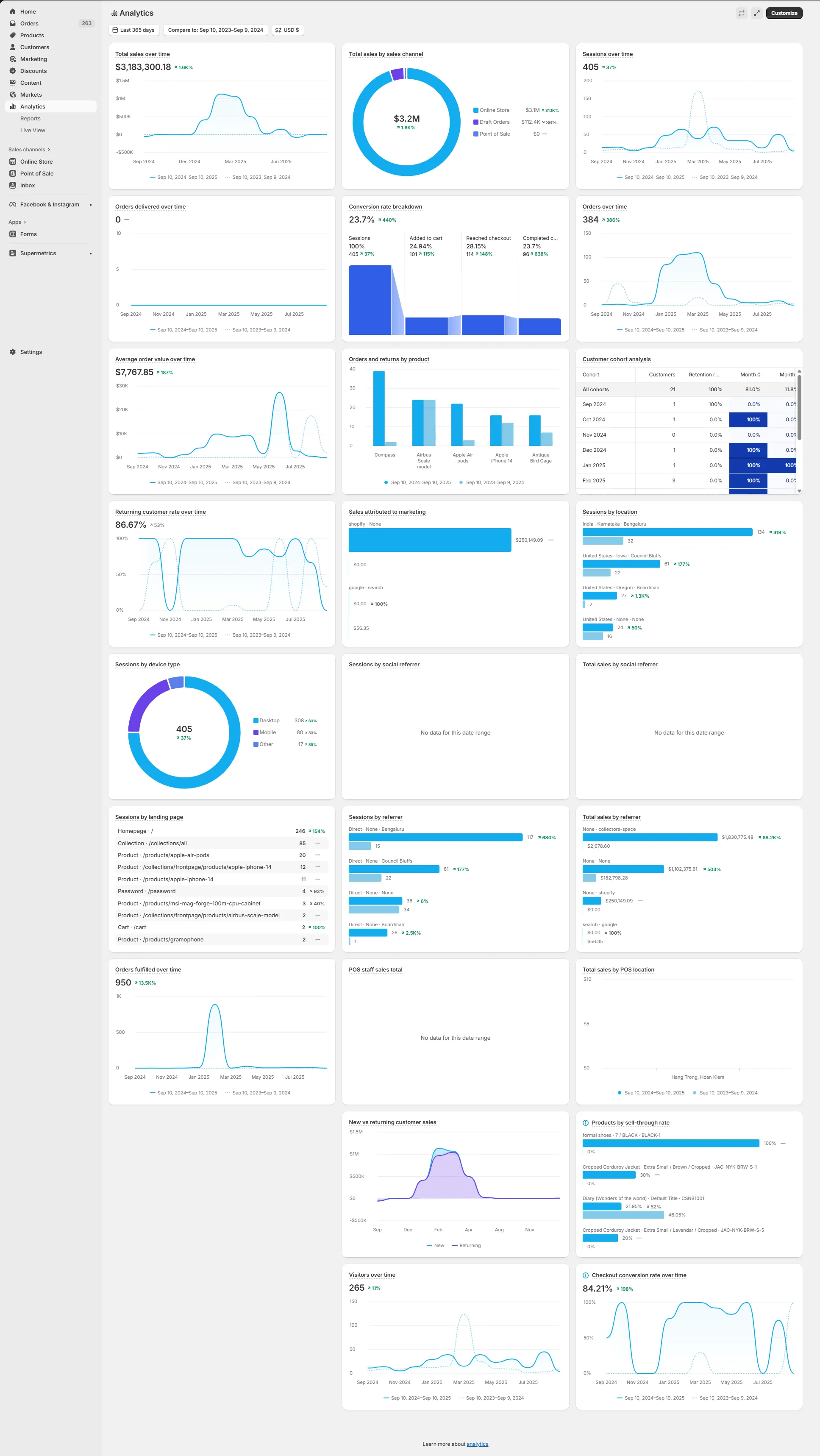
Legacy tracking scripts injected into checkout.liquid are deprecated. To secure clean data without degrading site performance, you must migrate to Shopify Custom Pixels running in a secure sandbox environment.
- Deploy custom Web Pixel APIs to track product_viewed, product_added_to_cart, and checkout_started events with zero latency.
- Isolate drop-off rates between the cart and the first step of checkout to identify payment gateway friction.
- Monitor mobile-specific event failures, focusing on form-field validation errors that block progress.
To systematically diagnose these drop-off points, leverage custom UX audits through Shopify Design & UX services to identify conversion blockers before writing code.
Ecommerce Merchandising Conversion: Structuring Collection Pages for High-Intent Buyers
Enterprise collection pages must balance visual merchandising with rapid product discovery. Default Shopify collection grids often overwhelm mobile users, leading to high bounce rates before users reach the cart.
The High-Converting Collection Page Checklist
- Implement Sticky Filters: Place horizontal, collapsible filter bars at the top of mobile viewports to keep product filtering accessible.
- Enable Quick-Add with Variant Selectors: Allow buyers to select sizes or colors and add to the cart directly from the grid, bypassing the PDP entirely.
- Utilize Dynamic Badging: Apply automated, high-contrast badges for "Best Seller" or "Low Stock" based on real-time Shopify inventory levels.
- Limit Infinite Scroll: Implement a "Load More" button after 24 products to prevent page lag and allow users to access the footer.
Common Merchandising Mistakes to Avoid
- Heavy image payloads: Do not upload uncompressed PNGs; use WebP formats and explicit width/height attributes to prevent layout shifts.
- Overwhelming filter options: Avoid displaying more than 7 parent filter categories; collapse secondary attributes to keep mobile screens clean.
- Invisible pricing: Never hide pricing or require hover actions to reveal costs, as this increases mobile abandonment by up to 15%.
Optimize Checkout Shopify: Implementing Checkout Extensibility to Reduce Friction
Shopify Checkout Extensibility replaces checkout.liquid, offering a secure, upgrade-safe framework for optimizing your checkout funnel. Transitioning to this architecture is critical for maintaining custom logic without compromising speed.
During high-traffic events like BFCM, default checkouts buckle under load. By implementing Checkout Extensibility, our team integrates tools like Klaviyo and Triple Whale directly via secure sandboxed pixels, ensuring zero performance degradation while tracking attribution accurately.
How to Fix Checkout Friction: Implementation Steps
- Consolidate to One-Page Checkout: Activate Shopify’s native one-page checkout in your admin settings to reduce form-field fatigue.
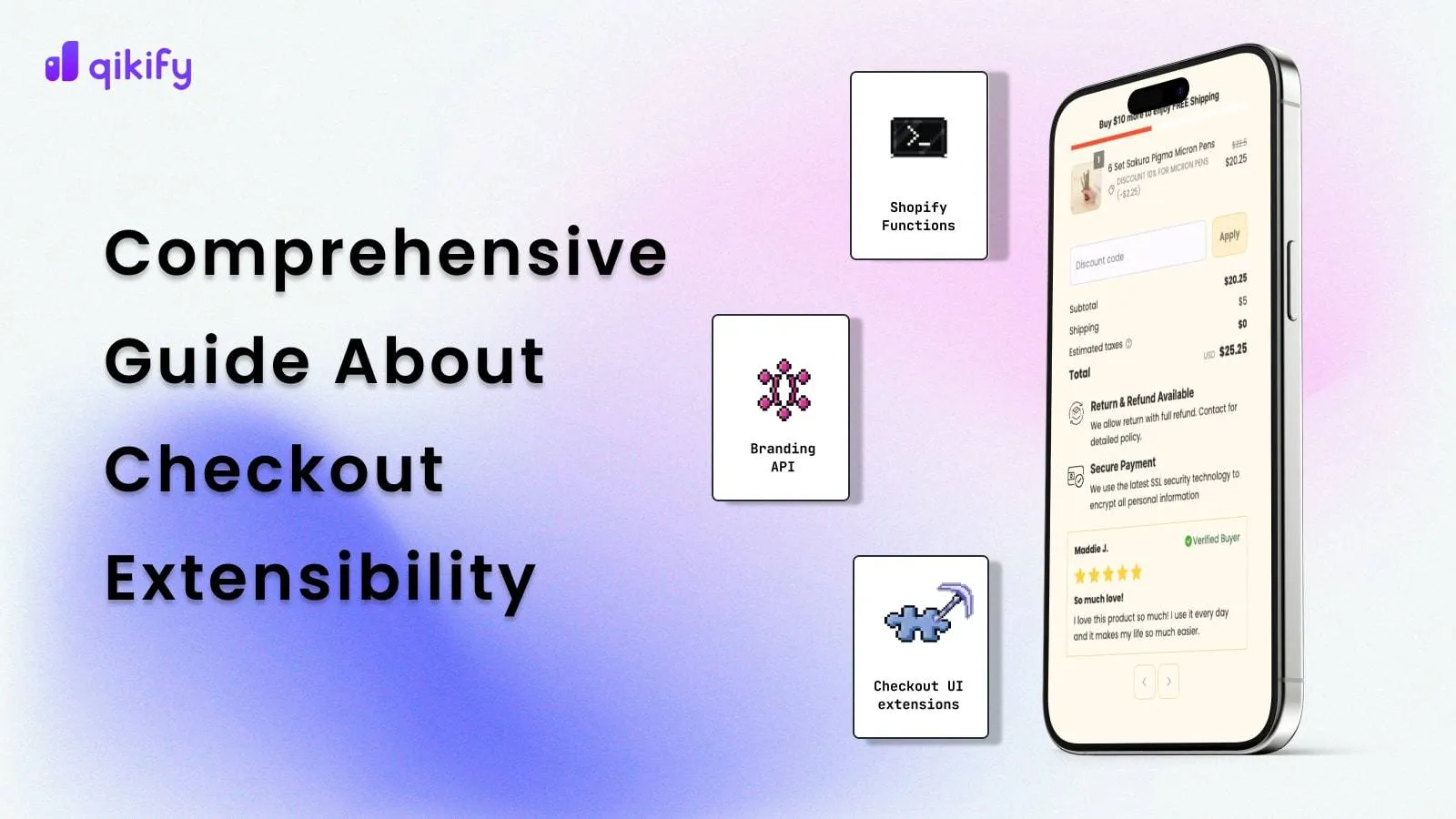
- Deploy Checkout UI Extensions: Inject custom trust badges, delivery estimators, and order notes directly into the checkout flow without editing theme code.
- Integrate Address Autocomplete: Force Google Autocomplete for address entry to reduce shipping input errors by up to 20%.
- Configure Express Pay Buttons: Place Shop Pay, Apple Pay, and Google Pay at the top of the checkout flow to bypass manual form entry.
Implementing these custom validation rules and UI extensions requires custom Shopify development services to ensure seamless API integrations and zero checkout downtime.
Leveraging Shopify Functions for High-Converting Upsells and Dynamic Pricing
Shopify Functions allow you to write custom backend logic that executes in under 5 milliseconds, replacing heavy, third-party apps that slow down your cart.
In our work with merchants, we deploy the dynamic-bundle split pattern using the Cart Transformer API to bundle products dynamically in the cart, displaying a single, clean line item while tracking individual SKU inventory.
- Cart Transformer API: Bundle products dynamically in the cart, displaying a single, clean line item while tracking individual SKU inventory.
- Product Discount API: Create tiered volume discounts (e.g., Buy 2, Get 10% Off) that apply instantly without coupon codes.
- Payment Customization API: Hide or reorder payment gateways based on customer tags, order value, or shipping address to lower transaction fees.
A/B Testing Your Shopify Plus CRO Changes Without Sacrificing Site Speed
Traditional client-side A/B testing tools inject heavy JavaScript that delays Largest Contentful Paint (LCP) and hurts search rankings. Enterprise CRO requires server-side or lightweight testing methodologies.
- Run server-side tests via Cloudflare Workers or Shopify's native oxygen environments to serve variations without layout shifts.
- Keep client-side testing scripts limited to minor CSS tweaks, and target no more than 10% of total traffic simultaneously.
- Prioritize testing high-impact elements first: primary CTA colors, cart drawer layouts, and mobile navigation hierarchies.
Running client-side A/B scripts can degrade performance, making technical SEO and speed optimization programs a prerequisite for clean testing environments and sustained search visibility.
How Avelize approaches this
Our team approaches Shopify Plus CRO through a structured, data-backed methodology designed to yield measurable lift within weeks.
- Technical & UX Audit (Week 1-2): We deploy custom Web Pixel APIs and run full-funnel heatmapping to isolate drop-off points. (Cost: Included in retainer | KPI: Identification of top 3 checkout leaks).
- Checkout Extensibility Migration (Week 3-4): We transition your store from checkout.liquid to native one-page checkout, implementing custom validation rules. (Cost: Custom project-based | KPI: Up to 20% reduction in shipping input errors).
- Server-Side CRO Implementation (Ongoing): We design and execute server-side A/B tests using Cloudflare Workers to protect site speed. (Cost: Monthly retainer | KPI: Sustained conversion rate lift of 15%+).
Frequently Asked Questions
What's the difference between checkout.liquid and Shopify Checkout Extensibility?
Shopify Checkout Extensibility is a secure, upgrade-safe, and high-performance framework that replaces the deprecated checkout.liquid file for customizing Shopify Plus checkouts. Unlike checkout.liquid, which required direct editing of theme code and frequently broke during platform updates, Checkout Extensibility utilizes sandboxed UI extensions, Shopify Functions, and the Web Pixels API. This architecture ensures that custom logic, such as upsells, custom form fields, and third-party tracking pixels, executes in a secure environment without degrading page load speed or blocking automatic platform updates. By leveraging Web Assembly and running backend logic in under 5 milliseconds, Checkout Extensibility maintains optimal Largest Contentful Paint (LCP) and reduces mobile checkout abandonment. Transitioning to this modern framework is mandatory for enterprise merchants to maintain custom checkout functionality, secure customer data, and leverage native one-page checkout configurations during high-traffic events like BFCM. This transition ensures your store remains compliant with modern security standards while maximizing conversion rates.
How long does a Shopify Plus CRO audit take?
A comprehensive Shopify Plus CRO audit typically takes 2 to 4 weeks. Our team analyzes custom Web Pixel events, heatmaps, and checkout drop-off rates to deliver a prioritized roadmap of high-impact technical optimizations.
Is Shopify Checkout Extensibility worth it for mid-market brands?
Yes, migrating to Checkout Extensibility is essential for mid-market and enterprise brands. It unlocks native one-page checkout, custom UI extensions, and secure tracking integrations that directly reduce checkout friction and improve mobile conversion rates.
Ready to eliminate checkout friction and maximize your store's revenue potential? Partner with our team for a comprehensive Technical SEO & CRO program tailored to your enterprise Shopify Plus storefront.
Published / Last reviewed: May 2026
Shopify Plus Conversion Review Framework
Conversion work on Shopify Plus should connect user experience, technical performance, merchandising, checkout behavior, and measurement quality. A redesign alone rarely fixes conversion if the page is slow, the offer is unclear, or analytics cannot explain where users hesitate.
- Review PDP clarity, trust signals, product discovery, and mobile usability.
- Audit app and script impact on Core Web Vitals and checkout flow.
- Compare conversion drop-offs by device, traffic source, product type, and landing page.
- Turn findings into a prioritized CRO backlog with measurable hypotheses.
Authoritative References
Use these official resources to verify platform-specific claims and implementation details before making commercial or technical decisions.
- Shopify Plus overview
- Shopify Functions documentation
- Checkout Extensibility documentation
- Google Search Central: Core Web Vitals
Related Avelize Services: Services · Ecommerce Web Design Agency