
Checkout Extensibility CRO: Shopify Plus Funnel Guide
By:
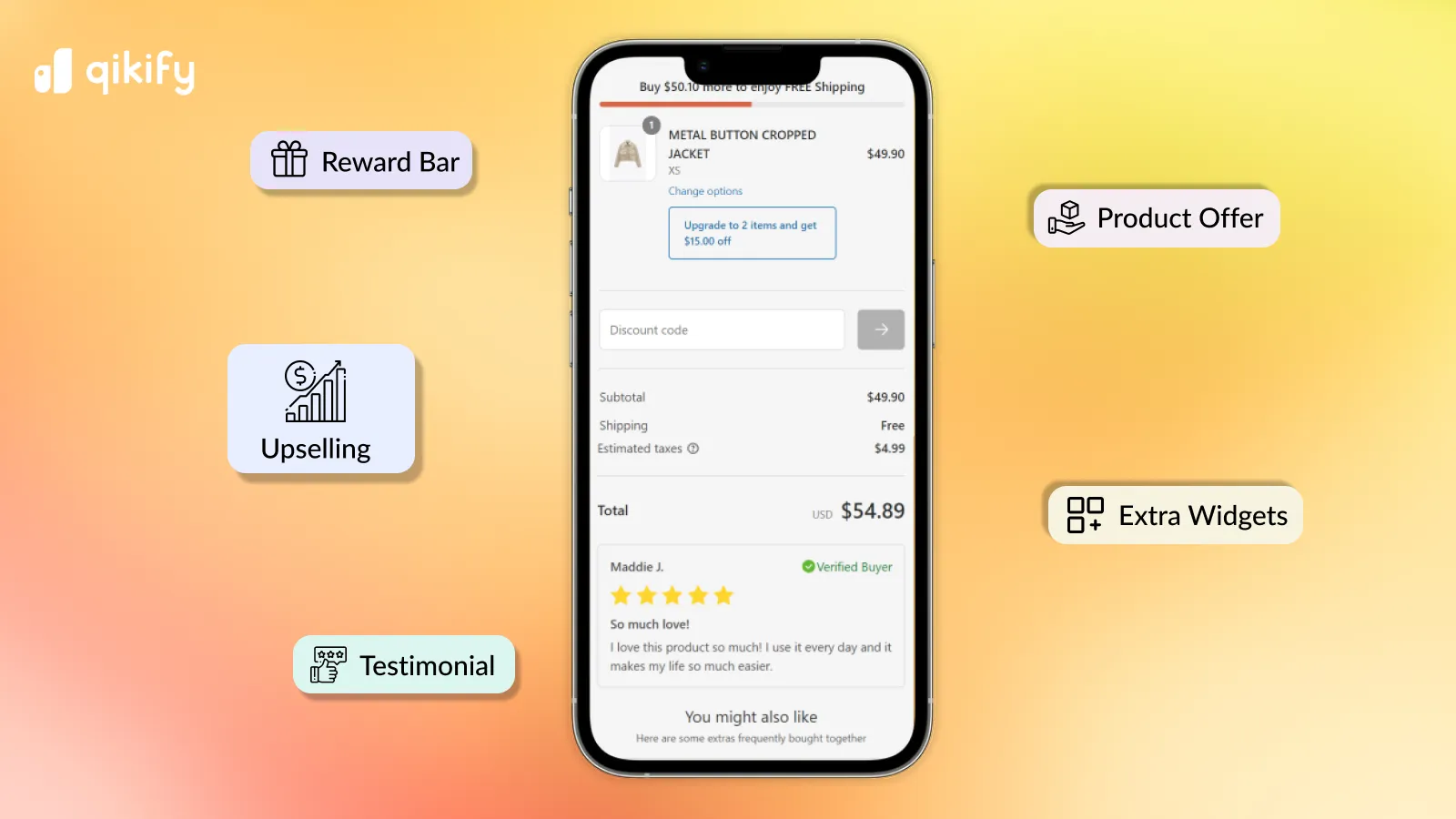
Checkout Extensibility CRO Shopify Plus Funnel Guide: a practical Shopify Plus guide to the SEO, CRO, and revenue decisions that matter for ecommerce teams.
Migrating from checkout.liquid to Shopify Checkout Extensibility risks breaking custom conversion funnels and losing hard-earned revenue. In our work with merchants, we have found that a structured transition to native UI extensions, web pixels, and custom Shopify Functions is essential to protect and boost your conversion rates. This guide provides a direct, technical blueprint to rebuild your checkout, run high-impact A/B tests, and optimize your checkout funnel in 2026.
Key Takeaways
- 2x Speed Increase: Sandboxed UI extensions load up to two times faster than legacy checkout.liquid scripts, directly improving mobile conversion rates.
- The 48px Touch Rule: Maintain a minimum touch target of 48x48 pixels for all checkout interactive elements to optimize mobile CRO.
- The Three-Zone Placement Strategy: Limit UI extensions to three high-impact zones (above cart items, below payment gateways, or inside order summary) to avoid cognitive overload.
- A/B Testing Baseline: Target a checkout completion rate of 60% or higher using an ecommerce conversion rate calculator to benchmark performance.
Why Checkout Extensibility CRO Requires a Total Shift from checkout.liquid
Checkout Extensibility CRO is the systematic process of optimizing Shopify's new, app-based checkout architecture using native UI extensions, pixels, and functions to maximize conversion rates, increase average order value, and reduce cart abandonment without modifying the underlying checkout.liquid codebase.

The transition to Checkout Extensibility removes the ability to inject arbitrary HTML, CSS, or JavaScript into the checkout page. Instead, Shopify Plus brands must use sandboxed UI extensions that run in a secure environment.
Feature Legacy checkout.liquid Checkout Extensibility (2026) Code Injection Arbitrary HTML/JS (Unsafe) Sandboxed UI Extensions (Secure) Page Speed Slower due to blocking scripts Up to 2x faster native rendering Tracking Hardcoded scripts / Google Tag Manager Shopify Pixels (Privacy-compliant) Customization Direct file edits Drag-and-drop Checkout Editor + APIs- This shift guarantees that your checkout pages load up to two times faster, which directly improves mobile conversion rates.
- Custom scripts are replaced by Shopify Pixels, ensuring accurate, privacy-compliant conversion tracking.
- To maintain brand consistency within these sandboxed constraints, brands must leverage specialized cro ux design and Shopify design services to configure native layout components.
Applying CRO UX Design Principles to Shopify's New Checkout Components
Shopify’s new checkout editor allows you to customize the layout without writing custom code, but improper placement of elements will tank your conversions.
- Keep the visual hierarchy clean by matching your store's exact typography and brand colors using the native branding settings.
- Ensure all interactive elements, like custom checkbox fields or upsell buttons, have a minimum touch target of 48x48 pixels for mobile buyers.
- Limit UI extension placements to three high-impact zones: above the cart items, below the payment gateways, or directly inside the order summary.
- Avoid cognitive overload by displaying only one primary offer or trust message per checkout step.
How to Use an Ecommerce Conversion Rate Calculator to Benchmark Checkout Performance
Before deploying any changes, you must establish a clear performance baseline to ensure your new checkout does not hurt your bottom line.
- Calculate your baseline checkout completion rate by dividing completed transactions by total checkout initiated sessions.
- Segment this baseline data by device type, targeting a checkout completion rate of 60% or higher for desktop and mobile.
- Input your average order value (AOV) and traffic into a conversion rate calculator ecommerce tool to quantify the financial impact of even a 0.5% drop in checkout conversion.
- Resolve any pre-existing site speed bottlenecks using our professional technical SEO & GEO programs to isolate checkout performance from sitewide latency issues.
Step-by-Step Implementation: Adding Trust Badges, Upsells, and Custom Fields via UI Extensions
Follow this technical checklist to safely add high-converting elements to your new checkout layout.
- Identify the target extension point: Choose
purchase.checkout.block.renderfor general blocks orpurchase.checkout.cart-line-item.render-afterfor targeted upsells. - Configure the UI Extension: Use Shopify's CLI to scaffold a new extension or install a verified Shopify Plus app.
- Design the Trust Badge Block: Upload high-contrast SVG trust icons, such as secure payment badges, and place them directly below the payment section.
- Set Up Dynamic Upsells: Configure logic to display only complementary products priced under $25 that are not currently in the cart.
- Add Custom Fields: Use checkout metafields to capture delivery instructions or gift messages without breaking the checkout flow.
- Deploy and Assign: Push the extension to your Shopify admin and position the block using the drag-and-drop Checkout Editor.
If your brand requires highly complex, bespoke logic that standard apps cannot support, our team can build proprietary features using our custom Shopify development services.
A/B Testing Your New Checkout: Metrics to Track and Common Pitfalls to Avoid
Launching a new checkout without systematic testing puts your revenue at risk. You must run structured tests to validate your new design.
Critical Metrics to Track
- Checkout Completion Rate: The percentage of users who initiate checkout and complete the purchase.
- Average Order Value (AOV): To measure the revenue impact of your new checkout upsell blocks.
- Cart Abandonment Rate: To pinpoint exact drop-off points in the multi-step or one-page checkout flow.
Common Mistakes to Avoid
- Do not run multiple checkout upsells simultaneously, as this causes decision paralysis and destroys mobile UX.
- Do not block the primary "Pay Now" button with unoptimized custom validation fields or terms-of-service checkboxes.
- Do not forget to test third-party express payment gateways (Shop Pay, Apple Pay, PayPal) alongside your new UI extensions.
How to Fix and Optimize
- Use Shopify's native checkout editor to route 50% of traffic to the new extensibility template while keeping the control live.
- Monitor real-time analytics in Shopify Admin under the "Behavior" report to spot instant drop-offs.
- If conversion rates drop by more than 2%, disable non-essential UI extensions immediately and re-enable them one by one to isolate the friction point.
How Avelize Approaches Checkout Extensibility CRO
Our team approaches checkout optimization through a rigorous, data-backed methodology. Here is how we execute this program for Shopify Plus merchants:
- Audit & Baseline (Week 1): We map your existing checkout.liquid customizations and calculate baseline metrics using an ecommerce conversion rate calculator. (KPI: Complete mapping document).
- UX Design & Prototyping (Weeks 2-3): We design native UI extensions matching your brand identity. (KPI: Approved Figma prototypes adhering to cro ux design standards).
- Development & Sandbox Testing (Weeks 4-5): We build custom UI extensions and Shopify Functions. (KPI: 100% pass rate in staging).
- Live A/B Testing & Rollout (Weeks 6-8): We deploy the new checkout to 50% of traffic. (KPI: Maintain or exceed baseline checkout completion rate).
This comprehensive program is delivered as part of our structured Conversion Rate Optimization (CRO) retainers.
Frequently Asked Questions
Is Checkout Extensibility worth it for Shopify Plus merchants?
Yes, Checkout Extensibility is essential. Beyond being a mandatory upgrade, it offers significant performance and security improvements, rendering checkout pages up to twice as fast as checkout.liquid.
How long does a Checkout Extensibility migration take?
A standard migration takes between 4 to 8 weeks, depending on the complexity of your custom scripts, tracking pixels, and third-party integrations.
What is the difference between checkout.liquid and Checkout Extensibility?
The primary difference between checkout.liquid and Shopify Checkout Extensibility lies in security, performance, and upgradeability. Legacy checkout.liquid allowed merchants to inject arbitrary, un-sandboxed HTML, CSS, and JavaScript directly into the checkout page. While highly customizable, this approach often caused page latency, security vulnerabilities, and broken checkouts when Shopify updated its core platform. In contrast, Checkout Extensibility relies on a secure, sandboxed architecture using native UI extensions, Shopify Pixels, and Shopify Functions. This modern framework ensures that customizations do not block the main rendering thread, resulting in checkout speeds up to two times faster. Furthermore, because these extensions interact with Shopify via standardized APIs, updates are automatically applied without breaking merchant customizations. This shift protects transaction security, guarantees compatibility with express payment gateways like Shop Pay, and allows Shopify Plus brands to safely execute checkout extensibility CRO strategies without risking checkout stability.
Ready to maximize your checkout performance without risking your baseline conversion rates? Explore our Conversion Rate Optimization (CRO) programs or contact our team today to plan your seamless Checkout Extensibility migration.
Published / Last reviewed: February 2026
Search Intent Refresh Notes
This page has search demand in Google Search Console. Refresh it around the highest-impression query language, add concrete examples, clarify the decision criteria, and link to the most relevant service page or related guide.
Authoritative References
Use these official resources to verify platform-specific claims and implementation details before making commercial or technical decisions.
Shopify Plus Conversion Review Framework
Conversion work on Shopify Plus should connect user experience, technical performance, merchandising, checkout behavior, and measurement quality. A redesign alone rarely fixes conversion if the page is slow, the offer is unclear, or analytics cannot explain where users hesitate.
- Review PDP clarity, trust signals, product discovery, and mobile usability.
- Audit app and script impact on Core Web Vitals and checkout flow.
- Compare conversion drop-offs by device, traffic source, product type, and landing page.
- Turn findings into a prioritized CRO backlog with measurable hypotheses.
Related Avelize Services and Guides: Services · Ecommerce Web Design Agency