
Meta Ads for Shopify Plus: Advanced Scaling Strategy
By:
Meta Ads For Shopify Plus Advanced Scaling Strategy: a practical Shopify Plus guide to the SEO, CRO, and revenue decisions that matter for ecommerce teams.
To scale Meta Ads on Shopify Plus successfully in 2026, merchants must transition from browser-reliant tracking to a server-side, first-party data architecture. By combining Shopify's native Conversions API (CAPI) with advanced audience segmentation tools like Shopify Audiences v2.2, brands can bypass iOS signal loss and lower customer acquisition costs. Our team at Avelize uses these exact protocols to stabilize attribution and maximize return on ad spend (ROAS) for high-growth enterprise storefronts.
Key Takeaways
- Implement the Maximum Data Sharing protocol in Shopify Plus to recover up to 30% of missed purchase events.
- Leverage the 70/20/10 Scaling Framework to balance prospecting, retargeting, and customer retention.
- Utilize Shopify Audiences v2.2 to target high-intent buyers based on real network-wide commerce signals.
- Integrate third-party attribution tools like Triple Whale or Northbeam to audit Meta's self-reported ROAS.
Resolving the Data Gap: Setting Up Shopify Plus Native Conversions API (CAPI) for Maximum Event Match Quality
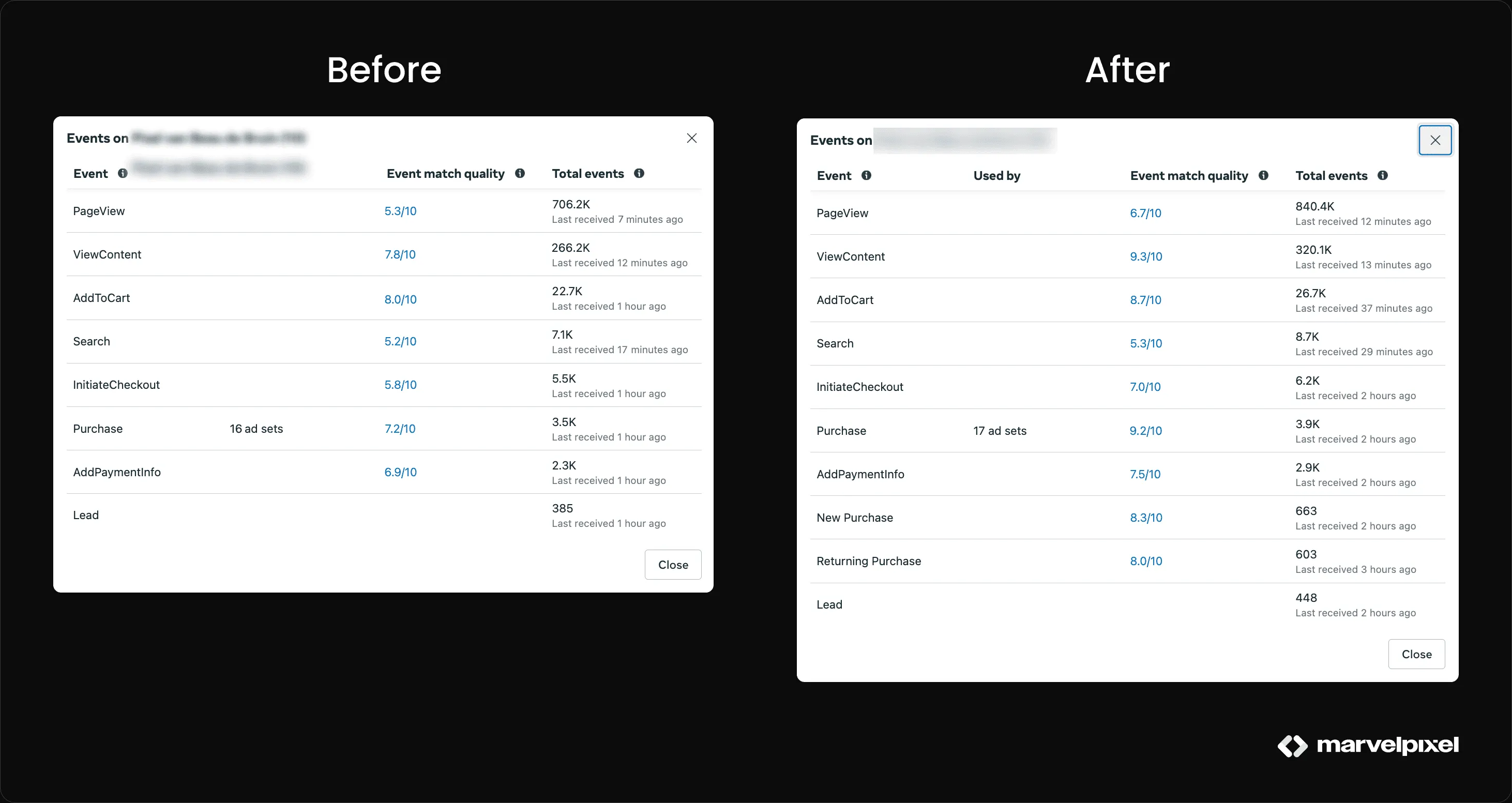
Integrating Meta Ads with Shopify Plus via the native Conversions API (CAPI) establishes a direct server-to-server connection. This setup bypasses browser ad blockers, preserves customer purchase data, and improves Event Match Quality (EMQ) scores to lower acquisition costs and optimize algorithm bidding.

Meta Conversions API (CAPI) is a server-side integration that allows merchants to share web events directly from their Shopify server to Meta, bypassing browser-side restrictions. Relying solely on browser-side pixel tracking misses up to 15% to 30% of purchase events. Implementing Shopify’s native integration ensures that server-side events backfill missing browser data, sending high-quality customer parameters like hashed emails, phone numbers, and IP addresses back to Meta.
Feature Browser-Only Pixel Native Shopify CAPI Data Source Client-side browser Server-to-server direct Ad Blocker Resistance Vulnerable (15-30% loss) Highly resistant Event Match Quality (EMQ) Low to Medium High (with Advanced Matching) Deduplication Manual setup required Automatic viaevent_id
If you need custom tracking pipelines beyond the native integration, consider leveraging our Custom Shopify Development services to implement advanced server-side tracking containers.
Implementation Checklist
- Navigate to your Shopify Admin and access the Facebook & Instagram sales channel.
- Under Settings, locate the Data Sharing settings and select the Maximum level to enable Advanced Matching.
- Verify that both browser and server events are active in Meta Events Manager under the Data Sources tab.
- Ensure deduplication is operating correctly by verifying that the
event_idparameter matches across both payloads.
TOFU (Top of Funnel): Scaling Cold Traffic Using Shopify Audiences and Lookalikes Built on LTV Data
Shopify Plus merchants have exclusive access to Shopify Audiences (v2.2+), a powerful tool that leverages aggregated, privacy-safe commerce signals across the entire Shopify network to identify high-intent buyers.
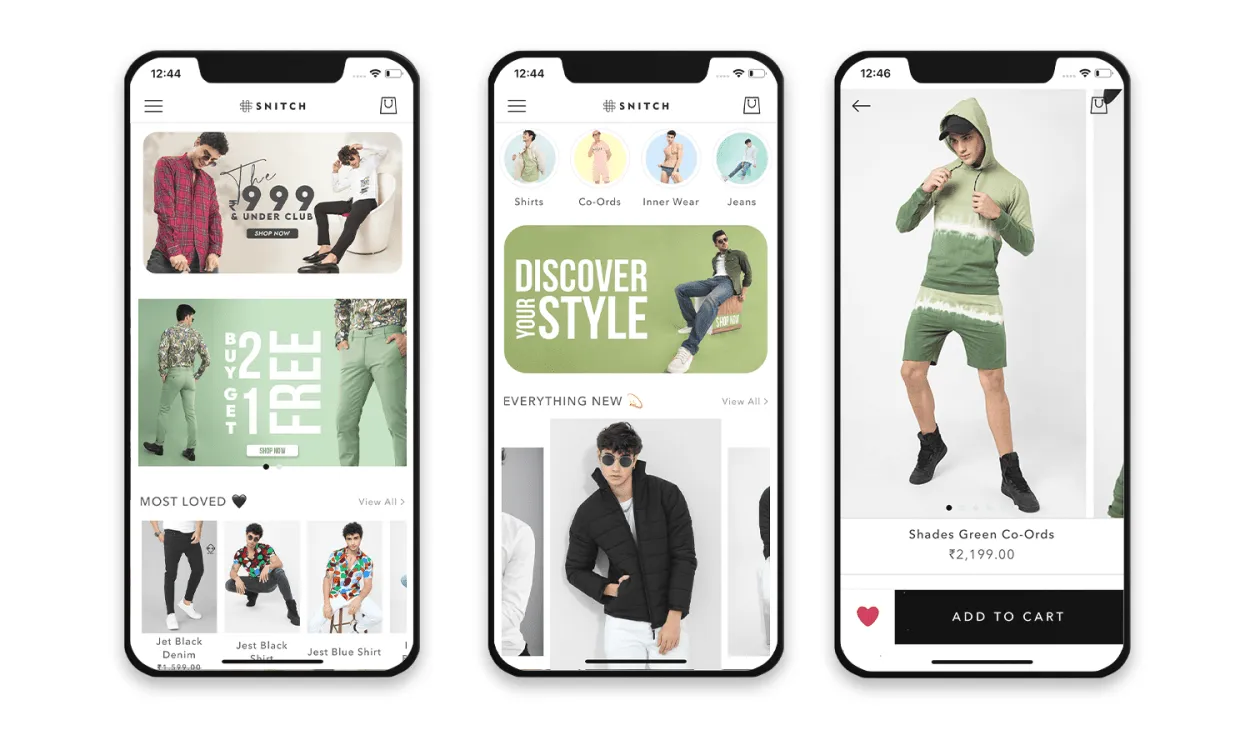
Shopify Audiences is an exclusive Shopify Plus tool that leverages aggregated, privacy-safe commerce signals across millions of stores to identify high-intent buyers.
- Export custom commerce-intent segments directly from the Shopify registry to target consumers actively shopping for products in your category.
- Build 1% to 2% Lookalike Audiences based on your top 20% highest LTV customers exported directly from Shopify Plus.
- Exclude past 180-day purchasers from all top-of-funnel ad sets to ensure ad spend is focused entirely on cold customer acquisition.
MOFU (Middle of Funnel): Nurturing High-Intent Prospects with Advantage+ Catalog Ads and Custom Product Sets
Advantage+ Catalog Ads (formerly Dynamic Product Ads) automatically deliver personalized product recommendations to users who have engaged with your brand but have not yet converted.
To maximize the conversion rate of catalog traffic, ensure your product pages are optimized for speed and user experience. Explore our Design & UX services to improve your mobile shopping templates and landing page layout.
- Filter your catalog sets to display only products with >30% gross margin and high inventory levels to avoid promoting low-margin or out-of-stock items.
- Incorporate dynamic social proof overlays directly onto catalog templates using creative tools to display star ratings or promotional badges.
- Target users who viewed or added products to their cart but did not purchase within a tight 7 to 14-day window.
BOFU (Bottom of Funnel): Maximizing Retention and Re-engagement with First-Party Customer Lists
With privacy restrictions limiting cookie-based retargeting, your first-party customer lists are your most valuable asset for driving repeat purchases and increasing customer lifetime value.
What to Avoid
- Do not rely on Meta's default pixel-based retargeting windows, which suffer from severe browser cookie decay under iOS tracking policies.
- Do not offer broad discounts to your entire customer list, which degrades your profit margins and conditions customers to only buy on sale.
How to Fix
- Sync Shopify Plus customer segments dynamically using automated integrations to ensure your custom audiences update in real-time.
- Segment lists by purchase frequency: target one-time buyers with specific cross-sell offers, and isolate VIP multi-buyers for exclusive loyalty rewards.
- Exclude recent purchasers from standard retargeting campaigns for at least 30 days to prevent ad fatigue and unnecessary ad spend.
Full-Funnel Budget Allocation: The 70/20/10 Scaling Framework for Shopify Plus Merchants
To scale meta ads shopify plus campaigns efficiently, you must allocate budget dynamically to prevent audience saturation and maintain a stable marketing efficiency ratio (MER).
- 70% Prospecting (TOFU): Direct the majority of your budget to Advantage+ Shopping Campaigns (ASC) and cold Shopify Audiences to continuously feed the pixel pipeline.
- 20% Middle of Funnel (MOFU): Allocate capital to retarget warm traffic, social engagers, and high-intent site visitors who abandoned carts.
- 10% Retention/Re-engagement (BOFU): Use a small portion of your budget to cross-sell existing customers and run win-back campaigns.
- Maintain account consolidation by keeping active ad sets under 5 per campaign to avoid learning phase fragmentation.
Troubleshooting Attribution: Aligning Meta Ads Manager with Shopify Triple Whale or Northbeam Data
Meta’s default 7-day click / 1-day view attribution model often over-reports performance due to overlapping touchpoints and view-through conversions.
For brands looking to completely align their tracking, analytics, and search visibility, explore our comprehensive SEO & Data services to build unified reporting pipelines.
- Implement standardized UTM parameters across all campaigns:
utm_source=facebook&utm_medium=paid&utm_campaign={{campaign.name}}&utm_content={{adset.name}}. - Compare Meta's in-platform metrics against your third-party attribution platform's New Customer Cost Per Acquisition (NC-CPA) to monitor true acquisition efficiency.
- Adjust daily budgets based on your blended Marketing Efficiency Ratio (MER) rather than relying solely on platform-reported ROAS.
How Avelize Approaches This
We engineer custom data pipelines and high-performance ad architectures for Shopify Plus merchants through a structured three-phase program:
- Phase 1: Technical Audit & CAPI Alignment (Weeks 1-2 | KPI: Event Match Quality Score > 8.0)
- Phase 2: Audience Architecture & Catalog Optimization (Weeks 3-4 | KPI: 15% reduction in TOFU CAC)
- Phase 3: Unified Attribution Dashboard Setup (Week 5 | KPI: Blended MER alignment within 5% variance)
Frequently Asked Questions
Is Shopify Audiences worth it for Shopify Plus merchants?
Yes. Shopify Audiences is highly effective because it bypasses traditional tracking limitations by utilizing aggregate, first-party purchase data from millions of merchants across the Shopify network. This allows the algorithm to identify high-intent buyers who are actively shopping for products in your specific category, resulting in lower customer acquisition costs (CAC) and higher return on ad spend (ROAS) compared to standard interest-based targeting.
What is the difference between browser pixel tracking and Conversions API (CAPI)?
The difference between browser pixel tracking and Meta Conversions API (CAPI) lies in the data transmission path and resistance to signal loss. Browser pixel tracking relies entirely on the user's web browser to execute JavaScript and send event data directly to Meta. This method is highly vulnerable to browser ad blockers, privacy extensions, and iOS App Tracking Transparency (ATT) frameworks, which routinely block up to 30% of purchase events. Conversely, Meta Conversions API (CAPI) establishes a secure, server-to-server connection directly from your Shopify Plus hosting environment to Meta's servers. By bypassing the browser entirely, CAPI ensures that critical customer parameters—such as hashed emails, phone numbers, IP addresses, and unique event IDs—are reliably transmitted. This server-side delivery improves your Event Match Quality (EMQ) score, optimizes algorithmic bidding, and ensures accurate deduplication when paired with browser-side events.
How long does it take to see results from Shopify Audiences?
Most merchants see improvements in ad set performance and audience match quality within 7 to 14 days of deploying Shopify Audiences, as Meta's algorithm requires a brief learning phase to optimize delivery against the newly imported first-party commerce signals.
Ready to eliminate signal loss and scale your paid acquisition? Contact our team today to explore our Custom Shopify Development and tracking optimization programs.
Published / Last reviewed: October 2026
Search Intent Refresh Notes
This page has search demand in Google Search Console. Refresh it around the highest-impression query language, add concrete examples, clarify the decision criteria, and link to the most relevant service page or related guide.
Authoritative References
Use these official resources to verify platform-specific claims and implementation details before making commercial or technical decisions.
Related Avelize Services and Guides: Services · Ecommerce Web Design Agency