
Shopify B2B Wholesale Optimization: Custom Pricing & Catalogs
By:
Shopify B2B Wholesale Optimization Custom Pricing &: a practical Shopify Plus guide to the SEO, CRO, and revenue decisions that matter for ecommerce teams.
Native Shopify B2B store setups frequently fail when processing account-level pricing tiers, catalog restrictions, and complex ERP syncing logic. To achieve scale, merchants must replace legacy customer tagging hacks with native Shopify Plus Company Profiles, dynamic Price Lists, and asynchronous GraphQL delta updates. This operational guide provides exact technical configurations to eliminate manual order overhead, fix ERP synchronization failures, and streamline wholesale catalog management in 2026.
Key Takeaways
- Native Profile Mapping: Map buyer accounts directly to Company Profiles to prevent CSS/JS catalog leaks and search indexing flaws.
- Async Delta Syncing: Restrict GraphQL
priceListFixedPricesUpdatemutations to 250 variants per batch to eliminate ERP rate-limiting. - Order Velocity Optimization: Implement search-as-you-type quick order forms and bulk CSV matrix uploads to accelerate high-volume checkout.
- Structured Credit Terms: Enforce location-specific Net 15/30/60 terms with optional 20% upfront deposit requirements at checkout.
Mapping Custom Product Catalogs to B2B Company Profiles in Shopify Plus
Shopify B2B custom catalog mapping is the technical process of assigning specific product publish lists, company locations, and price lists to individual Shopify Plus B2B Company Profiles. This restricts unauthorized catalog visibility, enforces buyer-specific purchasing rules, and prevents contract pricing errors across enterprise wholesale buyer accounts.

To enforce contract-specific catalog restrictions, map each buyer account directly to a dedicated Company Profile rather than relying on customer tagging hacks or Liquid theme redirects.
Implementation Steps
- Navigate to Admin > Customers > Companies and establish primary parent company records.
- Assign specific Locations under each company record to mirror multi-warehouse or regional buyer operations.
- Attach tailored Catalogs to each company location, selecting exact SKU inclusions or exclusions.
Common Catalog Mapping Mistakes
- Using theme-level CSS/JS hiding for restricted products, which leaves unassigned SKUs indexable via storefront search.
- Failing to assign default catalogs to top-level Company Profiles, resulting in checkout price fallback errors.
Configuring Dynamic Price Lists, Volume Discounts, and Fixed Price Overrides
Setting up B2B pricing in Shopify Plus requires structured rules using Price Lists. Combine percentage-based price adjustments with absolute fixed-price overrides to maintain precise margin controls across wholesale tiers.
How to Configure Tiered B2B Pricing Rules
- Define Base Rules: Apply dynamic percentage discounts across broad product collections for Tier 3 accounts.
- Set Fixed Overrides: Apply fixed unit prices on high-volume SKUs for Tier 1 contract accounts to prevent rounding errors.
- Implement Quantity Break Matrices: Configure minimum order quantities (MOQs) and incremental quantity steps directly inside Catalog settings.
For complex logic requiring specialized scripts or metafield-driven price calculations, leverage specialized development support to build native Functions that calculate tier rules dynamically without slowing down store performance.
Eliminating ERP Synchronization Failures for Complex Tiered Wholesale Pricing
ERP sync failures occur when enterprise resource planning systems push pricing updates that violate Shopify's native B2B API payload schemas. Decouple real-time sync requests by implementing asynchronous delta-update workflows.
Numbered ERP Integration Checklist
- Validate Schema Payload: Ensure ERP pricing feeds map directly to Shopify B2B GraphQL API priceListFixedPricesUpdate mutations.
- Set Batch Limit Limits: Restrict bulk API calls to 250 variants per batch to avoid rate-limit throttling.
- Implement Staging Webhooks: Buffer incoming pricing payloads in a middleware queue before executing writes.
- Audit Reconciliation Logs: Set up automated alerts to catch SKU mismatches between the ERP item master and Shopify variant IDs.
What to Avoid in ERP Integration
- Pushing full catalog price updates during peak trading hours; execute incremental delta syncs instead.
- Relying on standard REST Admin APIs instead of high-throughput GraphQL APIs built specifically for Shopify B2B structures.
Architecting an enterprise integration strategy requires dedicated technical middleware. Learn more about engineering stable architecture via our specialized shopify b2b agency services.
Setting Up Vaulted Payment Terms (Net 30/60) and Credit Limits per Buyer Account
Manual credit terms processing introduces payment reconciliation delays. Shopify Plus natively supports payment terms assigned directly to Company Profiles, enforcing strict checkout limits based on buyer account permissions.
Implementation Steps
- Enable Payment Terms: Select Net 15, Net 30, Net 60, or Due on Receipt inside Company Profile location settings.
- Assign Buyer Permissions: Grant "Ordering Only" or "Location Admin" roles to control which company contacts can place orders on credit.
- Set Deposit Requirements: Require an upfront percentage deposit (e.g., 20% deposit at checkout) for buyers with custom credit terms.
Common Mistakes
- Setting payment terms globally instead of enforcing restrictions per individual company location record.
- Failing to sync Shopify draft order term approvals back to the ERP financial system, causing credit limit miscalculations.
Optimizing High-Volume B2B Checkout with Quick Order Forms and SKU Matrix Uploads
Wholesale buyers prioritize purchasing velocity over retail visual merchandising. Replacing standard product pages with rapid order entry mechanisms significantly increases order conversion rates.
High-Volume Ordering Optimization Steps
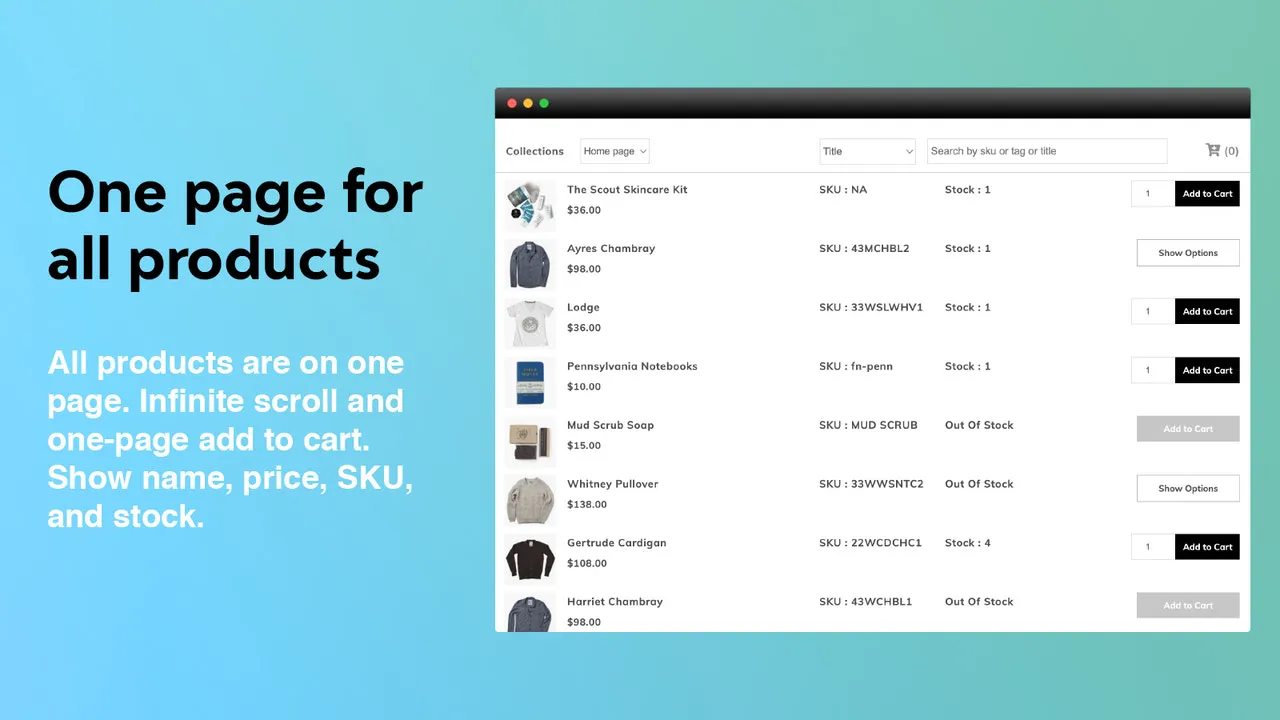
- Deploy Quick Order Interfaces: Provide search-as-you-type interfaces displaying SKU, inventory availability, tier pricing, and inline quantity selectors.
- Enable Bulk CSV/SKU Uploads: Allow buyers to upload matrix spreadsheets containing SKU and quantity columns directly to the cart.
- Store Reorder Templates: Enable 1-click reordering based on historical company purchase orders directly from the buyer account portal.
Optimizing quick order forms requires careful performance management to ensure client-side scripts do not degrade layout stability. Review our technical optimization practices to maintain high-velocity wholesale checkout performance.
Evaluating When to Partner with a Specialized Shopify Ecommerce Agency for B2B API Customizations
While Shopify Plus provides robust native B2B functionality, enterprise operations reaching specific complexity thresholds require custom engineering via GraphQL B2B APIs and Shopify Functions.
Technical Threshold Checklist
- Multi-ERP Environments: Catalog pricing originates from separate ERP, PIM, and CRM systems simultaneously.
- Complex Matrix Pricing Logic: Contract pricing requires multi-variable calculations combining currency rates, regional freight tiers, and dynamic rebates.
- Custom Customer Portals: Buyer accounts require specialized approval workflows, custom PO validation logic, or custom headless dashboard elements.
How Avelize Approaches Shopify B2B Optimization
When engineering B2B architectures for high-volume enterprise merchants, our team follows a four-stage deployment framework designed to maximize checkout conversion and guarantee ERP data integrity:
- Data & Middleware Audit (Week 1–2): We map complex ERP pricing logic, catalog rules, and buyer permission matrices to native Shopify GraphQL mutations, establishing real-time error logging and staging middleware.
- Catalog & Profile Structuring (Week 3–4): Our engineers configure nested Company Profiles, assign location-specific payment terms (Net 30/60), and build dynamic Price Lists with fixed-price overrides.
- High-Velocity Front-End Engineering (Week 5–6): We deploy fast matrix order forms, bulk CSV uploaders, and native Shopify UI extensions directly in the buyer account portal, maintaining sub-second TTFB.
- Integration & Stress Testing (Week 7–8): We run asynchronous delta sync loads up to 250 variants per batch, verifying zero checkout pricing fallback errors under heavy trading volume.
Engagements typically range from 6 to 12 weeks with retainer support starting at $8,000/month, delivering targeted KPIs like a 40% reduction in manual order entries and zero pricing sync timeouts. Learn how our specialized shopify b2b agency services streamline wholesale storefronts.
Frequently Asked Questions
Is Shopify Plus native B2B worth it for enterprise wholesale?
Yes. Native B2B on Shopify Plus replaces fragile third-party apps and customer tagging hacks with built-in Company Profiles, custom Price Lists, vaulted payment terms, and native checkout support. It reduces maintenance overhead and provides enterprise-level security.
How do you handle tier pricing and volume discounts in Shopify B2B?
Tier pricing and volume discounts in Shopify B2B are managed natively through Price Lists assigned directly to Company Profiles rather than legacy third-party tagging apps. Within Shopify Plus, merchants configure tiered pricing by combining broad percentage-based discounts across product collections with absolute fixed-price overrides for high-volume SKUs. Fixed pricing overrides prevent currency conversion rounding discrepancies on contract agreements. For complex volume breaks, quantity rules such as minimum order quantities (MOQs) and increment step thresholds are applied directly at the catalog level. When custom contract logic exceeds native rules, such as multi-variable formulas factoring in freight tiers or dynamic rebates, specialized Shopify Functions calculate pricing rules dynamically during checkout execution. For high-volume updates, pricing payloads are pushed asynchronously via GraphQL priceListFixedPricesUpdate mutations capped at 250 variants per call, ensuring real-time ERP sync accuracy without degrading storefront page speed performance or breaking native checkout workflows.
What is the difference between customer tags and Shopify Company Profiles?
Customer tags are simple text markers previously used to hide elements via CSS/JS, which left restricted SKUs accessible via search or direct URLs. Shopify Company Profiles are native B2B account structures that enforce server-side catalog, pricing, location, and payment term rules at checkout.
How long does a Shopify B2B optimization engagement take?
A standard B2B architecture optimization project with Avelize takes between 6 to 12 weeks depending on ERP complexity, custom middleware requirements, and custom storefront UI extensions.
Ready to scale your enterprise wholesale store and eliminate manual order entry? Partner with our experienced shopify ecommerce agency for b2b to engineer a robust, high-converting B2B storefront on Shopify Plus.
Published / Last reviewed: February 2026 by Avelize Technical SEO & Development Team.
Search Intent Refresh Notes
This page has search demand in Google Search Console. Refresh it around the highest-impression query language, add concrete examples, clarify the decision criteria, and link to the most relevant service page or related guide.
Authoritative References
Use these official resources to verify platform-specific claims and implementation details before making commercial or technical decisions.
Shopify Plus Pricing 2026: What Enterprise Teams Should Budget For
Shopify Plus pricing should not be evaluated as a single monthly fee. For enterprise teams, the real budget usually combines platform fees, payment processing, transaction rules, app costs, implementation work, analytics setup, QA, and ongoing optimization.
The safest way to compare Shopify Plus cost is to separate the decision into four layers:
- Platform cost: the contracted Shopify Plus fee and any commercial terms quoted by Shopify.
- Payment and transaction costs: Shopify Payments, external gateways, payment method mix, and international selling requirements.
- Implementation cost: theme work, migration, integrations, tracking, redirects, QA, and launch support.
- Operating cost: apps, CRO testing, maintenance, analytics, SEO monitoring, and performance optimization.
Shopify Plus Features That Affect Pricing Decisions
The pricing question is not only whether Shopify Plus is more expensive than standard Shopify plans. The better question is whether the additional enterprise capabilities reduce operational friction, technical risk, or conversion loss enough to justify the cost.
- Checkout extensibility and advanced checkout customization needs.
- B2B, wholesale, multi-market, or multi-store operating requirements.
- Higher-volume merchandising, automation, and integration workflows.
- SEO, analytics, and migration safeguards that reduce launch risk.
Hidden Shopify Plus Costs to Include in the 2026 Budget
Many Shopify Plus budgets miss the work around the platform: app rationalization, theme performance cleanup, data migration, redirect mapping, analytics QA, consent tooling, and post-launch conversion measurement. These costs matter because they decide whether the platform change actually improves revenue or simply moves the same problems into a new stack.
When Shopify Plus Is Worth It
Shopify Plus is usually easier to justify when the business has meaningful operational complexity, international growth, B2B requirements, checkout constraints, or performance and SEO debt that is holding back conversion. It is harder to justify when the store only needs a cosmetic redesign or does not yet have the traffic, revenue, or team capacity to use the enterprise features.
Need a Shopify Plus Cost and SEO Review?
If you are comparing Shopify Plus pricing against migration risk, SEO impact, performance debt, or conversion upside, I can review the current store and map the highest-risk cost items before you commit to a migration or rebuild.
Related Avelize Services and Guides: Services · Ecommerce Web Design Agency