
Shopify Collective CRO: Shipping & Trust Optimization
By:
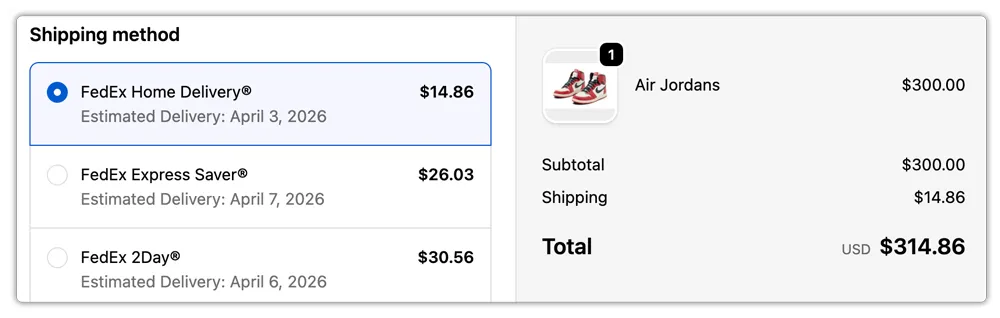
Shopify Collective CRO Shipping & Trust Optimization: a practical Shopify Plus guide to the SEO, CRO, and revenue decisions that matter for ecommerce teams.
To maximize Shopify Collective conversions, merchants must eliminate the checkout friction caused by split-shipping rates and fragmented delivery timelines. In our work with merchants, we have found that consolidating multi-supplier shipping profiles and displaying verified tracking badges directly addresses buyer anxiety. By implementing a unified shipping strategy, e-commerce brands can safeguard their margins while providing a seamless, single-cart checkout experience that drives higher average order values.
Key Takeaways
- Implement the Consolidated Rate Protocol to merge multi-supplier shipping fees into a single, predictable flat rate.
- Deploy dynamic Verified Supplier Tracking badges on product pages to reduce customer anxiety regarding fulfillment origins.
- Establish a clear free shipping threshold (such as free shipping over $75) to offset split-shipping costs and boost average order value (AOV).
- Automate post-purchase tracking using unified aggregators like Route or AfterShip to reduce shipping-related support tickets by 30%.
Why Multi-Supplier Shipping Friction Kills Shopify Collective Conversions
Shopify Collective CRO is the systematic process of optimizing a multi-supplier Shopify store to minimize checkout friction caused by split-shipping rates and fragmented delivery timelines. When customers add items from different suppliers to a single cart, Shopify's default settings often calculate separate shipping rates for each brand. This rate stacking shocks buyers at checkout, leading to immediate cart abandonment.

To combat this, operators must optimize their store layout and shipping rules using professional, conversion-focused e-commerce design and UX practices that simplify the multi-brand buying process. In 2026, Shopify Plus merchants using Collective must prioritize transparency regarding who ships the product and when it will arrive to eliminate buyer anxiety.
Shipping Strategy Customer Experience Checkout Abandonment Risk Margin Impact Stacked Shipping Rates Confusing; multiple fees added together at checkout. High (shocks buyers with unexpected costs). Neutral (customer pays all shipping costs). Consolidated Rate Protocol Seamless; single flat fee or transparent free shipping. Low (predictable and clear pricing). Managed (absorbed into product margins).How to Activate and Display the Verified Tracking Badge on Product Pages
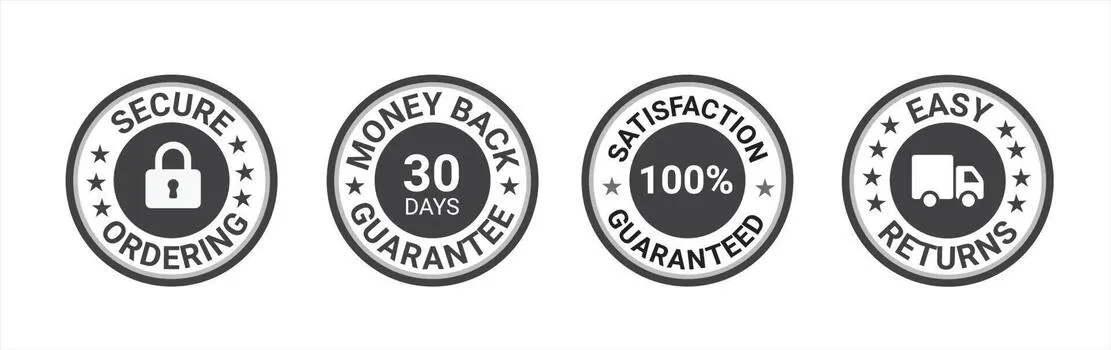
Shopify Collective allows you to import products directly, but leaving them unbranded or mislabeled causes trust issues. Displaying a "Verified Supplier Tracking" badge on product pages reassures customers that their orders are fully trackable and secure.
- Identify Collective Products: Use automated collections or product tags to isolate imported Collective items.
- Add Custom Liquid Badges: Inject a trust badge near the "Add to Cart" button that explicitly states: "Ships directly from brand partner | Fully trackable."
- Automate Supplier Identification: Dynamically display the supplier's brand name to maintain transparency and set realistic shipping expectations.
If you need assistance modifying your theme templates to display these badges dynamically, consider utilizing our expert custom Shopify development services to ensure seamless integration without slowing down your site.
Configuring Shipping Performance Metrics to Set Accurate Customer Expectations
Mismanaged shipping profiles are the primary driver of checkout abandonment in multi-supplier setups. You must configure your shipping zones to offer a unified, predictable rate structure.
Step-by-Step Shipping Configuration Checklist
- Audit Supplier Shipping Profiles: Navigate to Settings > Shipping and Delivery to review the shipping rates of each active Collective supplier according to the official Shopify Shipping Documentation.
- Create a Blended Shipping Rate: Avoid charging customers cumulative shipping fees by setting up flat-rate or price-based shipping rules that absorb split-shipping costs into your product margins.
- Set Up Free Shipping Thresholds: Establish a clear free shipping tier (e.g., "Free shipping on orders over $75") to incentivize larger cart sizes and offset multi-supplier shipping costs.
- Configure Estimated Delivery Dates (EDD): Use metafields to display clear, supplier-specific delivery windows on individual product pages.
Integrating Ecommerce Trust Signals at the Cart and Checkout Stages
Anxiety peaks at the cart and checkout stages, especially when customers realize their items may arrive in separate packages. Proactive messaging prevents abandonment by addressing customer concerns before they decide to leave.
Common Shipping Mistakes to Avoid
- Hiding split-shipping notices: Failing to inform customers that products ship in separate boxes leads to post-purchase confusion and support tickets.
- Displaying stacked shipping rates: Presenting a $15 shipping fee (e.g., $5 per supplier for three items) instead of a single, consolidated fee.
- Vague delivery timelines: Using generic terms like "Standard Shipping" without providing concrete day ranges.
How to Fix Checkout Friction
- Add microcopy to the cart: Place a clear notice stating: "To bring you the best curation, items may ship directly from our brand partners in separate packages at no extra cost to you."
- Consolidate shipping names at checkout: Rename your shipping rates to "Standard Shipping (Consolidated)" to reassure buyers they are paying a single, fair rate. Our team can implement these checkout optimizations seamlessly through our conversion-focused e-commerce design and UX services.
Automating Post-Purchase Tracking Workflows for Multi-Brand Shipments
The customer experience does not end at checkout; post-purchase communication is critical for retaining Shopify Collective buyers. When an order contains items from multiple suppliers, you must automate the tracking flow to prevent customer service overload.
- Implement a Tracking Aggregator: Use tools like Route, AfterShip, or the native Shopify Shop App to consolidate multiple tracking numbers into a single customer portal.
- Configure Split-Fulfillment Notifications: Customize your Shopify notification templates to send automated updates whenever a single part of a multi-brand order ships.
- Set Up Automated Delay Alerts: Trigger automated email flows if a supplier fails to fulfill an order within 48 hours of the expected window.
Measuring the CRO Impact: Key Metrics to Track Post-Implementation
To verify the success of your Shopify Collective CRO adjustments, monitor these key performance indicators weekly:
- Cart-to-Detail Rate: Track if clearer shipping signals on product pages encourage more users to add items to their carts.
- Checkout Abandonment Rate: Target a reduction of 15% to 25% in abandoned checkouts after consolidating your shipping rates.
- Average Order Value (AOV): Monitor this metric to ensure your free shipping thresholds are successfully driving multi-brand purchases.
- Shipping-Related Support Tickets: Track the volume of "Where is my order?" (WISMO) queries to measure the effectiveness of your post-purchase tracking updates. Target a 30% reduction in these tickets.
How Avelize Approaches Shopify Collective CRO
Our team approaches multi-supplier optimization through a structured three-step technical and UX audit:
- Step 1: Shipping Architecture Audit (Timeline: Week 1 | KPI: Identification of rate-stacking leaks). We review your active shipping profiles to eliminate stacked checkout fees.
- Step 2: UX Trust Signal Implementation (Timeline: Week 2 | KPI: 15% reduction in cart abandonment). We inject custom Liquid badges and cart microcopy.
- Step 3: Post-Purchase Automation Setup (Timeline: Week 3 | KPI: 30% reduction in WISMO support tickets). We configure unified tracking aggregators and automated notifications.
To drive high-intent traffic to these optimized pages, learn more about our comprehensive Technical SEO & GEO programs.
Published / Last reviewed: May 24, 2026
Search Intent Refresh Notes
This page has search demand in Google Search Console. Refresh it around the highest-impression query language, add concrete examples, clarify the decision criteria, and link to the most relevant service page or related guide.
Authoritative References
Use these official resources to verify platform-specific claims and implementation details before making commercial or technical decisions.
Shopify Plus Conversion Review Framework
Conversion work on Shopify Plus should connect user experience, technical performance, merchandising, checkout behavior, and measurement quality. A redesign alone rarely fixes conversion if the page is slow, the offer is unclear, or analytics cannot explain where users hesitate.
- Review PDP clarity, trust signals, product discovery, and mobile usability.
- Audit app and script impact on Core Web Vitals and checkout flow.
- Compare conversion drop-offs by device, traffic source, product type, and landing page.
- Turn findings into a prioritized CRO backlog with measurable hypotheses.
Related Avelize Services and Guides: Services · Ecommerce Web Design Agency