
Shopify Plus B2B: Custom Pricing & Portal Optimization
By:
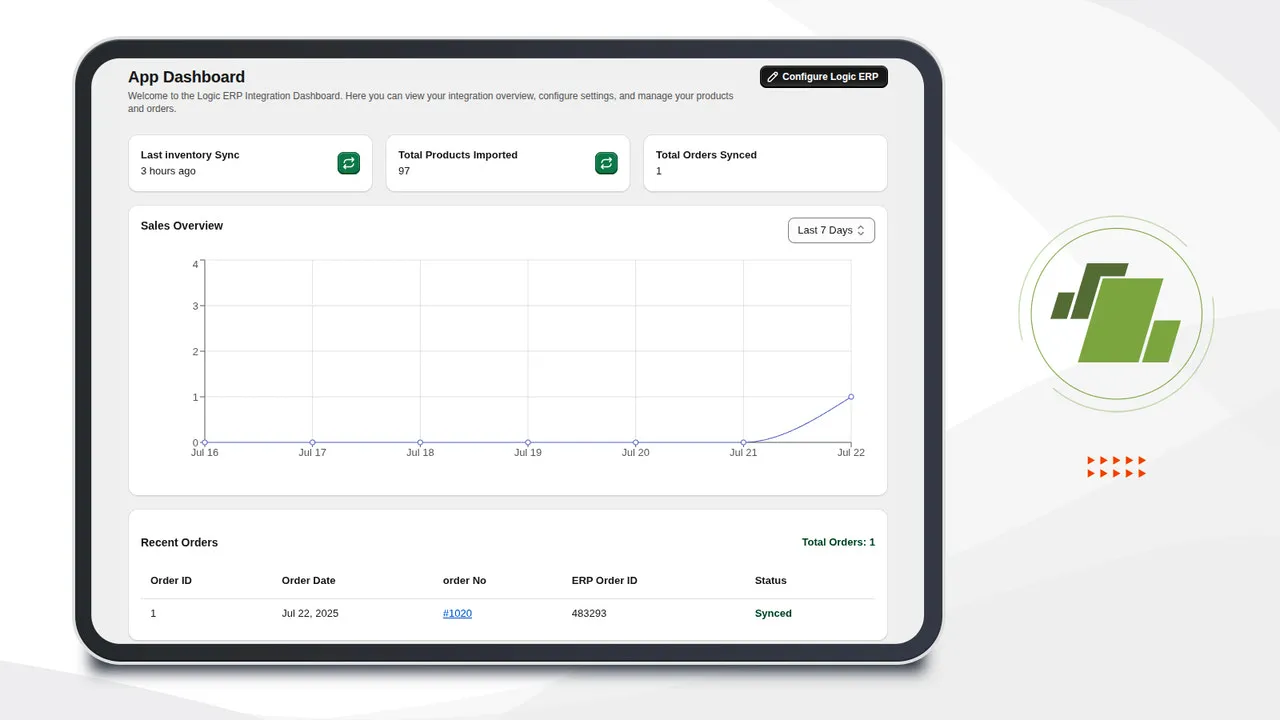
Shopify Plus B2B Custom Pricing & Portal Optimization: a practical Shopify Plus guide to the SEO, CRO, and revenue decisions that matter for ecommerce teams.
We engineer high-performance B2B storefronts that bridge the gap between legacy enterprise resource planning (ERP) systems and modern digital commerce. Shopify B2B wholesale optimization is the process of migrating offline contract pricing, custom payment terms, and bulk purchasing workflows into a unified, self-service digital portal. By automating these complex transactions on Shopify Plus, merchants eliminate manual order processing errors and accelerate wholesale order velocity.
Key Takeaways
- The 15-Minute Sync Protocol: Ensure ERP-to-Shopify price updates run on a 15-minute delta to prevent checkout pricing discrepancies.
- Native Price Lists Over Discounts: Utilize native Shopify Plus Price Lists instead of discount codes to prevent contract conflicts.
- Self-Service Velocity: Implement SKU-based quick order forms to reduce wholesale checkout times by up to 40%.
- Automated Net Terms: Configure Company Locations to assign Net 30/60 terms dynamically based on verified credit limits.
Step 1: Mapping ERP Price Lists to Shopify Plus Company Profiles
Shopify B2B wholesale mapping connects ERP customer records to Shopify Plus Company Profiles, binding unique price lists, payment terms, and tax exemptions to specific buyer locations. This automation eliminates manual order processing by dynamically displaying contract-specific pricing at checkout based on the logged-in user’s corporate identity.

To sync ERP data, use the Shopify Admin API or a middleware connector to map ERP Customer IDs to Shopify Company Profiles.
- Create unique Company Locations under each Company Profile to handle different shipping addresses and tax profiles.
- Assign specific Price Lists directly to these Company Locations to override retail pricing.
- Ensure your ERP syncs updates to Shopify every 15 minutes to prevent pricing discrepancies during active buying hours.
If your ERP integration requires specialized architecture, consider leveraging our Shopify Plus custom development services to build robust, scalable API pipelines.
Step 2: Configuring Custom Pricing, Quantity Breaks, and Volume Discounts
With the latest updates to Shopify Plus B2B features in 2026, the platform supports both fixed-price overrides and percentage-based discounts via native Price Lists. This eliminates the need for complex, third-party scripting that historically slowed down checkout performance.
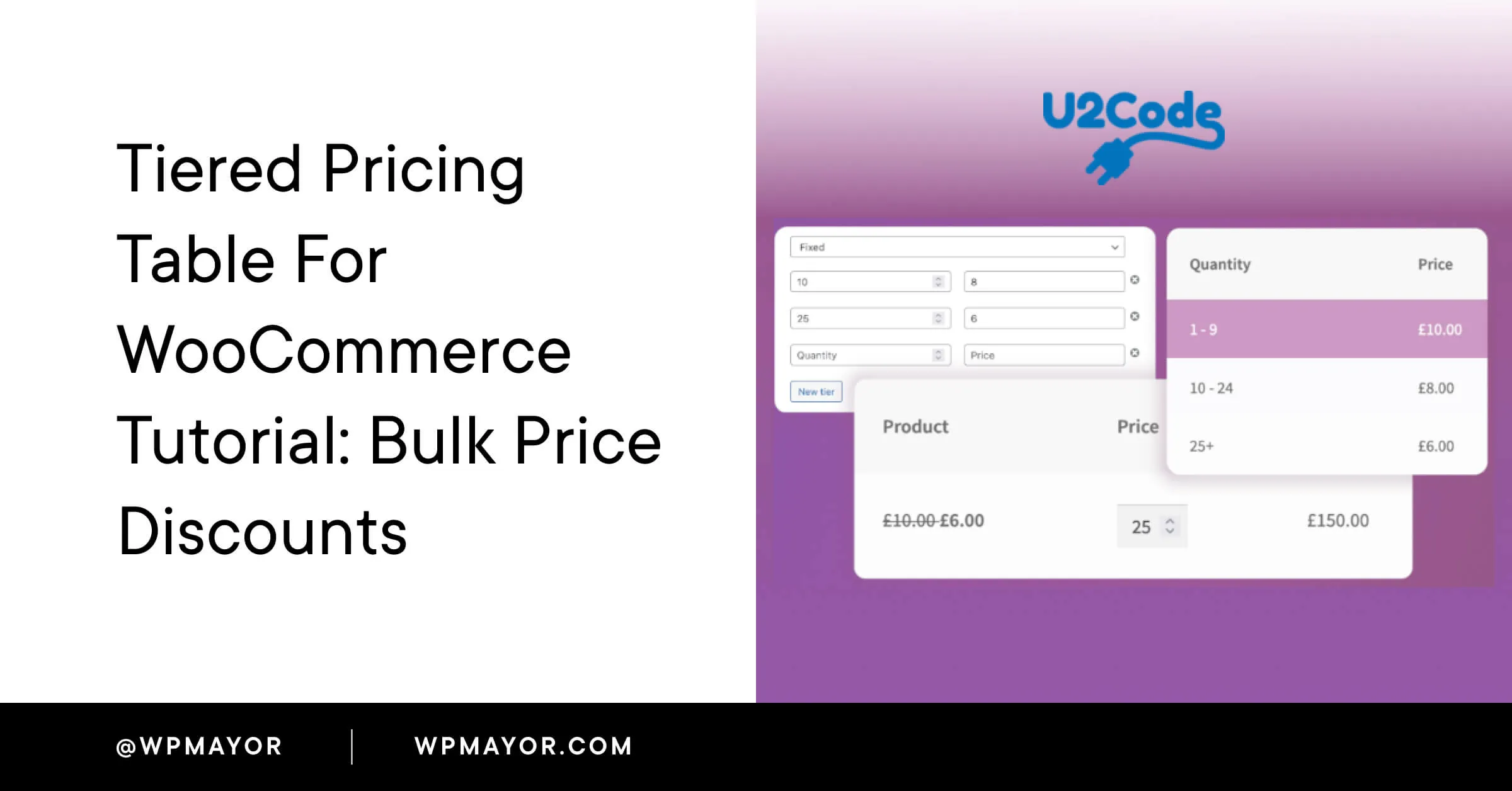
- Set up Quantity Breaks directly within the Price List CSV import or the admin UI to incentivize bulk purchases.
- Ensure that volume discounts are applied per variant or per product category depending on your ERP logic.
- Validate that tiered pricing rules render instantly on the product detail page when a B2B user logs in.
What to Avoid
- Do not use standard Shopify discount codes for wholesale contracts, as they conflict with B2B price lists.
- Avoid manual price adjustments on draft orders; automate this via the API to prevent customer checkout delays.
How to Fix / Implementation
Follow these steps to import custom pricing:
- Export your ERP price matrix as a CSV file containing SKU, price, and minimum quantity columns.
- Navigate to Products > Price Lists in your Shopify Admin and click Create price list.
- Upload the CSV and link the price list to the target Company Profile.
Step 3: Setting Up Net Payment Terms and Credit Limits at Checkout
Assign payment terms directly to the Company Location settings to manage cash flow and credit risk.
- When an authorized buyer checks out, they can select Pay on terms instead of entering a credit card.
- Shopify Plus natively tracks these terms, generating invoices that buyers can pay via bank transfer or credit card later.
- Set credit limits per company to prevent automated order placement once a buyer exceeds their threshold.
Checklist for Payment Configuration
- Go to Customers > Companies and select the target company.
- Click on the Location you want to edit.
- Under Payment terms, select the appropriate net terms, such as Net 30 or Net 60.
- Enable or disable credit card payments for term settlements.
- Save the configuration to apply terms instantly at checkout.
Step 4: Optimizing the Self-Service Portal for Rapid Bulk Reordering
Wholesale buyers expect rapid ordering interfaces, not standard retail grids designed for discovery.
- Implement a Quick Order Form template that allows SKU search, quantity inputs, and bulk actions on a single page.
- Enable customer-facing order history so buyers can duplicate past orders with one click.
- Support CSV upload features directly in the cart, allowing buyers to upload a list of SKUs and quantities for instant checkout.
Ensure the portal loads instantly to prevent abandonment during high-volume operations. Optimize your storefront performance with Shopify speed optimization programs to handle large cart sizes without performance degradation.
Step 5: Troubleshooting Common B2B Checkout and Tax Exemptions Issues
Misconfigured tax profiles and user permissions account for the majority of B2B checkout friction.
- Tax Exemptions: Map the customer's tax-exempt status in Shopify by checking Exempt from taxes and entering their state-specific tax ID.
- Checkout Errors: If custom pricing does not appear, verify that the customer's login email is explicitly added as a Company Contact with ordering permissions.
- API Sync Failures: Schedule daily reconciliation reports to identify any price mismatches between Shopify and your ERP.
What to Avoid
- Failing to set up tax exemptions before the first order, resulting in manual refund requests.
- Overlooking user permissions, preventing secondary buyers from accessing corporate net terms.
How Avelize Approaches B2B Wholesale Optimization
Our team implements a structured, three-phase engineering framework to transition enterprise merchants to Shopify Plus B2B:
- Phase 1: ERP Schema Mapping & API Architecture (Weeks 1-2): We audit your legacy ERP pricing tables and design the GraphQL sync pipelines.
- Phase 2: Custom Portal & Quick-Order UI Development (Weeks 3-5): We build high-speed, headless or Liquid-based bulk ordering interfaces.
- Phase 3: UAT & Automated Price Verification Testing (Week 6): We run automated scripts to validate pricing accuracy across 100% of your customer segments.
KPIs & Cost: Our integrations target a 99.9% price sync accuracy and a 40% reduction in customer service order-entry volume. Project costs scale based on ERP complexity and customization requirements.
Ready to scale your wholesale operations? Learn more about our Shopify Plus migrations and custom development programs.
Last reviewed: October 2026
Shopify Plus Pricing 2026: What Enterprise Teams Should Budget For
Shopify Plus pricing should not be evaluated as a single monthly fee. For enterprise teams, the real budget usually combines platform fees, payment processing, transaction rules, app costs, implementation work, analytics setup, QA, and ongoing optimization.
The safest way to compare Shopify Plus cost is to separate the decision into four layers:
- Platform cost: the contracted Shopify Plus fee and any commercial terms quoted by Shopify.
- Payment and transaction costs: Shopify Payments, external gateways, payment method mix, and international selling requirements.
- Implementation cost: theme work, migration, integrations, tracking, redirects, QA, and launch support.
- Operating cost: apps, CRO testing, maintenance, analytics, SEO monitoring, and performance optimization.
Shopify Plus Features That Affect Pricing Decisions
The pricing question is not only whether Shopify Plus is more expensive than standard Shopify plans. The better question is whether the additional enterprise capabilities reduce operational friction, technical risk, or conversion loss enough to justify the cost.
- Checkout extensibility and advanced checkout customization needs.
- B2B, wholesale, multi-market, or multi-store operating requirements.
- Higher-volume merchandising, automation, and integration workflows.
- SEO, analytics, and migration safeguards that reduce launch risk.
Hidden Shopify Plus Costs to Include in the 2026 Budget
Many Shopify Plus budgets miss the work around the platform: app rationalization, theme performance cleanup, data migration, redirect mapping, analytics QA, consent tooling, and post-launch conversion measurement. These costs matter because they decide whether the platform change actually improves revenue or simply moves the same problems into a new stack.
When Shopify Plus Is Worth It
Shopify Plus is usually easier to justify when the business has meaningful operational complexity, international growth, B2B requirements, checkout constraints, or performance and SEO debt that is holding back conversion. It is harder to justify when the store only needs a cosmetic redesign or does not yet have the traffic, revenue, or team capacity to use the enterprise features.
Need a Shopify Plus Cost and SEO Review?
If you are comparing Shopify Plus pricing against migration risk, SEO impact, performance debt, or conversion upside, I can review the current store and map the highest-risk cost items before you commit to a migration or rebuild.
Authoritative References
Use these official resources to verify platform-specific claims and implementation details before making commercial or technical decisions.
Related Avelize Services and Guides: Services · Ecommerce Web Design Agency