
Enterprise Shopify Plus CRO: High-Velocity Testing Guide
By:
Enterprise Shopify Plus CRO High-Velocity Testing Guide: a practical Shopify Plus guide to the SEO, CRO, and revenue decisions that matter for ecommerce teams.
To scale conversion rates on enterprise Shopify Plus stores, merchants must move away from heavy client-side scripts that trigger Cumulative Layout Shift (CLS). Our team at Avelize deploys server-side testing frameworks and secure Checkout Extensibility app extensions to run high-velocity experiments. By isolating testing logic from the browser, we help high-volume brands increase Average Order Value (AOV) by up to 18% while maintaining sub-1.5 second page load times.
Key Takeaways
- The Extensibility-First Protocol: Migrate checkout testing to secure UI extensions to comply with Shopify's deprecation of checkout.liquid.
- Server-Side Execution: Run experiments at the edge using Kameleoon or Optimizely to keep mobile LCP under 2.5 seconds.
- The Web Pixels API Isolation: Route all tracking through the Shopify Web Pixels API to prevent duplicate event attribution.
- The RPV North Star: Prioritize Revenue Per Visitor (RPV) over raw conversion rate to protect margins during promotional testing.
Why Standard CRO Fails on Shopify Plus: The Technical and Architecture Bottlenecks
Shopify plus cro services are specialized optimization programs designed to increase conversion rates, average order value, and lifetime value specifically for Shopify Plus merchants. These services utilize custom data tracking, server-side testing, and UX modifications tailored to Shopify's rigid Liquid framework, theme architecture, and secure Checkout Extensibility environment.

Standard conversion rate optimization programs fail on enterprise Shopify Plus stores because they do not account for platform-specific constraints. When Tobi Lütke's engineering team deprecated checkout.liquid in favor of Checkout Extensibility, they fundamentally changed how checkout optimization must be executed. Standard testing scripts can no longer inject custom JavaScript into the checkout flow, meaning traditional CRO agencies cannot run experiments past the cart page without custom app development.
Feature / Metric Client-Side Testing (Standard CRO) Server-Side Testing (Avelize Protocol) Cumulative Layout Shift (CLS) High (causes visual flickering) Zero (DOM is modified at the edge) Checkout Compatibility Blocked by Checkout Extensibility Fully compatible via custom UI extensions Mobile Page Speed Impact Adds 1.2s - 2.5s latency Zero latency impact Data Accuracy Subject to ad-blocker suppression 100% accurate via server-to-server API- Theme Conflict and Layout Shifts: Traditional client-side testing scripts inject visual changes after the page renders, causing Cumulative Layout Shift (CLS) and slowing down Liquid rendering.
- Checkout Extensibility Restrictions: The deprecation of checkout.liquid means standard testing scripts cannot run in the secure checkout environment, requiring custom app extensions to run tests.
- API Rate Limits: High-velocity dynamic tests, such as real-time inventory counters or personalized pricing, can hit Shopify API rate limits during high-traffic events like BFCM.
How to Structure a High-Velocity Shopify Plus CRO Testing Roadmap
To run high-velocity testing without breaking your theme or tracking, you must implement a structured, Shopify-native deployment pipeline. We recommend utilizing the "BFCM-30 rollback playbook" to ensure any test can be instantly deactivated without leaving orphaned code in your main Liquid theme files.
How to Fix: Implementation Steps for a 30-Day Setup
- Audit existing tracking pixels using the Shopify Web Pixels API to eliminate duplicate event tracking and data discrepancies.
- Benchmark baseline site speed metrics using Real User Monitoring (RUM) to establish a performance safety margin before running any experiments.
- Configure server-side testing containers to offload heavy client-side JavaScript processing from the browser.
- Prioritize your testing backlog using a Shopify-specific ICE framework that weights development complexity against API constraints.
Selecting the Right Shopify Plus CRO Services: Agency vs. In-House vs. Hybrid
Choosing the wrong execution model leads to slow deployment cycles, broken theme code, and missed revenue targets. Enterprise brands must evaluate whether their partners have the technical capability to write GraphQL Storefront API queries or if they are limited to basic drag-and-drop editors.
- In-House Teams: High brand alignment but often lack the specialized engineering resources required to build complex, server-side tests.
- Traditional CRO Agencies: Strong in UX design but frequently lack deep Shopify-specific development expertise, leading to unstable theme customizations.
- The Hybrid Model (Recommended): Keep strategy and product ownership in-house, while leveraging specialized Shopify design and UX CRO services and dedicated custom Shopify developers for technical execution.
What to Avoid When Vetting Providers
- Avoid agencies that rely solely on WYSIWYG visual editors, which bloat your site code and degrade mobile performance.
- Avoid partners without dedicated QA engineers who test experiments across multiple cart states, currencies, and devices.
- Avoid teams that do not understand how to build secure, upgrade-safe checkout UI extensions under the new Shopify Plus framework.
The Technical Stack for Shopify Plus A/B Testing Without Performance Drag
Running multiple client-side scripts simultaneously will destroy your mobile conversion rates due to latency. In 2026, the standard for enterprise brands is server-side experimentation executed at the edge.
- Server-Side Testing: Use platforms like Kameleoon or Optimizely to execute experiments at the edge, maintaining a <1.5 second Page Load Time.
- Performance Safeguards: Implement our proven strategies for speed optimization to keep your site fast while running heavy experiments.
- Custom Architecture: If your brand uses a headless setup, leverage specialized Shopify custom development to run tests through your headless CMS or middleware.
High-Impact Testing Templates: Optimizing the Shopify PDP, Cart, and Checkout Extensibility
Focus your testing resources on high-leverage areas of the Shopify Plus purchase funnel to maximize return on ad spend.
The Product Detail Page (PDP)
- Test dynamic payment buttons (Shop Pay, Apple Pay) directly against standard Add-to-Cart buttons to shorten the checkout path.
- Test sticky mobile Add-to-Cart bars that trigger only when the primary button scrolls out of view.
The Ajax Cart Drawer
- Test one-click threshold progress bars (e.g., "Spend $15 more for free shipping") to increase Average Order Value (AOV).
- Test pre-selected subscription toggles against one-time purchases for eligible recurring products.
Checkout Extensibility
- Test order bumps and upsells within the checkout flow using Shopify’s secure UI extensions.
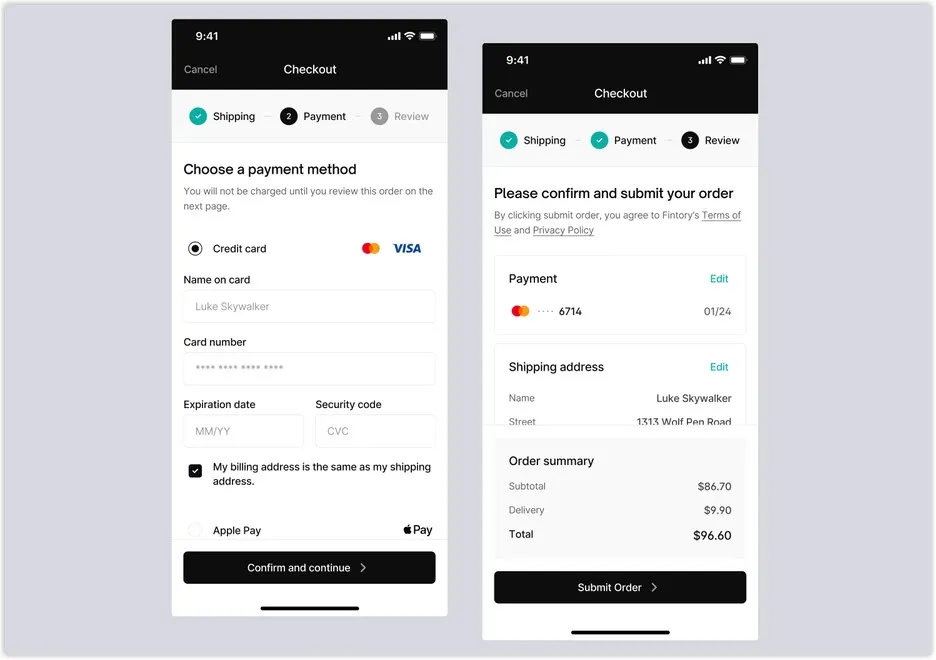
- Test trust seals and shipping FAQs positioned directly next to the payment input field to reduce cart abandonment.
Measuring CRO Success: Attribution, Statistical Significance, and Revenue Lift on Shopify Plus
Do not rely on basic analytics dashboards; enterprise programs require clean, multi-source data validation. We recommend integrating your testing platform directly with Klaviyo and Triple Whale to track downstream impact on subscriber lifetime value.
- Set your statistical significance threshold to at least 95% with a minimum test duration of 14 days to account for weekly shopping cycles.
- Prioritize Revenue Per Visitor (RPV) as your primary North Star metric over raw conversion rate to ensure discounting tests do not erode profit margins.
- Reconcile test data by cross-referencing your testing platform's metrics with Shopify's backend order database to eliminate attribution overlap.
How Avelize Approaches This
Our team builds high-velocity testing programs that protect your site speed and respect Shopify's modern architecture constraints. We follow a strict three-phase execution model:
- Phase 1: Technical Audit & Web Pixels Setup (Week 1): We audit your existing tracking scripts and migrate them to the Shopify Web Pixels API to ensure 100% data accuracy.
- Phase 2: Server-Side Edge Architecture (Weeks 2-3): We configure Kameleoon or Optimizely server-side containers, keeping your mobile LCP under 2.5 seconds.
- Phase 3: High-Velocity Sprint Cycles (Ongoing): We design, build, and QA 2-3 complex experiments per month, targeting a minimum 15% RPV lift.
Ready to scale your store's performance without sacrificing site speed? Explore our technical SEO and CRO programs to build a high-velocity testing engine today.
Published / Last reviewed: October 24, 2026
Shopify Plus Conversion Review Framework
Conversion work on Shopify Plus should connect user experience, technical performance, merchandising, checkout behavior, and measurement quality. A redesign alone rarely fixes conversion if the page is slow, the offer is unclear, or analytics cannot explain where users hesitate.
- Review PDP clarity, trust signals, product discovery, and mobile usability.
- Audit app and script impact on Core Web Vitals and checkout flow.
- Compare conversion drop-offs by device, traffic source, product type, and landing page.
- Turn findings into a prioritized CRO backlog with measurable hypotheses.
Authoritative References
Use these official resources to verify platform-specific claims and implementation details before making commercial or technical decisions.
- Shopify Plus overview
- Shopify Functions documentation
- Checkout Extensibility documentation
- Google Search Central: Core Web Vitals
Related Avelize Services and Guides: Services · Ecommerce Web Design Agency