
Google Ads for Shopify Plus: Scale ROAS & Profit
By:
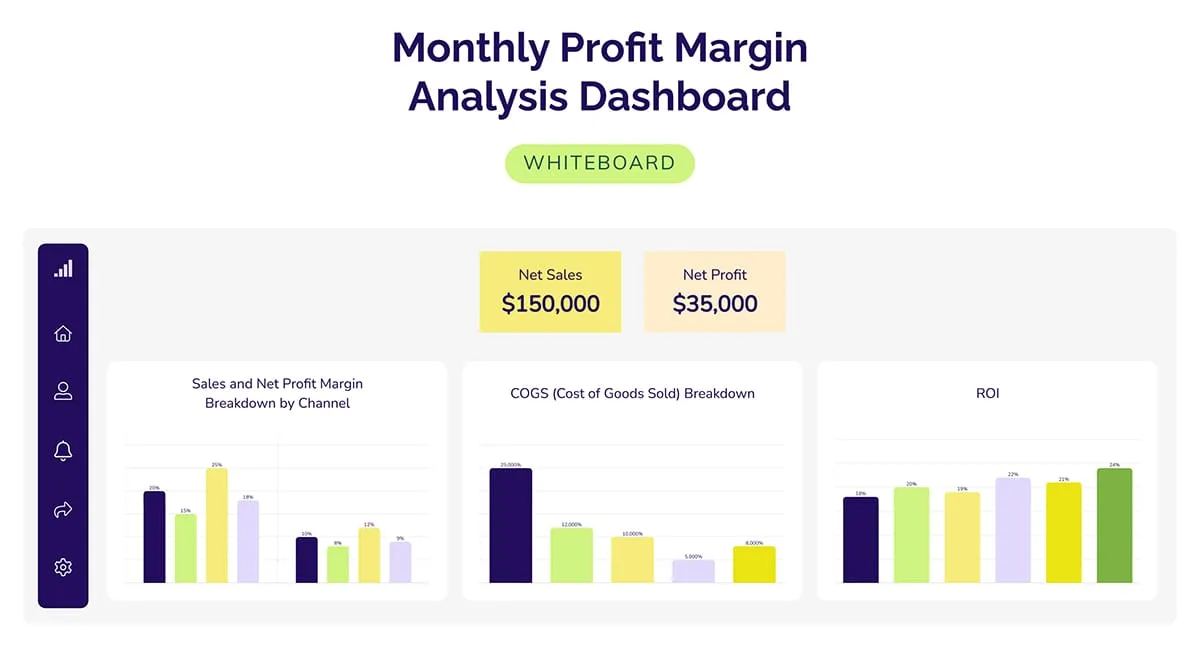
Google Ads For Shopify Plus Scale Roas & Profit: a practical Shopify Plus guide to the SEO, CRO, and revenue decisions that matter for ecommerce teams.
To scale Google Ads for Shopify Plus successfully, merchants must shift from revenue-based bidding to profit-margin optimization. By feeding real-time cost of goods sold (COGS) and custom metafields from Shopify Plus into Google Merchant Center, we can transition campaigns to value-based bidding. This technical guide outlines our agency's framework for eliminating brand cannibalization, isolating low-performing SKUs, and maximizing bottom-line profitability.
Key Takeaways:- The Margin-First PMax Split: Segment your catalog into High, Medium, and Low margin buckets using custom Shopify metafields mapped to Google Merchant Center Custom Labels.
- Server-Side Profit Tracking: Implement server-side Google Tag Manager (sGTM) to pass net profit rather than gross revenue to the Google Ads conversion tag.
- The Zombie SKU Playbook: Force impressions on stagnant inventory by isolating zero-impression products into a dedicated low-budget campaign.
- Brand Exclusion & Placement Auditing: Protect margins by excluding mobile app placements and applying brand exclusions to prevent self-cannibalization in 2026.
Why standard Shopify Plus Google Ads setups plateau
Most e-commerce brands rely on standard revenue tracking, which treats every dollar of sales equally. However, Value-Based Bidding (VBB) is a Google Ads bidding strategy that uses machine learning to maximize the total value—such as net profit or customer lifetime value—generated from conversions rather than just the raw number of transactions. Without this distinction, automated bidding algorithms naturally favor high-volume, low-margin products that inflate top-line metrics while eroding actual cash flow.

How do you sync Shopify Plus metafields to Google Merchant Center?
Google Ads for Shopify Plus optimization relies on syncing custom metafields—like gross margin and inventory levels—to Google Merchant Center. By transforming these metafields into custom labels, merchants can segment campaigns by profitability rather than price, preventing Performance Max from over-allocating budget to low-margin products.
Standard Shopify feeds only push price and availability. To bid on margin, you must map custom metafields to Google Merchant Center (GMC) custom attributes.
If your feed tool lacks native metafield mapping, you may need custom Shopify development to inject these variables directly into your XML feed schema. For brands requiring complex data pipelines, leveraging expert custom Shopify development ensures real-time margin synchronization.
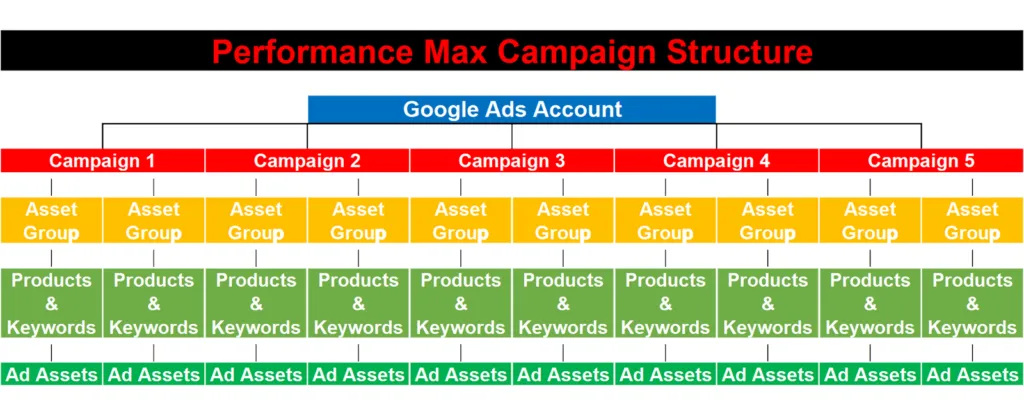
How to Implement Margin Syncing:
- Create a Shopify Metafield for
custom.gross_marginas a numeric decimal value. - Open your GMC feed management tool and map this metafield to Custom Label 0.
- Create feed rules in GMC to categorize products into distinct buckets: High Margin (>50%), Medium Margin (30-50%), and Low Margin (<30%).
How should you structure Performance Max campaigns for Shopify Plus?
Do not run a single asset group or campaign for your entire catalog. This structure allows Google to favor high-volume, low-margin items that inflate revenue metrics while hurting profitability. Instead, split your Performance Max (PMax) campaigns using the custom labels created in Step 1.
- High-Margin PMax Campaign: Set a lower target ROAS (e.g., 150% to 200%) to maximize volume on highly profitable items.
- Low-Margin PMax Campaign: Set a high target ROAS (e.g., 400%+) to restrict ad spend to high-intent shoppers only.
- Zombie SKU Campaign: Isolate products with 0 impressions in the last 30 days into a separate campaign with a budget of $10-$20/day to force visibility.
How do you configure Value-Based Bidding using Shopify cart data?
Standard tracking only reports top-line revenue. To unlock true profit-based bidding, you must pass cost of goods sold (COGS) or net profit values back to the Google Ads conversion tag. This requires modifying your checkout scripts or using server-side Google Tag Manager (sGTM) to calculate real-time profit.
Aligning your site's technical structure with advanced tracking requires solid data foundations; explore our technical SEO & Data services to audit your tracking architecture.
Implementation Checklist:
- Install Google Tag Manager server-side container on your Shopify Plus store.
- Capture the
cart.total_priceand subtract the sum of the product-levelcost_of_goods_soldmetafields. - Pass this calculated Net Profit value as the primary conversion value in your Google Ads conversion tag.
- Change your Google Ads bidding strategy from "Maximize Conversions" to "Maximize Conversion Value" with a Target ROAS based on profit, not revenue.
How do you optimize Search campaigns for high-LTV Shopify Plus customer segments?
Acquiring a customer who buys once is unprofitable at scale. You must bias Google’s bidding algorithms toward high-LTV cohorts. Export your high-LTV customer segments from Shopify Plus (customers with 3+ purchases or top 20% LTV) and sync them directly to Google Ads.
- Sync Shopify customer segments to Google Audience Manager daily using Shopify Audiences or Klaviyo integration.
- Apply these lists to Search and PMax campaigns as Audience Signals to guide Google’s machine learning.
- Set a Customer Acquisition Value in Google Ads to bid 20% to 30% higher for new customers compared to returning buyers.
How do you audit and exclude low-performing placements and brand cannibalization?
Performance Max campaigns frequently waste budget on cheap mobile app placements and your own branded search terms. This inflates ROAS metrics artificially while driving zero incremental revenue.
Common Mistakes to Avoid:
- Avoid: Letting PMax bid on your brand name, which cannibalizes cheaper organic and standard Search traffic.
- Avoid: Ignoring junk placements, which can drain up to 15% of your budget on mobile game apps.
- Avoid: Running campaigns without negative keyword lists, leading to bidding on irrelevant, high-funnel informational search queries.
How to Fix It:
- Submit a request to Google Support or use the Google Ads UI to apply a Brand Exclusion list to your PMax campaigns.
- Create an account-level placement exclusion list containing
adsenseformobileapps.comto exclude mobile app inventory. - Review the "Placements" report under the "Reports" tab weekly to manually exclude low-converting websites.
How Avelize approaches Google Ads optimization for Shopify Plus
Our team approaches Google Ads optimization through a rigorous technical and data-driven methodology. We don't just manage ad spend; we engineer the data pipelines that make your ad spend profitable. Our process is structured to deliver measurable improvements in contribution margin within weeks:
- Technical Audit & Tracking Alignment (Week 1-2): We audit your existing Google Tag Manager, Google Analytics 4, and Shopify checkout tracking. We implement server-side tracking (sGTM) to ensure 100% data accuracy.
- Product Margin Mapping (Week 3): We map your Shopify product metafields to Google Merchant Center and build custom feed rules to segment your catalog.
- Campaign Restructuring (Week 4): We launch the Margin-First PMax Split and isolate your high-margin and Zombie SKUs.
- Continuous Optimization & Scaling (Ongoing): Weekly placement audits, brand exclusion management, and LTV cohort syncing via Klaviyo and Shopify Plus.
Ready to scale your store's profitability? Contact our team today to learn more about our Technical SEO & GEO programs.
Published / Last reviewed: October 2026
Search Intent Refresh Notes
This page has search demand in Google Search Console. Refresh it around the highest-impression query language, add concrete examples, clarify the decision criteria, and link to the most relevant service page or related guide.
Authoritative References
Use these official resources to verify platform-specific claims and implementation details before making commercial or technical decisions.
Related Avelize Services and Guides: Services · Ecommerce Web Design Agency