
Shopify Speed Optimization: How to Fix App Bloat
By:
Shopify Speed Optimization How To Fix App Bloat: a practical Shopify Plus guide to the SEO, CRO, and revenue decisions that matter for ecommerce teams.
Shopify speed optimization is the systematic process of reducing page load times, minimizing JavaScript execution, and optimizing Core Web Vitals to maximize mobile conversion rates. In our work with merchants, we find that resolving app bloat is the single most effective way to recover lost performance. By auditing scripts, purging legacy code, and deferring non-critical assets, Shopify Plus merchants can achieve sub-2.5-second Largest Contentful Paint (LCP) times without sacrificing essential marketing or conversion rate optimization (CRO) features.
Key Takeaways
- The Ghost Script Purge Protocol: Removing apps via the admin dashboard leaves legacy Liquid code that must be manually purged to prevent background API calls.
- Interaction-First Script Deferral: Deferring non-critical scripts (like review widgets and chat apps) until user interaction reduces Total Blocking Time (TBT) by up to 40%.
- Native Liquid Replacements: Replacing heavy third-party apps with native Shopify Liquid, Metafields, and Metaobjects eliminates external server dependencies.
- Strict Performance Budgeting: Maintaining a mobile LCP under 2.5 seconds in 2026 requires automated monthly audits and pre-installation speed reviews.
Step 1: Run a Shopify App Performance Audit to Identify High-Latency Scripts
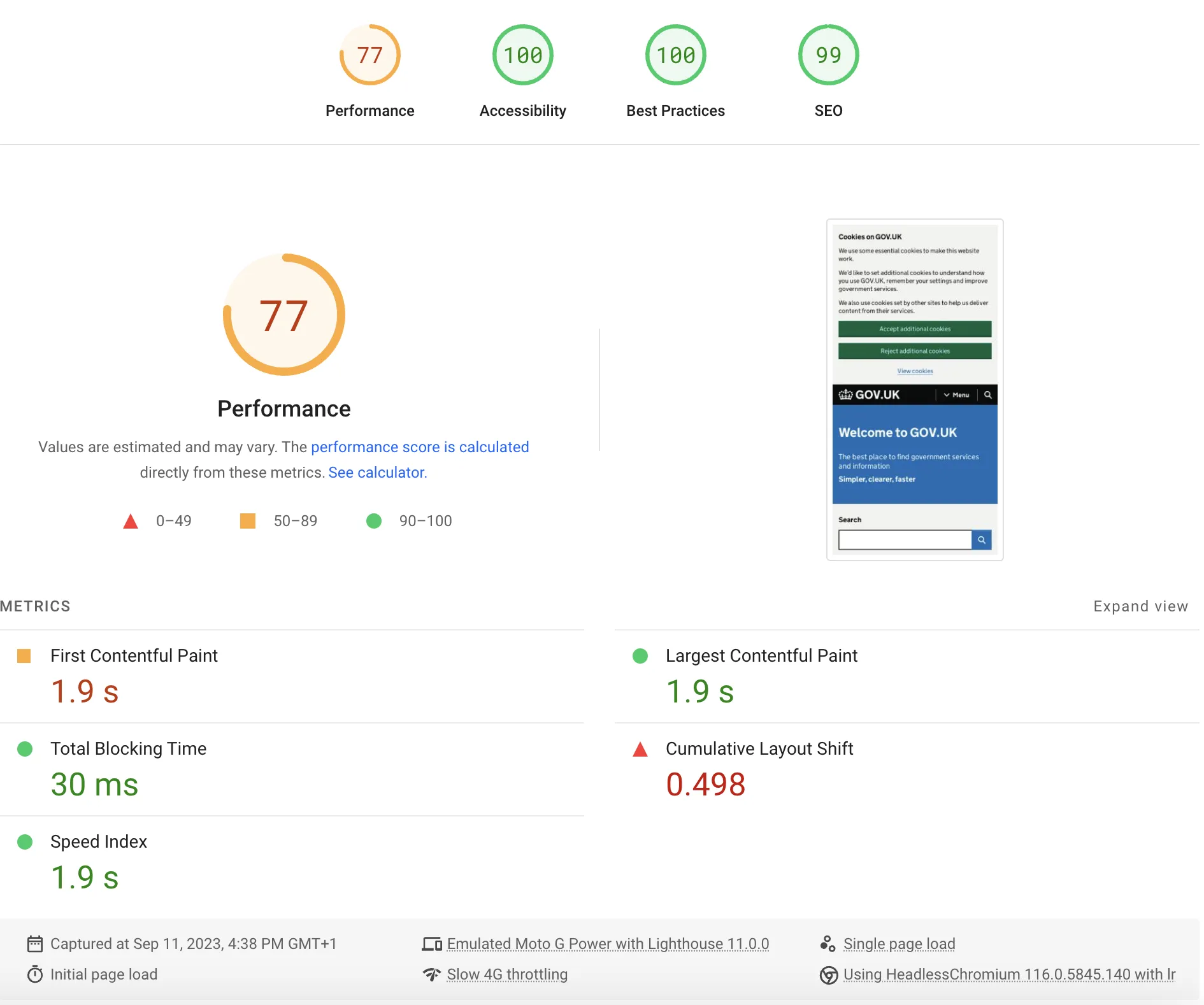
To fix performance bottlenecks, we must first identify which scripts are blocking the main thread. Many Shopify apps inject scripts that run automatically, delaying critical rendering paths. A shopify app performance audit is the diagnostic analysis of third-party scripts, stylesheets, and API calls to identify which assets are blocking the browser's main thread and degrading Core Web Vitals.

How to Audit Your Shopify Scripts
- Open Google Chrome DevTools and navigate to the Lighthouse tab to run a mobile performance audit.
- Analyze the Avoid enormous network payloads and Reduce JavaScript execution time diagnostics.
- Use the Coverage tab in DevTools to identify the exact percentage of unused CSS and JavaScript loaded on your homepage, collection pages, and product detail pages.
- Identify third-party domains in the Network tab that take longer than 500 milliseconds to resolve.
If your team lacks the internal resources to execute this technical audit, you can leverage professional Shopify speed optimization services to pinpoint code-level inefficiencies and safely remove render-blocking assets.
Step 2: How to Safely Uninstall Bloated Apps and Clean Up Leftover Liquid Code
When you click "Uninstall" in the Shopify admin, the app's database connection is severed, but its frontend code often remains injected inside your theme. These "ghost scripts" continue to make external API calls, dragging down page speeds. We utilize the Ghost Script Purge Protocol to systematically eliminate these remnants.
What to Avoid During App Cleanup
- Do not delete apps directly from the admin dashboard without checking their documentation for manual uninstallation steps.
- Avoid editing your live theme code directly; always work on a duplicate theme to prevent site downtime.
- Do not delete code blocks if you are unsure of their dependencies, as this can break your cart and checkout functionality.
How to Fix: Step-by-Step Legacy Code Cleanup
- Navigate to Online Store > Themes, click the three dots next to your active theme, and select Duplicate.
- Click Edit Code on your duplicated theme.
- Open the theme.liquid file and search for deprecated asset tags, such as old render or include statements referencing uninstalled apps.
- Locate the snippets and assets directories, and delete unused snippet files left behind by deleted apps.
- Preview the duplicate theme and test the checkout flow to ensure no critical scripts were broken.
- Publish the clean theme to immediately reduce Total Blocking Time by up to 40%.
Step 3: Lazy-Loading and Deferring Non-Critical CRO and SEO App Shopify Scripts
Conversion Rate Optimization (CRO) and SEO apps—such as heatmaps, review widgets, and schema markup tools—do not need to load immediately when a user lands on your site. Delaying these scripts allows the browser to render the visual elements first. We implement an Interaction-First Script Deferral strategy to solve this.
Implementation Steps for Script Deferral
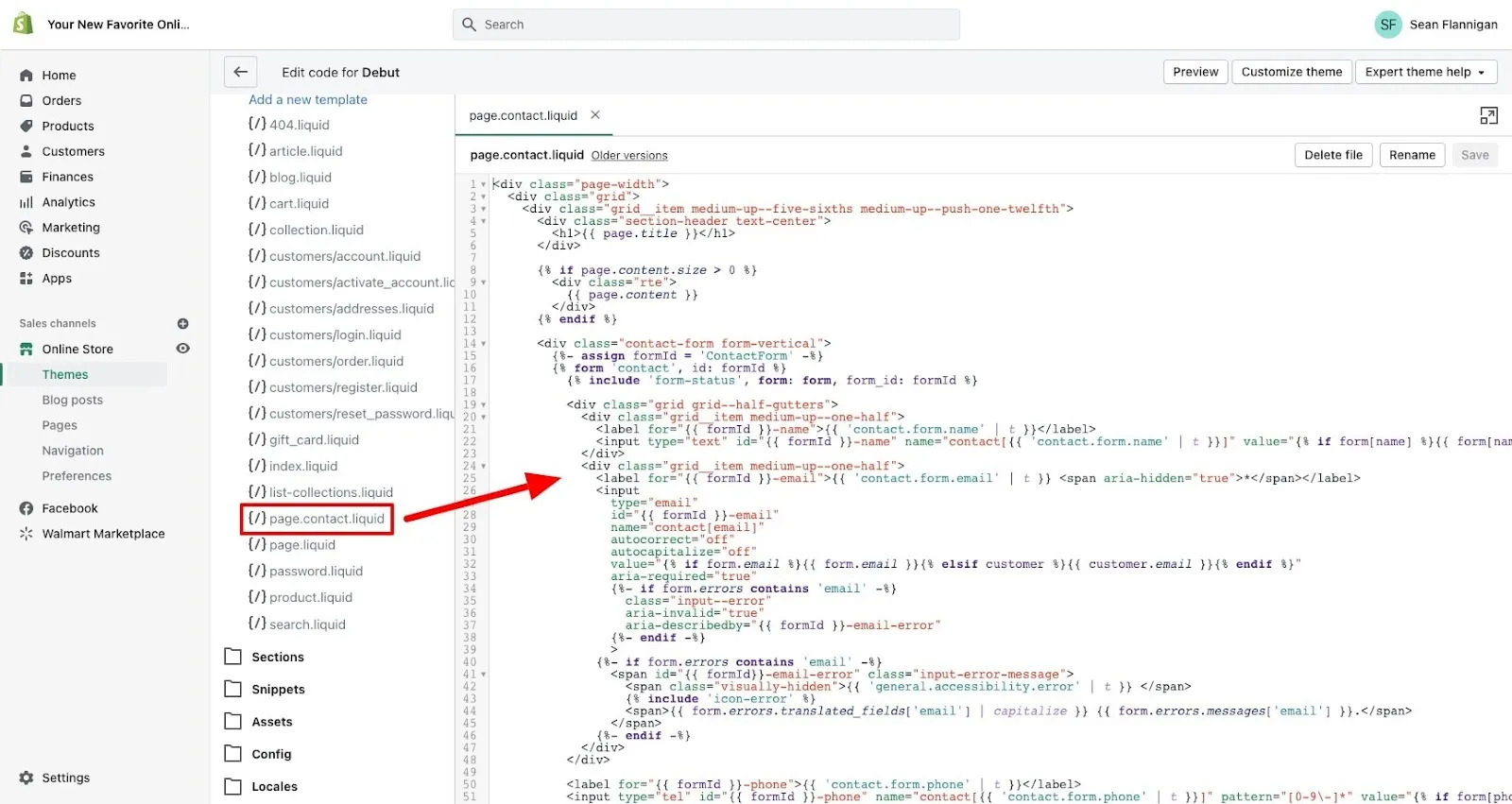
- Locate the script tags for your non-critical apps inside your theme layout files.
- Add the defer attribute to external scripts to allow the browser to parse HTML and load the script in the background.
- Use the async attribute for independent third-party scripts like Google Analytics, ensuring they do not block DOM construction.
- Implement an Intersection Observer script to load heavy widgets, like product reviews or related product carousels, only when a user scrolls them into the viewport.
- Wrap chat widget scripts in a user-interaction listener so they only load when a user moves their mouse, touches the screen, or scrolls.
Step 4: Replacing Heavy Third-Party Apps with Native Shopify Liquid and CSS
Many merchants install heavy, subscription-based apps for simple frontend features. These apps rely on external servers and bulky JavaScript libraries that degrade mobile performance. By replacing these with native Liquid, we eliminate unnecessary HTTP requests.
App-Based Features vs. Native Liquid Alternatives
FeatureApp-Based Approach (Slow)Native Liquid Approach (Fast)Announcement BarsThird-party app (loads external JS)Native Liquid section with vanilla CSSProduct Tabs & SpecsApp pulling from external databaseShopify Metafields & MetaobjectsTrust Badges & IconsImage-heavy app with layout shiftsInline SVGs in native theme codeCommon Mistakes to Avoid
- Do not use third-party apps for basic features like announcement bars, trust badges, image sliders, or accordions.
- Avoid using page builder apps that inject bloated, nested HTML structures and inline CSS styles across your entire store.
- Do not rely on external apps for structural SEO elements like breadcrumbs or JSON-LD schema.
How to Fix: Native Alternatives
- Build native Liquid sections for announcement bars and promotional banners using clean HTML and CSS.
- Utilize Shopify's native Metafields and Metaobjects to display custom product specifications and tabs without third-party app overhead.
- Implement structured data directly into your liquid templates or consult dedicated Shopify SEO services to hardcode schema markup, eliminating the need for heavy SEO plugins.
Step 5: Monitoring Core Web Vitals to Maintain Your Shopify Speed Optimization Gains
Speed optimization is not a one-time project. Every time your marketing team installs a new tracking pixel or app, your site speed can degrade. In 2026, maintaining a fast storefront requires continuous governance.
How to Maintain High Speed Metrics
- Establish a strict performance budget, ensuring your mobile Largest Contentful Paint remains under 2.5 seconds.
- Monitor your Shopify admin Web Performance dashboard weekly to track real-user Core Web Vitals metrics.
- Train content creators to compress all product and blog images to WebP format and limit file sizes to under 100 KB.
- Require a technical speed review of any new app before it is approved for installation on your live production theme.
- Run automated monthly audits using Google PageSpeed Insights to catch regressions before they impact your conversion rates.
How Avelize Approaches Shopify Speed Optimization
Our team approaches speed optimization as a core engineering discipline. We do not use generic speed apps; instead, we perform deep code-level refactoring to ensure your theme remains lightweight and highly performant.
- Phase 1: Deep Audit & Performance Budgeting (Week 1): We map all third-party scripts and establish a baseline performance budget.
- Phase 2: Legacy Code Purge & Script Deferral (Week 2): We execute the Ghost Script Purge Protocol and implement Interaction-First Script Deferral.
- Phase 3: Native Feature Rebuilding (Week 3): We replace heavy apps with native Liquid, Metafields, and Metaobjects.
- Phase 4: Quality Assurance & Launch (Week 4): We run comprehensive cross-device testing to ensure zero impact on conversion features, targeting a mobile LCP of under 2.5 seconds.
Frequently Asked Questions
How does Shopify app bloat affect mobile conversion rates?
Shopify app bloat directly degrades mobile conversion rates by overloading the browser's main thread with unoptimized JavaScript. When a merchant installs multiple third-party apps for reviews, chat, and loyalty programs, these apps inject external scripts that block the critical rendering path. According to Google's Web Vitals data, every 100-millisecond delay in mobile page load time can decrease conversion rates by up to 8%. On mobile devices with slower processors and limited cellular connections, heavy JavaScript execution causes severe input latency and layout shifts, leading to frustrated users who abandon their carts. By executing a systematic shopify app performance audit and implementing script deferral, merchants can reduce Total Blocking Time (TBT) and recover lost revenue. Replacing third-party widgets with native Liquid code ensures that critical interactive elements load instantly, directly translating to higher conversion rates and improved search engine rankings.
How long does Shopify speed optimization take?
A comprehensive code-level speed optimization project typically takes 2 to 4 weeks. This timeline includes auditing scripts, purging legacy theme code, deferring non-critical scripts, and rebuilding heavy app features natively using Shopify Liquid.
What is the difference between async and defer in Shopify script optimization?
The async attribute allows a script to load in the background and execute the moment it is downloaded, which can still block HTML parsing. The defer attribute forces the browser to download the script in the background and execute it only after the HTML document has been fully parsed, making it much safer for critical rendering paths.
Ready to eliminate app bloat and accelerate your storefront? Partner with our engineering team for a comprehensive Technical SEO & GEO program to safely optimize your Core Web Vitals.
Published / Last reviewed: February 2026
Search Intent Refresh Notes
This page has search demand in Google Search Console. Refresh it around the highest-impression query language, add concrete examples, clarify the decision criteria, and link to the most relevant service page or related guide.
Authoritative References
Use these official resources to verify platform-specific claims and implementation details before making commercial or technical decisions.
- Shopify Plus overview
- Google Search Central: Core Web Vitals
- web.dev Core Web Vitals
- Google SEO Starter Guide
Related Avelize Services and Guides: Shopify Speed Optimization Services · Custom Coding Services For Shopify