
Agentic Commerce on Shopify Plus: Post-Purchase AI Guide
By:
Stop losing customers to delivery delays. Deploy AI agents for post-purchase automation and boost customer retention on Shopify Plus.
Agentic commerce on Shopify Plus is the deployment of autonomous AI agents integrated directly with the Shopify Admin API to resolve complex customer requests—such as real-time order modifications, cancellations, and returns—without human intervention. By moving beyond rigid, rule-based automation, merchants can resolve up to 80% of post-purchase support tickets instantly. In our work with merchants, we engineer these intelligent systems to protect customer retention and eliminate operational bottlenecks during peak scaling periods.
Key Takeaways
- The 15-Minute Hold-and-Intercept Protocol: Establish a strict 15-minute hold window in your ERP or 3PL to allow AI agents to intercept and modify shipping addresses or cancel orders before fulfillment.
- Dynamic API Write-Access: True agentic workflows require custom Shopify app credentials with
write_ordersandwrite_customersscopes rather than basic read-only chatbots. - Proactive Delay Loops: Connect shipping carrier webhooks via tools like AfterShip to trigger interactive, automated customer resolution threads in Klaviyo when shipments stall for over 48 hours.
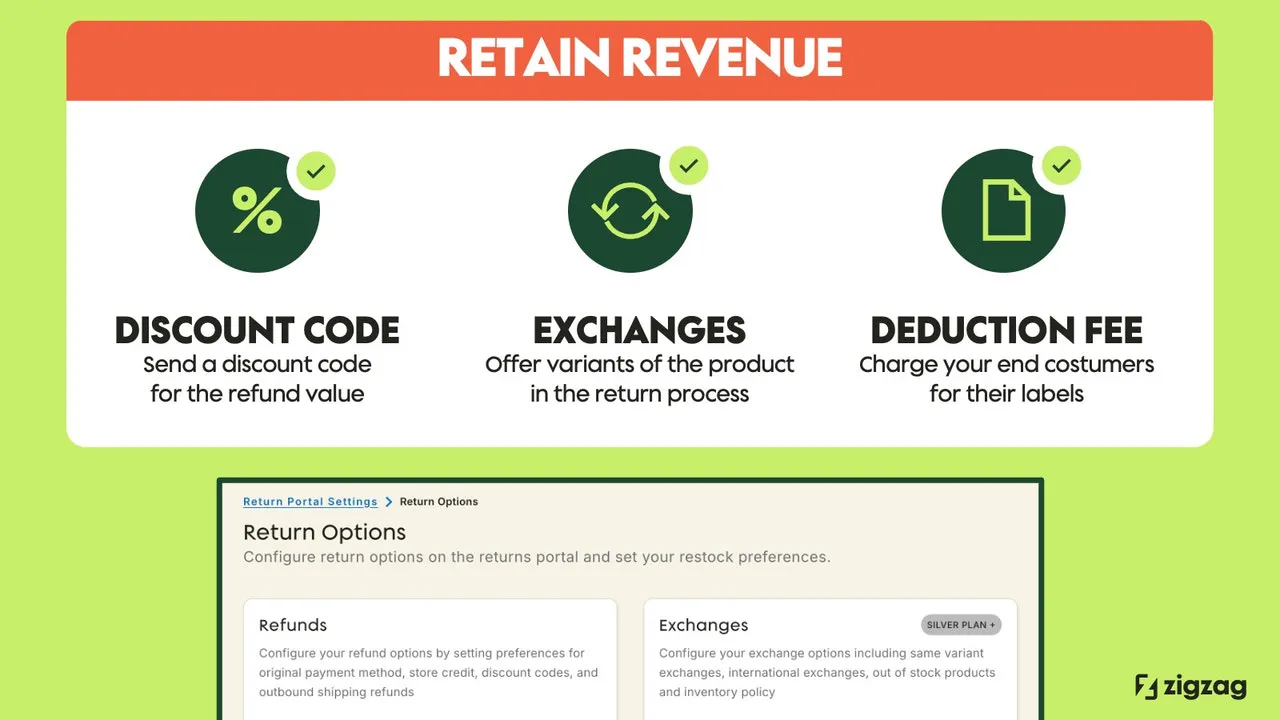
- Conversational Exchange Optimization: Replace static return portals with AI agents that query real-time Shopify inventory to suggest size exchanges, retaining revenue before a refund is processed.
Why Traditional Shopify Flow Fails: The Shift to Agentic Commerce in 2026
Agentic commerce on Shopify Plus refers to the deployment of autonomous AI agents integrated with the Shopify Admin API to resolve complex customer requests—such as real-time order modifications, cancellations, and returns—without human intervention, moving beyond rigid, rule-based automation.

Shopify Flow is limited to rigid, "if-this-then-that" logic. It cannot parse unstructured customer emails, handle typos in addresses, or negotiate exchange alternatives. This leaves your support queue flooded with repetitive, manual tasks.
Agentic commerce uses Large Language Models (LLMs) paired with API tools to reason through customer intents. The agent verifies order status, checks inventory, and executes actions dynamically in real-time.
Feature Shopify Flow (Rule-Based) Autonomous AI Agents (Agentic) Input Processing Strict, structured triggers only Unstructured text, emails, and chats Logic Execution Rigid "If-This-Then-That" paths Dynamic reasoning and multi-step planning Error Handling Fails on typos or address formatting Self-corrects and validates via external APIs Inventory Matching Static product rules Real-time dynamic variant suggestions- Dynamic Reasoning: AI agents understand context, intent, and sentiment, allowing them to resolve complex, multi-step customer issues.
- Direct API Execution: Agents do not just reply; they write data back to Shopify to update orders, customers, and inventory.
- 24/7 Instant Resolution: Customers receive immediate resolutions to post-purchase issues, preventing cancellation escalations.
Setting Up Your AI Agent Stack: Integrating Shopify Plus API with LLM Orchestrators
To build an operational AI agent, you must connect your LLM orchestrator directly to the Shopify Admin API. While off-the-shelf apps offer basic chatbots, true agentic workflows require custom Shopify Plus development services to securely expose write-access endpoints.
The Architecture Checklist
- Provision API credentials: Create a custom Shopify app with read/write scopes for
write_orders,write_customers, andwrite_fulfillments. Refer to the official Shopify Admin API documentation for secure authentication protocols. - Set up the orchestrator: Use LangChain or an equivalent framework to define the agent's tools, memory, and system prompts.
- Establish webhook listeners: Configure Shopify webhooks for
orders/createandorders/updatedto feed real-time payload data to your AI agent. - Implement a human-in-the-loop (HITL) gate: Route high-risk actions, such as refunds over $100, to a manual review queue in your helpdesk.
Automating Order Modifications: The 15-Minute Hold-and-Intercept Protocol
The window between order placement and fulfillment is highly time-sensitive. Manual support queues are too slow to intercept orders before they are sent to your 3PL, leading to costly return-to-sender fees and shipping losses.
AI agents solve this by monitoring incoming customer communication channels and matching the sender's email with open, unfulfilled orders in Shopify.
- Identify Intent: The AI parses incoming emails or chats to detect "change address" or "cancel order" requests.
- Check Fulfillment Status: The agent queries the Shopify API to ensure the order status is unfulfilled.
- Execute Action: If unfulfilled, the agent updates the shipping address or cancels the order and issues a refund automatically.
How to Implement
Define a strict 15-minute hold window in your ERP or 3PL integration. This gives the AI agent a guaranteed window to intercept, modify, or cancel the order via the Shopify API before physical picking begins.
Proactive Delivery Delay Management: Triggering AI Agents via Shopify Flow and Klaviyo
Waiting for a customer to complain about a late package guarantees a negative experience. Proactive communication resolves anxiety before it turns into a support ticket.
This proactive approach requires deep integration between your marketing automation, shipping APIs, and Shopify backend. Our team provides specialized technical SEO and GEO programs to align data structures, and e-commerce app and integration development to connect these disparate data silos and automate complex backend logic.
- Step 1: Shopify Flow monitors shipping carrier webhooks via tools like AfterShip or Wonderment.
- Step 2: When a shipment is flagged as "stalled" for more than 48 hours, Flow triggers a webhook to your AI orchestrator.
- Step 3: The AI agent initiates an interactive email thread via Klaviyo, offering the customer a choice to wait, redirect, or receive a replacement.
Automating the Returns and Exchanges Loop to Protect Customer Retention
Static return portals often experience high drop-off rates because they force customers to go through rigid forms. AI agents can convert return requests into exchanges by handling the process conversationally.
What to Avoid
- Do not allow AI agents to issue refunds without checking return scan events from your shipping carrier.
- Do not use generic AI responses that fail to surface actual product variants available in stock.
- Do not bypass your return policy rules; ensure the AI agent validates the purchase date against your 30-day return window.
How to Fix
Connect the AI agent directly to your return management system (RMS) API. When a customer requests a return due to sizing, the AI queries your Shopify inventory, suggests the correct size, and generates a return shipping label only after the exchange is confirmed.
Measuring Success: Key Performance Metrics for Your Post-Purchase AI Agents
To evaluate the performance of your post-purchase AI agents, monitor these operational metrics weekly. Do not rely on subjective customer satisfaction scores alone.
- First Contact Resolution (FCR): Target >75% of post-purchase queries resolved without human agent touch.
- Average Resolution Time (ART): Reduce transactional resolution times from hours to under 2 minutes.
- Retained Revenue Rate: Track the percentage of return requests successfully converted into product exchanges by the AI agent.
- Cost Per Ticket (CPT): Measure the drop in support costs from manual handling to API call costs, targeting an 80% reduction.
How Avelize Approaches Post-Purchase Automation
We engineer custom agentic commerce pipelines for high-volume Shopify Plus merchants. Our implementation process follows a structured timeline designed to minimize risk and maximize first-contact resolution:
- Discovery & API Mapping (Week 1-2): We audit your support ticket history, map your ERP/3PL integration endpoints, and define safety guardrails.
- Orchestrator Engineering (Week 3-5): Our team builds the custom LLM orchestrator, configures the Shopify Admin API write scopes, and implements the 15-minute hold-and-intercept protocol.
- Testing & HITL Integration (Week 6-7): We run simulation testing on historical tickets and integrate Human-in-the-Loop (HITL) gates for high-value refunds.
- Deployment & Optimization (Week 8+): Continuous monitoring and prompt tuning to drive the target KPI of an 80% reduction in manual support tickets.
Custom implementations start at $15,000, depending on the complexity of your ERP and helpdesk stack.
Ready to eliminate post-purchase support bottlenecks and automate your backend workflows? Contact our team today to explore our e-commerce app and integration development services.
Published / Last reviewed: October 24, 2026
Related Shopify and Ecommerce Growth Guides
Continue with these related guides for implementation, SEO, performance, and conversion context.
- Agentic Commerce for Shopify: AI Merchandising in 2026
- Shopify Flow Development: Automate Post-Purchase Workflows
- Agentic Commerce on Shopify: Deploying AI Agents
Related Avelize Services and Guides: Services · Ecommerce Web Design Agency