
Shopify Checkout Extensibility: A CRO Playbook for Plus
By:
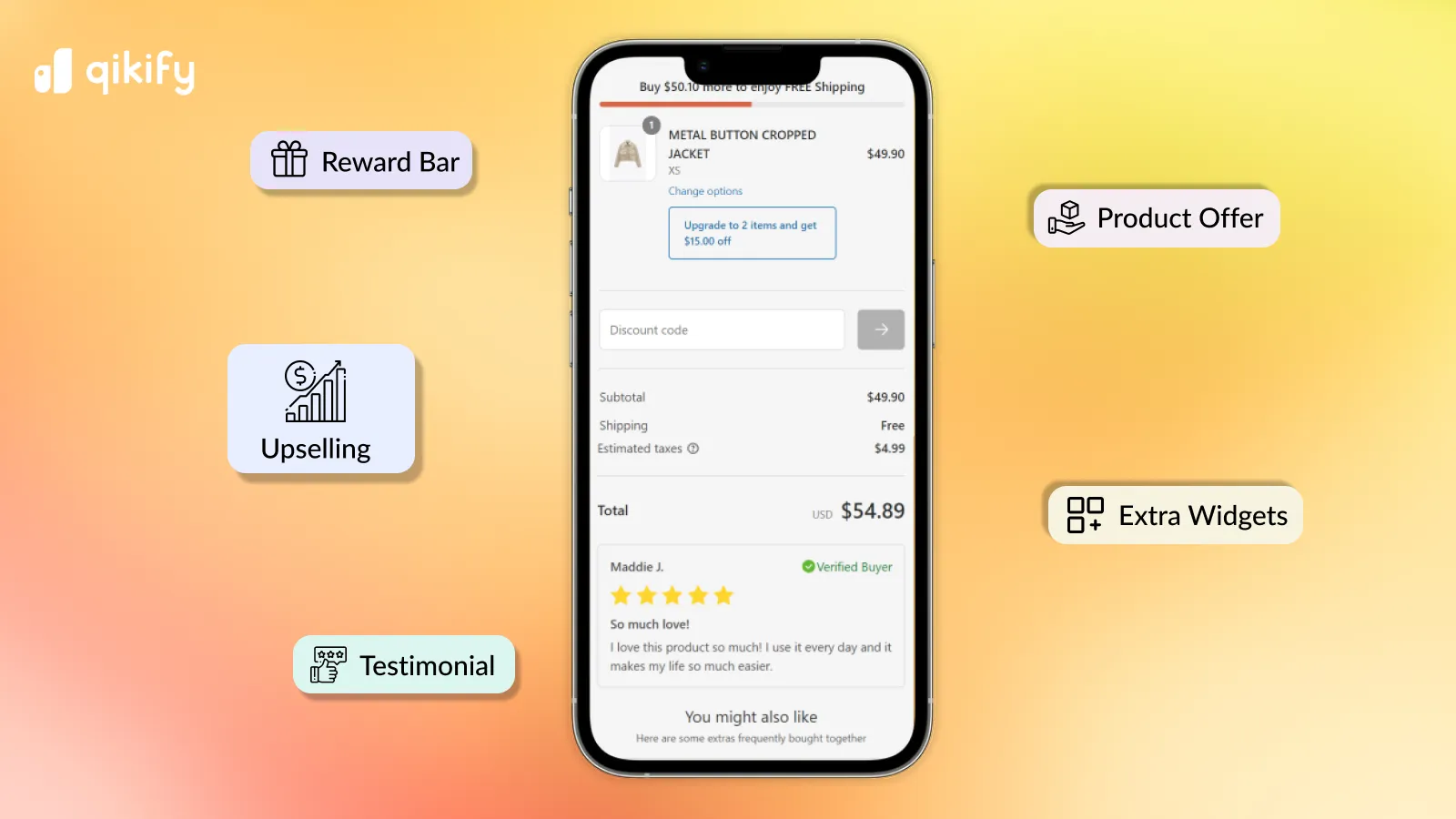
How to use Shopify Checkout Extensibility to reduce cart abandonment and increase revenue — covering UI blocks, custom fields, post-purchase upsells, and A/B…
To maximize enterprise checkout conversion rates, migrating from legacy checkout.liquid to Shopify Checkout Extensibility is no longer optional—it is a critical performance mandate. In our work with merchants, we have found that deploying native UI extensions, optimizing Web Pixels, and implementing server-side validation can recover up to 15% of abandoned checkouts. This guide provides the technical blueprint to execute a seamless transition while accelerating average order value (AOV) and maintaining optimal site speed.
Key Takeaways
- The Checkout-60 Audit Protocol: Catalog and audit every legacy script, pixel, and CSS override before deprecating checkout.liquid.
- Native UI Extensions: Replace slow third-party widgets with lightweight, React-based Shopify UI extensions placed below the order summary.
- Dynamic Validation: Reduce failed deliveries by up to 20% using Google Autocomplete and conditional validation rules.
- Server-Side Testing: Run checkout experiments at the edge to prevent layout shifts and maintain a perfect Interaction to Next Paint (INP) score.
How to Conduct a Shopify CRO Audit on Your Current Checkout Flow
Checkout Extensibility CRO is the strategic optimization of Shopify’s app-based checkout architecture to maximize conversion rates and average order value. By replacing legacy checkout.liquid files with secure, fast, and upgrade-safe UI extensions, merchants can deploy native upsells, custom fields, and validation rules without sacrificing page speed.
Shopify CRO audit is the systematic evaluation of a merchant's checkout funnel to identify friction points, latency bottlenecks, and tracking gaps before migrating to new architectures. Failing to audit these elements will result in broken tracking, lost custom functionality, and immediate post-migration revenue drops.
Checkout Extensibility in 2026 vs Legacy checkout.liquid
Feature Legacy checkout.liquid Checkout Extensibility (2026) Security High risk (arbitrary JS execution) Sandboxed UI Extensions (secure) Page Speed Impact High (render-blocking scripts) Minimal (native React components) Upgrade Path Manual maintenance required Automatic Shopify platform updates A/B Testing Client-side only (slows INP) Server-side & Edge-based (fast)The Checkout CRO Audit Checklist
- Identify all third-party scripts loaded via checkout.liquid, including heatmaps, live chats, and custom analytics.
- Document all custom CSS styling that alters the native visual hierarchy or input fields.
- Audit your current checkout speed using Web Vitals, specifically targeting Interaction to Next Paint (INP) and Largest Contentful Paint (LCP).
- Map all custom form fields, such as delivery notes, gift messages, or tax identification fields.
- Review checkout drop-off rates in Shopify Analytics to identify the exact step where users abandon their carts.
What to Avoid During Your Audit
- Avoid migrating obsolete scripts: Do not copy over legacy tracking pixels that are no longer actively used by your marketing team.
- Avoid styling overloads: Do not attempt to replicate highly complex, non-standard CSS layouts that violate Shopify's accessibility standards.
How to Fix Legacy Bloat
Replace heavy, render-blocking JavaScript files with Shopify's native Web Pixels API. For layout and design optimization, leverage our specialized conversion rate optimization and UX services to design a high-converting, accessible checkout interface.
Deploying Custom Checkout UI Extensions for High-Impact Upsells
Legacy checkout setups relied on heavy third-party apps that injected slow, visually jarring upsell widgets. With Checkout Extensibility, you can deploy native, fast-loading UI extensions directly into the checkout flow to boost average order value (AOV).
Rules for High-Converting Checkout Upsells
- Keep offers highly relevant: Only display low-friction, complementary items like warranties, priority shipping, or impulse add-ons under $20.
- Use conditional logic: Program your extensions to hide upsell offers if the target item is already in the user's cart.
- Optimize placement: Position your upsell widget directly below the order summary or right before the final payment button.
Implementation Steps
Build custom UI extensions using Shopify's official developer tools rather than relying on bloated, pre-built app store solutions. If your internal team lacks the bandwidth to write custom React code, utilize professional custom Shopify development services to build lightweight, high-performing extensions.
Reducing Friction with Dynamic Address Validation and Custom Fields
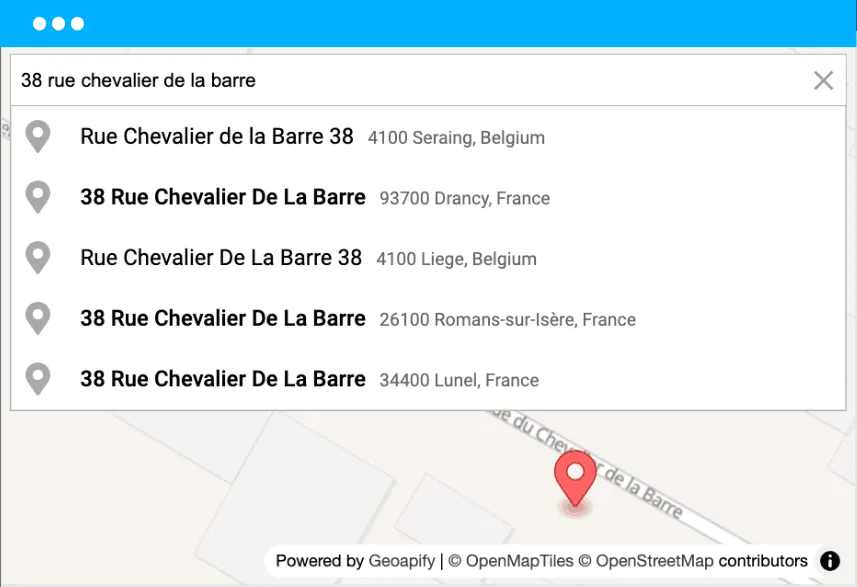
Address input errors lead to failed deliveries, chargebacks, and high customer support volume. Implementing dynamic, real-time validation directly within the checkout flow prevents these costly issues before the order is placed.
How to Optimize Checkout Input Fields
- Implement Google Autocomplete: Enable predictive address entry to reduce keystrokes by up to 20%.
- Deploy dynamic validation rules: Use UI extensions to block P.O. Box addresses for carriers that cannot deliver to them.
- Add clean custom fields: Use native checkout fields for gift messages or delivery instructions instead of messy, unvalidated text boxes.
Common Validation Mistakes
- Do not block valid addresses: Overly aggressive validation rules can prevent legitimate customers from completing their purchases.
- Avoid excessive custom fields: Limit custom inputs to a maximum of two fields to prevent cognitive overload.
Measuring the Financial Impact: A Conversion Rate Calculator for Ecommerce Checkout Upgrades
Conversion rate calculator ecommerce frameworks allow brands to project the exact financial return of checkout optimizations by analyzing baseline sessions, average order value, and target conversion uplifts. Migrating to Checkout Extensibility requires clear financial justification. Use the formulas below to calculate the exact revenue impact of your checkout optimization efforts.
The Checkout ROI Formulas
- Conversion Rate Uplift Revenue: (Monthly Sessions x Target CR % x Baseline AOV) - Current Monthly Revenue
- AOV Increase Revenue: Monthly Orders x Target AOV Increase ($)
Example ROI Projection
- Current Monthly Sessions: 500,000
- Baseline Checkout Conversion Rate: 2.0% (10,000 orders)
- Baseline AOV: $100 (Current Revenue: $1,000,000)
- Target Conversion Rate (Post-Migration): 2.2% (11,000 orders)
- Target AOV (Post-Upsell Integration): $105
- New Projected Revenue: 11,000 orders x $105 = $1,155,000
- Total Monthly Revenue Uplift: $155,000
A/B Testing Your Checkout Extensibility Customizations Without Performance Degradation
Deploying checkout customizations without testing is a major risk to your baseline revenue. However, traditional client-side A/B testing scripts can severely drag down page speed and hurt your organic search rankings.
How to Run Clean Checkout Tests
- Use server-side testing: Run experiments at the edge to avoid layout shifts and slow script execution.
- Isolate variables: Test only one modification at a time, such as upsell placement or custom field visibility.
- Monitor site speed: Keep a close eye on your performance metrics during active tests to ensure no degradation occurs.
Maintaining Checkout Performance
Every custom UI extension you add must be built with performance-first code. To ensure your checkout remains fast and search-engine friendly, implement professional conversion rate optimization retainers to audit and streamline your entire scripts payload.
How Avelize Approaches Checkout Extensibility CRO
Our team approaches checkout migrations with a strict, performance-first methodology designed to protect baseline revenue while unlocking new optimization capabilities.
- Step 1: Discovery & Audit (Weeks 1-2): We execute our signature Checkout-60 Audit Protocol to map all legacy scripts, pixels, and custom CSS. Cost: Included in program. KPI: 100% dependency mapping.
- Step 2: Custom Extension Engineering (Weeks 3-5): We build lightweight, sandboxed React UI extensions for upsells and custom fields using the GraphQL Storefront API. KPI: <50ms execution time.
- Step 3: Validation & Tracking Setup (Week 6): We configure the native Web Pixels API and implement Google Autocomplete address validation. KPI: Zero tracking discrepancies.
- Step 4: Edge-Based A/B Testing (Ongoing): We launch server-side experiments to continuously optimize the checkout flow. KPI: +5% to +15% conversion rate uplift.
Frequently Asked Questions
Is Checkout Extensibility worth it for mid-market brands?
Yes. Beyond the security and performance upgrades, the ability to deploy native, fast-loading upsell widgets and custom fields directly impacts your bottom line. Mid-market brands typically see an immediate lift in average order value and a reduction in cart abandonment rates that quickly offsets the initial development cost.
How long does a Checkout Extensibility migration take?
A standard migration for an enterprise brand typically takes between 4 to 8 weeks. This timeline includes the initial audit of legacy scripts, custom React extension development, configuring the Web Pixels API, and conducting thorough QA testing across multiple devices and payment methods.
What is the difference between checkout.liquid and Checkout Extensibility?
The primary difference between legacy checkout.liquid and Shopify Checkout Extensibility lies in security, performance, and long-term upgradeability. Legacy checkout.liquid allowed merchants to inject arbitrary, render-blocking JavaScript directly into the page document, which frequently caused severe page speed degradation, high Interaction to Next Paint (INP) latency, and critical security vulnerabilities. In contrast, Checkout Extensibility operates on a modern, sandboxed architecture where customizations are deployed as secure, native UI components using Shopify's React-based extension framework. This sandboxed environment ensures that third-party scripts cannot access sensitive payment data, while native rendering prevents layout shifts and preserves optimal Core Web Vitals. Furthermore, Checkout Extensibility is fully upgrade-safe, meaning Shopify automatically applies platform updates and security patches without breaking custom checkout configurations, whereas checkout.liquid required manual, developer-intensive maintenance to prevent checkout failures during major platform updates. This shift ensures a faster, safer, and more reliable transaction environment for enterprise brands.
Ready to unlock the full conversion potential of your checkout flow? Partner with our team for a comprehensive conversion rate optimization retainer or custom checkout migration program.
Published / Last reviewed: 2026
Shopify Plus Conversion Review Framework
Conversion work on Shopify Plus should connect user experience, technical performance, merchandising, checkout behavior, and measurement quality. A redesign alone rarely fixes conversion if the page is slow, the offer is unclear, or analytics cannot explain where users hesitate.
- Review PDP clarity, trust signals, product discovery, and mobile usability.
- Audit app and script impact on Core Web Vitals and checkout flow.
- Compare conversion drop-offs by device, traffic source, product type, and landing page.
- Turn findings into a prioritized CRO backlog with measurable hypotheses.
Authoritative References
Use these official resources to verify platform-specific claims and implementation details before making commercial or technical decisions.
- Shopify Plus overview
- Shopify Functions documentation
- Checkout Extensibility documentation
- Google Search Central: Core Web Vitals
Related Avelize Services and Guides: Checkout Ux · Plus Customization · Conversion Rate Optimization