
Custom Shopify Schema: Advanced Enterprise SEO Guide
By:
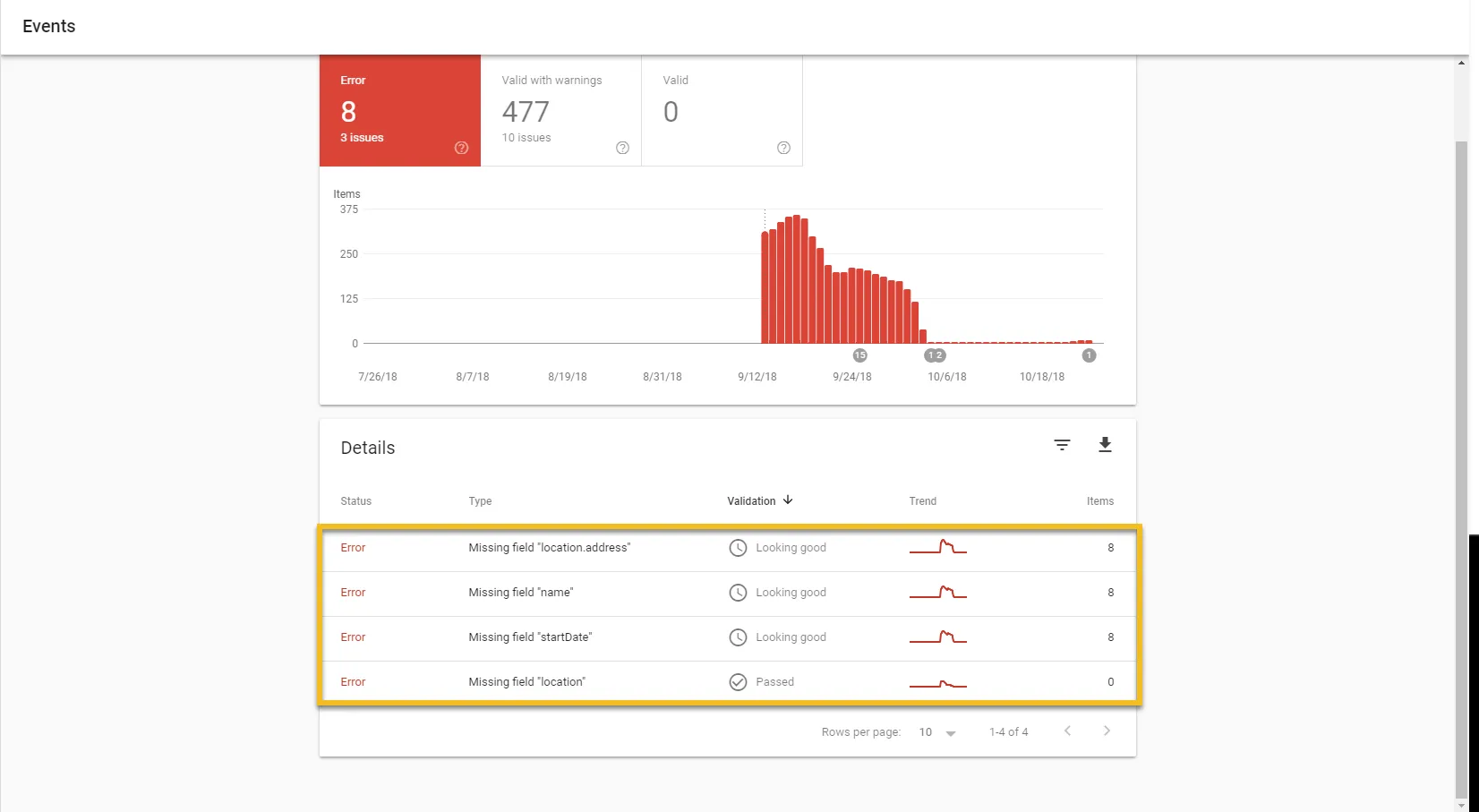
Deploying a custom Shopify schema generator strategy is the most effective way to eliminate duplicate, incomplete, or broken structured data that disqualifies enterprise stores from Google Rich Results. In our work with merchants, we replace default, performance-sapping theme code with a single, high-performance JSON-LD block. This direct programmatic approach secures rich snippets, aggregate rating stars, and real-time stock availability across thousands of SKUs without relying on code-bloating apps.
Key Takeaways
- The Single-Node Protocol: Consolidating all product, offer, and review schema into a single JSON-LD block eliminates duplicate entity errors.
- Zero App Overhead: Hardcoding custom Liquid snippets into the theme architecture preserves Core Web Vitals and server response times.
- Metafield Integration: Dynamically map complex merchant values like MPN, ISBN, and GTIN directly from Shopify Metafields to satisfy Google Search Console requirements.
- 2026 Validation Standards: Ensure full compliance with Google's latest merchant listing structured data specifications to capture high-converting organic real estate.
Why Default Shopify Theme Schema Fails Google Rich Results Validation
A shopify schema generator is a programmatic template or script used to build custom, error-free JSON-LD structured data for Shopify stores. It replaces the default, often broken theme schema with precise code, enabling search engines to display rich snippets, price ranges, and real-time stock availability without relying on page-slowing Shopify apps.
Standard Shopify themes run hardcoded schema templates that fail modern search console validation. These default configurations consistently trigger warnings and errors that suppress search visibility.
Common Schema Mistakes in Default Themes
- Duplicate Product Objects: Multiple theme files inject conflicting Product schemas on a single page, diluting search engine signals.
- Missing Required Fields: Default templates omit critical merchant values like
mpn,isbn, orpriceValidUntil. - Broken Variant Arrays: Out-of-the-box code struggles to map aggregate pricing and stock status for high-SKU inventories.
- App Conflicts: Review apps and search engines write competing JSON-LD blocks, confusing Google crawlers and dropping rich snippets.
How to Use a Custom Liquid Pattern to Build Custom JSON-LD
To avoid performance degradation, bypass heavy app store plugins. Instead, use a custom Shopify schema generator strategy to write a single, optimized Liquid file that dynamically populates structured data.
By executing this process at the theme level, you maintain fast server response times. You can integrate custom fields via Shopify Metafields to feed precise specifications directly into your schema payload.
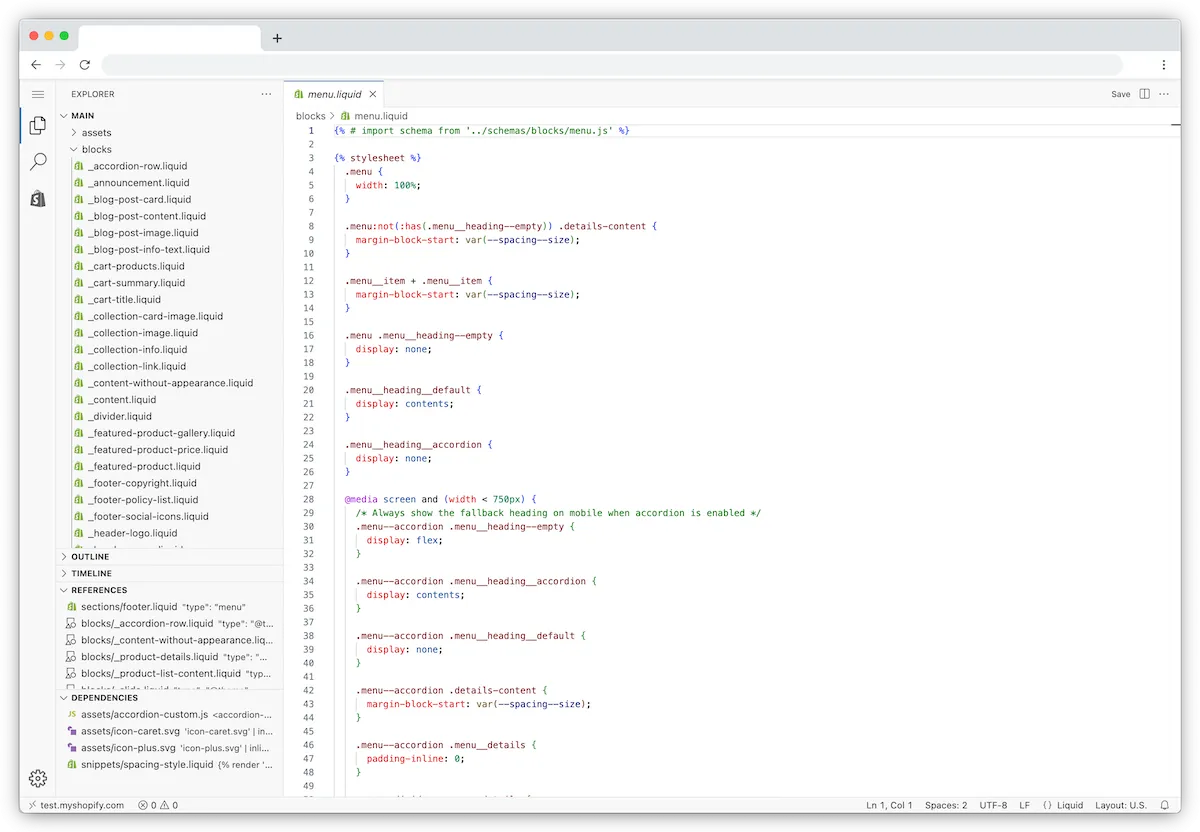
For complex inventories, combining this method with expert technical SEO and structured data services ensures that schema updates occur automatically as your inventory changes.
Liquid Code Snippets for Advanced Product and Offer Schema
Use the following optimized Liquid snippet to replace your theme's default product schema. This code generates a clean, single-node JSON-LD block that includes variant data and aggregate offers.
{
  "@context": "https://schema.org/",
  "@type": "Product",
  "name": {{ product.title | json }},
  "image": [
    {%- for image in product.images -%}
      {{ image.src | image_url: width: 1200 | json }}{%- unless forloop.last -%},{%- endunless -%}
    {%- endfor -%}
  ],
  "description": {{ product.description | strip_html | truncatewords: 50 | json }},
  "sku": {{ product.selected_or_first_available_variant.sku | json }},
  "mpn": {{ product.selected_or_first_available_variant.barcode | json }},
  "brand": {
    "@type": "Brand",
    "name": {{ product.vendor | json }}
  },
  "offers": {
    "@type": "AggregateOffer",
    "priceCurrency": {{ cart.currency.iso_code | json }},
    "lowPrice": {{ product.price_min | money_without_currency | replace: ',', '.' | json }},
    "highPrice": {{ product.price_max | money_without_currency | replace: ',', '.' | json }},
    "offerCount": {{ product.variants.size | json }},
    "offers": [
      {%- for variant in product.variants -%}
        {
          "@type": "Offer",
          "sku": {{ variant.sku | json }},
          "price": {{ variant.price | money_without_currency | replace: ',', '.' | json }},
          "priceCurrency": {{ cart.currency.iso_code | json }},
          "availability": "https://schema.org/{% if variant.available %}InStock{% else %}OutOfStock{% endif %}",
          "url": {{ shop.url | append: variant.url | json }}
        }{%- unless forloop.last -%},{%- endunless -%}
      {%- endfor -%}
    ]
  }
}
Injecting and Testing Custom Schema in Shopify's theme.liquid
To implement this code without breaking your layout, follow this precise execution checklist to clean up legacy data and inject your optimized snippet.
How to Fix and Implement Custom Schema
- Audit the theme: Search your existing theme files (such as
product-template.liquidormain-product.liquid) for existingapplication/ld+jsontags. - Remove legacy schema: Delete or comment out the default product schema blocks to eliminate duplicate entity errors.
- Create the snippet: In your Shopify admin, go to Online Store > Themes > Edit Code. Under Snippets, click "Add a new snippet" and name it
custom-product-schema. - Paste the Liquid code: Paste the optimized code snippet provided above into this new file and save.
- Render the snippet conditionally: Open
theme.liquidand add the line{% if template contains 'product' %}{% render 'custom-product-schema' %}{% endif %}directly inside the<head>tag. - Validate: Deploy the changes and test live URLs using the Google Rich Results Test tool to confirm 0 errors and 0 warnings.
If you run into rendering issues or need to maintain fast load times, consider implementing professional Shopify speed optimization alongside your schema deployment.
When to Hire Professional Shopify SEO Services for Enterprise Customization
Enterprise e-commerce operations often present edge cases that standardized templates cannot resolve. Managing complex variable logic across tens of thousands of global SKUs requires dedicated programmatic adjustments.
You should seek specialized shopify seo services if your store relies on:
- Multi-currency and multi-language setups targeting localized search results.
- Headless Shopify builds where frontend rendering is separated from the core backend.
- Complex product bundles with dynamic pricing matrices.
- Third-party marketplace integrations that sync inventory externally.
Customizing structured data at scale ensures your products earn maximum real estate in search engine results pages without compromising site speed or developer resources.
How Avelize Approaches Structured Data Optimization
Our team approaches structured data through a systematic, performance-first engineering process. We audit, clean, and deploy custom schema architectures within a 2-week sprint cycle, targeting a 100% error-free validation rate in Google Search Console.
Our process includes:
- Phase 1: Schema Audit & Legacy Code Purge (Days 1-3): We identify and remove duplicate JSON-LD blocks injected by legacy apps and default themes.
- Phase 2: Custom Liquid Snippet Engineering (Days 4-7): We build a tailored single-node schema template mapped to your custom Metafields (GTIN, MPN, custom attributes).
- Phase 3: Integration & Edge-Case Testing (Days 8-11): We deploy the snippet conditionally and test multi-currency, variant pricing, and stock edge cases.
- Phase 4: GSC Validation & Monitoring (Days 12-14): We submit the updated URLs to Google Search Console and monitor rich snippet acquisition.
This program is delivered as part of our comprehensive seo services shopify store optimization package, starting at $4,500 USD with a target KPI of 0 schema errors and a 15% lift in organic click-through rates.
Frequently Asked Questions
Is a Shopify schema generator worth it for enterprise stores?
Yes. Standard themes generate fragmented schema that triggers Google Search Console warnings. A custom generator consolidates your data into a single-node JSON-LD block, securing rich snippets and protecting Core Web Vitals.
How long does custom schema implementation take?
A complete audit, purge of legacy code, and deployment of custom Liquid-based schema typically takes 5 to 10 business days, depending on catalog complexity and metafield setup.
What is the difference between app-generated schema and custom Liquid schema?
The primary difference between app-generated schema and custom Liquid schema lies in performance overhead and data control. Shopify apps inject structured data using external JavaScript or heavy database queries that increase Time to Interactive (TTI) and degrade Core Web Vitals. Furthermore, apps often generate duplicate JSON-LD nodes because they cannot fully disable the default schema hardcoded into your theme, leading to validation conflicts in Google Search Console. In contrast, custom Liquid schema is compiled server-side by Shopify's rendering engine. By hardcoding a single-node JSON-LD template directly into the theme architecture, you eliminate external API requests, maintain fast server response times, and ensure 100% clean validation. This programmatic approach allows merchants to map custom Metafields directly to schema fields like MPN, GTIN, and aggregate ratings, providing search engines with precise, real-time product data without sacrificing site performance.
Ready to eliminate schema errors and maximize your organic search real estate? Partner with our team to deploy a high-performance structured data architecture. Contact us today to learn more about our shopify seo services.
Published / Last reviewed: March 2026
Authoritative References
Use these official resources to verify platform-specific claims and implementation details before making commercial or technical decisions.
- Shopify Plus overview
- Google SEO Starter Guide
- Google canonicalization guide
- Google structured data introduction
Related Avelize Services and Guides: Schema Engineering · Shopify Seo Services · Custom Coding Services For Shopify