
Shopify B2B Wholesale: Optimize Pricing & Reorder UX
By:
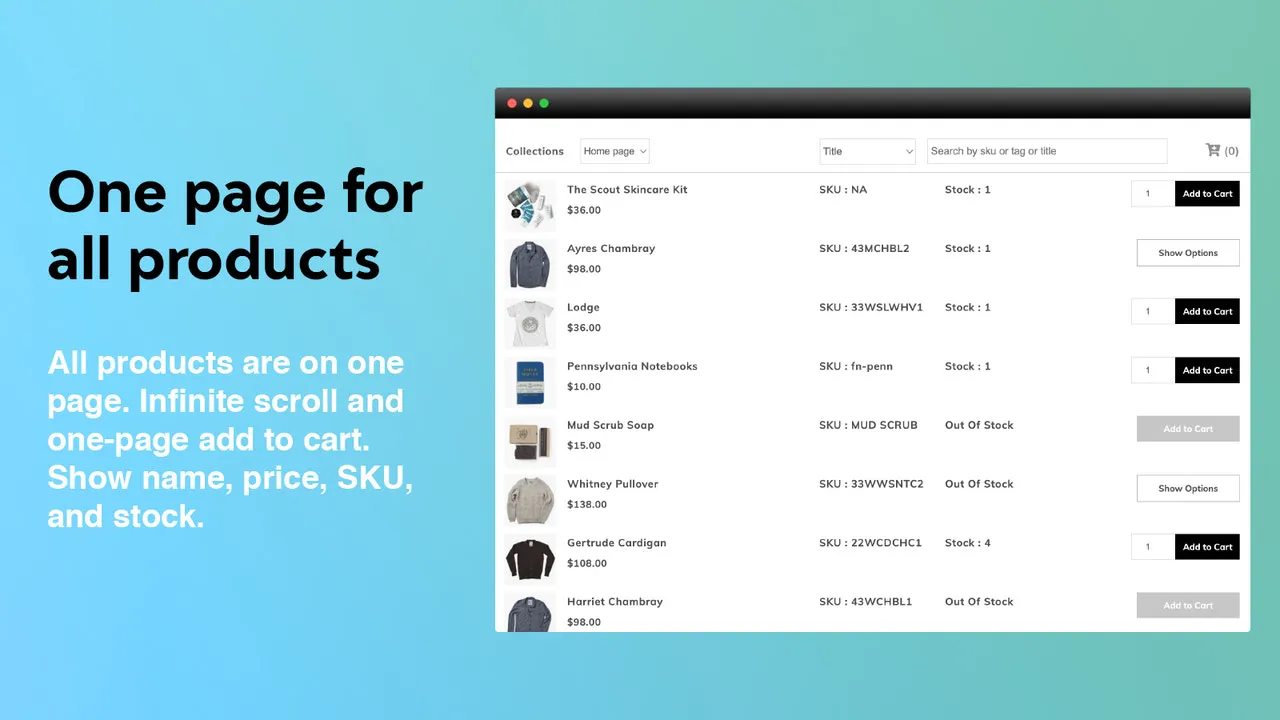
Shopify B2B wholesale optimization is the process of streamlining the wholesale buying experience by configuring native Shopify Plus features like company profiles, custom price lists, net payment terms, and quick-order interfaces to eliminate checkout friction and reduce manual administrative overhead. By migrating legacy tag-based systems to native Shopify Plus B2B architectures, merchants can reduce order processing times by up to 40% and increase average order value (AOV) through frictionless bulk purchasing.
Key Takeaways
- The B2B-30 Onboarding Workflow: Automate customer approval and default price list assignment using Shopify Flow to reduce manual onboarding time.
- Native Price List Migration: Eliminate legacy tag-based apps to improve collection page load speeds by up to 60%.
- 1-Click SKU Reordering: Implement a dedicated quick-order form to reduce wholesale checkout friction and boost repeat purchase rates.
- Net Term Automation: Configure native Net 30/60 terms with vaulted credit cards to secure automated collections and improve cash flow.
Configuring Shopify B2B Company Accounts: Multi-Location Permissions and Buyer Roles
Shopify Plus allows our team to group multiple buyers under a single company record, each mapped to specific locations and permission tiers. This eliminates the need for duplicate customer accounts and ensures accurate tax and shipping configurations.
- Step 1: Navigate to Customers > Companies in your Shopify admin and click Add company.
- Step 2: Create distinct Locations for the company to handle separate shipping addresses and tax IDs.
- Step 3: Assign Contacts to the company and set their permission levels: Administrator (full access), Location Administrator (manages specific locations), or Ordering Only (submits orders but cannot edit settings).
- Step 4: Enable B2B checkout settings so buyers can select their assigned company location during checkout.
Implementing Custom Price Lists: Mapping Tiered Pricing and Volume Discounts Without App Conflicts
Custom price lists are critical for B2B operations. Before native B2B features were introduced, stores relied on tag-based apps that caused severe performance issues and conflicted with checkout scripts. In our work with merchants, we migrate these legacy systems to native Shopify Plus architectures to ensure maximum stability.
To optimize load times and prevent conflicts, migrate all pricing rules to native Shopify B2B Price Lists. If you need advanced customization, leverage our Custom Shopify Development services to build clean, API-driven logic.
- Go to Products > Price lists and click Create price list.
- Select Fixed prices to upload a CSV with direct SKU-to-price mapping, or Percentage decrease to apply a flat discount across collections.
- Set Volume pricing tiers (e.g., 10-49 units at 15% off, 50+ units at 25% off) directly within the price list UI.
- Link the price list to specific Company Locations to ensure buyers see their contracted pricing immediately upon logging in.
Legacy Apps vs. Native Shopify Plus B2B in 2026
Feature Legacy Tag-Based Apps Native Shopify Plus B2B Page Load Speed Slow (heavy liquid/JS overhead) Instant (native database queries) Checkout Compatibility Requires draft-order workarounds Fully compatible with Shopify Checkout Multi-Location Support Extremely limited or manual Native multi-location mappingOptimizing the Reorder UX: Building a 1-Click Quick Order Form and Order History Re-Buy Button
B2B buyers do not browse; they buy by SKU. Standard retail templates force buyers to navigate multiple product pages, leading to portal abandonment. Our team designs streamlined interfaces tailored specifically to wholesale purchasing habits.
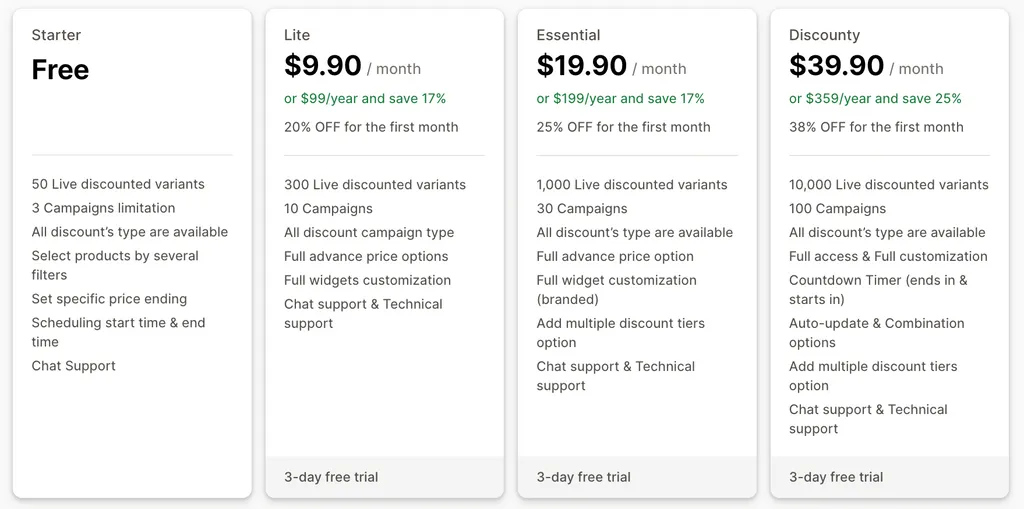
- Implement a Quick Order Form template on a dedicated page where buyers can search by SKU, enter quantities, and add dozens of items to the cart simultaneously.
- Add a Re-Buy button directly on the Customer Account order history page to replicate previous orders in 1 click.
- Ensure the UX is fully responsive and handles bulk cart additions without lagging. For tailored cart optimization, consider professional Design & UX optimization to maximize your B2B conversion rates.
Streamlining B2B Checkout: Setting Up Net Payment Terms (Net 30/60) and Vaulted Credit Cards
Cash flow management requires flexible payment options. Native B2B checkout allows you to defer payments without third-party integrations.
- Go to Settings > Payments and ensure Shopify Payments is active.
- Navigate to Customers > Companies, select a company, and scroll to Payment terms.
- Select the appropriate term: Net 15, Net 30, Net 60, or Due on receipt.
- Toggle Vaulted credit cards to allow buyers to secure orders with a card on file that is charged automatically when the invoice is due.
- Set up automated Invoice Reminders in Settings > Notifications to trigger email alerts 3 days before and 1 day after the due date.
Measuring Wholesale Performance: Key Shopify Analytics Reports to Track B2B Conversion Rate and AOV
Use Shopify's native B2B reporting to track portal adoption and buyer behavior.
- B2B Conversion Rate: Measures the percentage of logged-in company contacts who complete a purchase. Target a baseline of 8% to 12%.
- Average Order Value (AOV): Track B2B AOV separately from DTC. Target a minimum 3x to 5x increase over retail AOV.
- Reorder Rate: The percentage of company accounts making 2 or more purchases per month.
- Payment Term Aging: Monitor the percentage of Net 30/60 invoices paid on time versus overdue.
B2B Optimization Pitfalls: What to Avoid and How to Fix Them
What to Avoid
- Using legacy tag-based wholesale apps that slow down your theme and conflict with native checkout.
- Failing to set up default price lists, causing new company accounts to see retail pricing.
- Overcomplicating the registration form, which drives buyers back to email orders.
How to Fix
- Audit your app stack and fully migrate to native Shopify Plus B2B features.
- Set up an automated workflow using Shopify Flow to tag and assign new B2B sign-ups to a default "Tier 1" price list immediately upon approval.
- Ensure your site performance is optimized. Slow loading times kill bulk checkouts; use specialized Technical SEO & GEO programs to keep cart response times under 500ms.
How Avelize Approaches B2B Wholesale Optimization
Our team implements a structured, three-phase migration and optimization framework to transition merchants to native Shopify Plus B2B architectures:
- Phase 1: Architecture Audit & Mapping (Week 1): We audit your current app stack, map legacy customer tags to native Company records, and clean up product catalogs.
- Phase 2: Price List & Catalog Migration (Weeks 2-3): We import custom pricing CSVs, configure volume discount tiers, and set up automated Shopify Flow workflows.
- Phase 3: UX & Quick Order Implementation (Week 4): We deploy custom React or Liquid quick-order forms and optimize checkout performance.
KPI Target: Under 500ms cart response times and a minimum 15% increase in B2B conversion rates. Cost is custom-scoped based on ERP integration complexity.
Ready to scale your wholesale operations? Contact our team today to learn more about our Shopify Plus migrations.
Published / Last reviewed: October 24, 2026
Shopify Plus Pricing 2026: What Enterprise Teams Should Budget For
Shopify Plus pricing should not be evaluated as a single monthly fee. For enterprise teams, the real budget usually combines platform fees, payment processing, transaction rules, app costs, implementation work, analytics setup, QA, and ongoing optimization.
The safest way to compare Shopify Plus cost is to separate the decision into four layers:
- Platform cost: the contracted Shopify Plus fee and any commercial terms quoted by Shopify.
- Payment and transaction costs: Shopify Payments, external gateways, payment method mix, and international selling requirements.
- Implementation cost: theme work, migration, integrations, tracking, redirects, QA, and launch support.
- Operating cost: apps, CRO testing, maintenance, analytics, SEO monitoring, and performance optimization.
Shopify Plus Features That Affect Pricing Decisions
The pricing question is not only whether Shopify Plus is more expensive than standard Shopify plans. The better question is whether the additional enterprise capabilities reduce operational friction, technical risk, or conversion loss enough to justify the cost.
- Checkout extensibility and advanced checkout customization needs.
- B2B, wholesale, multi-market, or multi-store operating requirements.
- Higher-volume merchandising, automation, and integration workflows.
- SEO, analytics, and migration safeguards that reduce launch risk.
Hidden Shopify Plus Costs to Include in the 2026 Budget
Many Shopify Plus budgets miss the work around the platform: app rationalization, theme performance cleanup, data migration, redirect mapping, analytics QA, consent tooling, and post-launch conversion measurement. These costs matter because they decide whether the platform change actually improves revenue or simply moves the same problems into a new stack.
When Shopify Plus Is Worth It
Shopify Plus is usually easier to justify when the business has meaningful operational complexity, international growth, B2B requirements, checkout constraints, or performance and SEO debt that is holding back conversion. It is harder to justify when the store only needs a cosmetic redesign or does not yet have the traffic, revenue, or team capacity to use the enterprise features.
Need a Shopify Plus Cost and SEO Review?
If you are comparing Shopify Plus pricing against migration risk, SEO impact, performance debt, or conversion upside, I can review the current store and map the highest-risk cost items before you commit to a migration or rebuild.
Authoritative References
Use these official resources to verify platform-specific claims and implementation details before making commercial or technical decisions.
Related Avelize Services and Guides: B2b Wholesale Shopify Plus Agency · Plus Customization