
Shopify CRO Audit: Enterprise UX Design Frameworks
By:
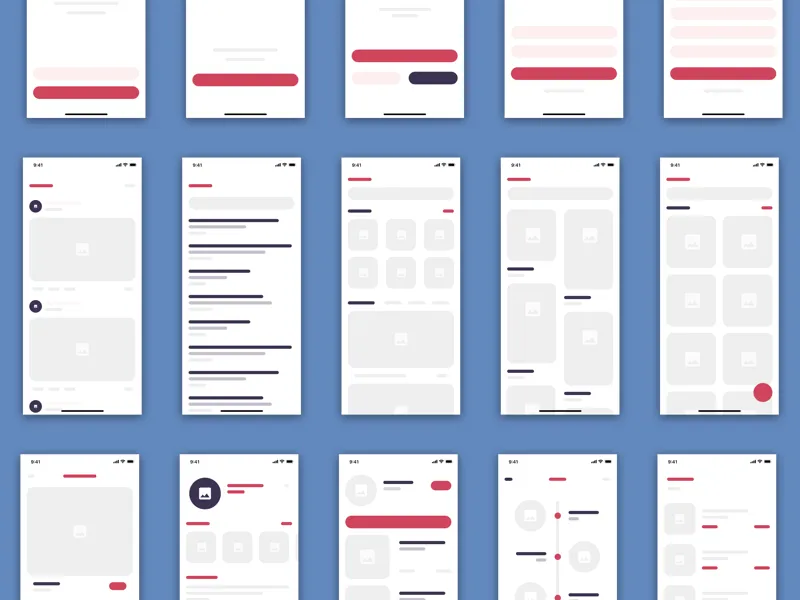
How enterprise UX design frameworks apply to Shopify CRO audits — diagnosing discovery, PDP layout, decision anxiety, and checkout abandonment on high-AOV...
A comprehensive Shopify CRO audit is the systematic process of identifying, measuring, and eliminating friction points across your e-commerce storefront to maximize revenue per visitor. By combining technical performance analysis with behavioral UX design principles, enterprise merchants can systematically resolve conversion bottlenecks. In our work with ambitious Shopify Plus brands, we deploy structured frameworks to isolate app latency, streamline mobile product detail pages, and migrate to high-converting checkout environments.
Key Takeaways for Enterprise Shopify CRO
- Eliminate Ghost Scripts: Remove redundant JavaScript from uninstalled apps to recover up to 1.2 seconds of page load time, improving Core Web Vitals and user experience.
- Optimize Mobile Targets: Maintain a minimum touch target of 48x48 pixels for all mobile variant selectors and CTAs to prevent accidental clicks and enhance usability.
- Migrate Checkout: Transition legacy
checkout.liquidfiles to Shopify Checkout Extensibility to secure, streamline, and customize the purchase funnel for higher conversion. - Prioritize with Data: Deploy a structured Impact-Effort Matrix to categorize storefront fixes by engineering effort versus projected revenue impact, ensuring optimal resource allocation.
The Foundation: A Conversion Diagnosis Framework for Shopify Plus
For Shopify Plus teams, a robust conversion diagnosis framework connects user experience, technical performance, merchandising, checkout behavior, and measurement quality. A redesign alone rarely fixes conversion if the page is slow, the offer is unclear, or analytics cannot explain where users hesitate. Our framework begins with a deep dive into technical performance.
Why Technical App Bloat Kills Shopify Conversion Rates
Shopify app bloat is the accumulation of redundant, uninstalled, or poorly optimized third-party JavaScript files that block the browser's main thread and delay page rendering. Every third-party app installed on your Shopify Plus store injects external JavaScript. Over time, uninstalled apps leave behind "ghost scripts" in your theme files that continue to execute, slowing down your page load speed, negatively impacting Google's Core Web Vitals, and killing conversions.
- What to Avoid (Common Mistakes)
- Relying on app-based features for basic UI elements that can be coded natively into your custom theme.
- Neglecting theme cleanup after uninstalling apps, leaving redundant external API calls active.
- Loading non-critical scripts (like marketing pixels and support widgets) synchronously before the primary page elements render.
- How to Fix (Implementation Steps)
- Run a performance trace using Chrome DevTools to isolate external scripts causing main-thread blocking.
- Consolidate redundant tracking scripts into Google Tag Manager or Shopify Pixels to run asynchronously.
- Replace heavy third-party apps with native Liquid, CSS, or custom web components.
- For deep technical cleanup, leverage specialized Shopify speed optimization services to refactor theme code.
Optimizing Critical User Journeys: PDP, Checkout, and Discovery
Conversion rate optimization extends across the entire user journey, from initial product discovery to the final checkout. Identifying and resolving friction points in these critical areas is paramount for enterprise brands.
How to Optimize Mobile PDPs to Reduce UX Friction
Mobile traffic accounts for over 70% of enterprise e-commerce visits, yet mobile conversion rates typically lag behind desktop by 50% or more. Cluttered product detail pages (PDPs) and awkward touch targets are the primary drivers of this gap. Effective Shopify Plus merchandising strategies are crucial here.
- Key Mobile UX Friction Points
- Hidden CTAs: The "Add to Cart" button is buried deep below the fold, forcing users to scroll past extensive product descriptions.
- Clunky Variant Selectors: Dropdown menus that require multiple taps instead of clear, visual swatches.
- Poor Image Interactions: Product image galleries that lack intuitive swipe gestures or trigger accidental zoom states.
- How to Optimize Mobile PDPs
- Implement a sticky "Add to Cart" or "Buy Now" button that remains anchored to the bottom viewport on scroll.
- Convert drop-down variant selectors into large, tap-friendly visual swatches with a minimum touch target of 48x48 pixels.
- Streamline your product page hierarchy by placing reviews, pricing, and shipping estimates immediately below the product title.
- Implement a structured, mobile-first conversion-focused design system to guarantee UI consistency.
Why Checkout Extensibility is Critical for Shopify CRO
With Shopify deprecating legacy checkout.liquid files, migrating to Checkout Extensibility is no longer optional for Shopify Plus merchants. This transition is your single greatest opportunity to reduce checkout drop-off rates, enhance security, and secure your conversion funnel. Leveraging Shopify Functions allows for powerful backend customizations without compromising upgradeability.
- Checkout Migration Checklist
- Audit current
checkout.liquidcustomizations to catalog all active scripts, third-party trackers, and custom fields. - Map legacy customizations directly to Shopify Checkout UI Extensions, Functions, or native admin settings.
- Configure Shopify Pixels to handle marketing events securely without injecting custom scripts into the checkout header.
- Deploy custom checkout apps to handle post-purchase upsells, custom shipping rules, or address validation.
- A/B test the new checkout flow against your baseline to measure the direct impact on cart abandonment rates.
- Audit current
For complex backend logic, custom API integrations, or bespoke Checkout UI Extensions, consult an experienced Shopify Plus development partner to prevent checkout downtime and maximize conversion gains.
Eliminating Product Discovery & Merchandising Friction
Beyond PDPs, how users find products significantly impacts conversion. Inefficient site search, poor filtering options, and irrelevant product recommendations create significant friction. Optimizing these areas is key to improving the overall user experience and driving sales, especially with the rise of Shopify AI merchandising.
- Common Discovery Bottlenecks
- Generic Search Results: Search queries yielding irrelevant or too broad results, forcing users to refine repeatedly.
- Limited Filtering: Lack of granular filters (e.g., by size, color, material, brand) making it hard to narrow down choices.
- Poor Recommendation Engines: "Related products" or "Customers also bought" sections showing irrelevant items.
- Slow Category Pages: Long load times for collections with many products, impacting user patience.
- Strategies for Improved Merchandising
- Implement semantic search capabilities to understand user intent better and deliver more accurate results.
- Enhance filtering and sorting options, ensuring they are intuitive and comprehensive.
- Utilize AI-powered personalization for product recommendations, leveraging tools like predictive search to show relevant items based on browsing history and preferences.
- Optimize collection page load times and consider infinite scroll or lazy loading for large catalogs.
Uncovering Hidden Leaks with Behavioral Analytics
Quantitative analytics tell you where users drop off, but qualitative behavioral data explains why they leave. Session recordings and heatmaps turn speculative design discussions into data-driven development tasks, providing invaluable insights into user frustration and hesitation.
- Critical Behavioral Metrics to Track
- Rage Clicks: Repeatedly clicking on static elements, indicating broken links, slow-loading buttons, or confusing UI.
- Dead Clicks: Clicks that yield no response, often caused by broken JavaScript or unlinked promo banners.
- Friction-Heavy Forms: Form fields in the cart or checkout where users hesitate, retype, or completely abandon the session.
- Abrupt Scroll Stops: Areas where users scroll rapidly past key value propositions, indicating irrelevant content layout.
- How to Action Behavioral Insights
- Filter session replays specifically for users who added items to their cart but did not complete the purchase.
- Identify form fields with high correction rates and replace them with auto-fill or address-lookup APIs.
- Redesign elements that trigger rage clicks to make their functionality clear, interactive, or static.
- Analyze scroll maps to ensure critical information and CTAs are above the fold or strategically placed within the user's natural viewing path.
Building Your Experiment Backlog: Prioritizing Shopify UX Fixes
An enterprise Shopify CRO audit will generate dozens of recommendations. To maximize ROI and build an effective experiment backlog, you must prioritize engineering resources using a structured Impact-Effort matrix. This helps you identify "quick wins" alongside "strategic bets" that require more planning.
Priority LevelImplementation EffortRevenue ImpactAction PlanQuick WinsLowHighDeploy immediately (e.g., sticky CTAs, script cleanup, microcopy tweaks).Strategic BetsHighHighScope, plan, and schedule (e.g., Checkout Extensibility migration, major UX redesigns).Fill-insLowLowComplete during routine maintenance or when resources allow (e.g., minor visual adjustments).Money PitsHighLowDeprioritize or eliminate from the roadmap entirely; avoid investing resources here.Your experiment backlog should include a mix of tests focusing on speed, core UX elements, offer clarity, trust signals, and personalization. Each test should have a clear hypothesis and measurable KPIs.
Avelize's Approach to Enterprise CRO Audits
Our team executes a rigorous, data-backed optimization process designed to turn high-friction storefronts into high-conversion assets for Shopify Plus brands:
- Technical & Behavioral Audit (Weeks 1-2): We run deep performance traces, analyze Core Web Vitals, and review session recordings, heatmaps, and user surveys to isolate at least 15 high-friction bottlenecks across your store.
- Code Refactoring & UX Prototyping (Weeks 3-4): We eliminate ghost scripts, optimize mobile touch targets, and design custom UI extensions or implement native solutions based on audit findings.
- A/B Testing & Deployment (Ongoing): We continuously test and refine changes using a structured experimentation framework to secure a projected 5% to 15% lift in conversion rates, ensuring sustainable growth.
Frequently Asked Questions
What is a Shopify CRO audit?
A Shopify CRO audit is a comprehensive evaluation of your e-commerce store's technical performance, user interface, and checkout flow. The goal is to identify and resolve usability barriers, page speed latency, and design friction that prevent visitors from completing purchases. It's a data-driven process aimed at maximizing revenue per visitor.
How long does a Shopify CRO audit take?
A standard enterprise-level audit typically takes between two to four weeks. This timeline allows our team to gather sufficient behavioral data from heatmaps and session recordings, perform technical script tracing, analyze analytics, and deliver a prioritized implementation roadmap with clear, actionable recommendations.
What is the difference between technical SEO and CRO UX design?
While both disciplines aim to increase e-commerce revenue, technical SEO and CRO UX design target different stages of the user journey. Technical SEO focuses on search engine crawlability, indexation, structured data, and Core Web Vitals to drive organic traffic to the storefront. In contrast, CRO UX design optimizes the on-site user experience to convert that traffic into paying customers. Technical SEO ensures a page loads rapidly and ranks highly on Google, whereas CRO UX design streamlines the layout, eliminates micro-interaction friction, and simplifies the checkout flow. For enterprise Shopify Plus merchants, these two practices must operate in tandem. For example, reducing third-party JavaScript execution times satisfies both Google's Interaction to Next Paint (INP) metric for SEO and prevents user frustration (rage clicks) for CRO. Avelize integrates both methodologies into a unified growth program to maximize search visibility and conversion efficiency simultaneously.
Ready to Transform Your Shopify Plus Store?
Are silent conversion leaks costing your ambitious ecommerce brand revenue? Don't let technical debt or UX friction hold you back. Contact our team today to schedule a comprehensive Shopify Plus CRO audit, a technical SEO review, or a Shopify migration assessment. Unlock your store's true revenue potential with a data-driven strategy tailored for enterprise success.
Published / Last reviewed: October 2024. Updated for 2026 storefront standards.
Authoritative References
- Shopify Plus overview
- Shopify Functions documentation
- Checkout Extensibility documentation
- Google Search Central: Core Web Vitals
Related Shopify and Ecommerce Growth Guides
Continue with these related guides if you want to connect the strategy to implementation, SEO risk, performance, or conversion impact.
- Shopify Plus Merchandising: Enterprise CRO Tactics
- Shopify AI Merchandising: Enterprise Discovery Guide
- Shopify AI Merchandising: Guide to Predictive Search
- Shopify AI Merchandising: Guide to Semantic Search
- AI CRO for Shopify Collective: Partner SKU Optimization
Related Avelize Services and Guides: Conversion Rate Optimization · Ecommerce Web Design Agency · Store Redesign