
Shopify Plus SEO: Enterprise High-SKU Catalog Guide
By:
Shopify Plus SEO Enterprise High-Sku Catalog Guide: a practical Shopify Plus guide to the SEO, CRO, and revenue decisions that matter for ecommerce teams.
High-SKU enterprise catalogs on Shopify Plus often face severe search engine performance bottlenecks due to unmanaged faceted navigation and parameter-based collection filtering. In our work engineering enterprise storefronts, we solve this by re-architecting robots.txt disallows, stripping dynamic parameters from canonical Liquid outputs, and migrating filter rendering to JavaScript state management. This technical playbook details the exact infrastructure required to eliminate index bloat, preserve crawl budget, and maximize organic search revenue in 2026.
Key Takeaways
- Eliminate Crawl Waste: Block non-indexable filter query strings like
filter.v.inrobots.txt.liquidto prevent Googlebot from wasting up to 60% of its budget on duplicate grids. - Enforce Clean Canonical Logic: Override default Shopify theme logic to strip query parameters from
rel="canonical"output strings intheme.liquid. - Implement JS State Management: Swap standard HTML filter anchors with non-crawlable DOM elements powered by the Storefront GraphQL API and
history.pushState(). - Maintain an 85%+ Indexation Ratio: Track indexed vs. sitemap-submitted URLs in Google Search Console to keep indexing efficiency well above industry thresholds.
Identifying Index Bloat and Crawl Waste in Shopify Plus Collection Filters
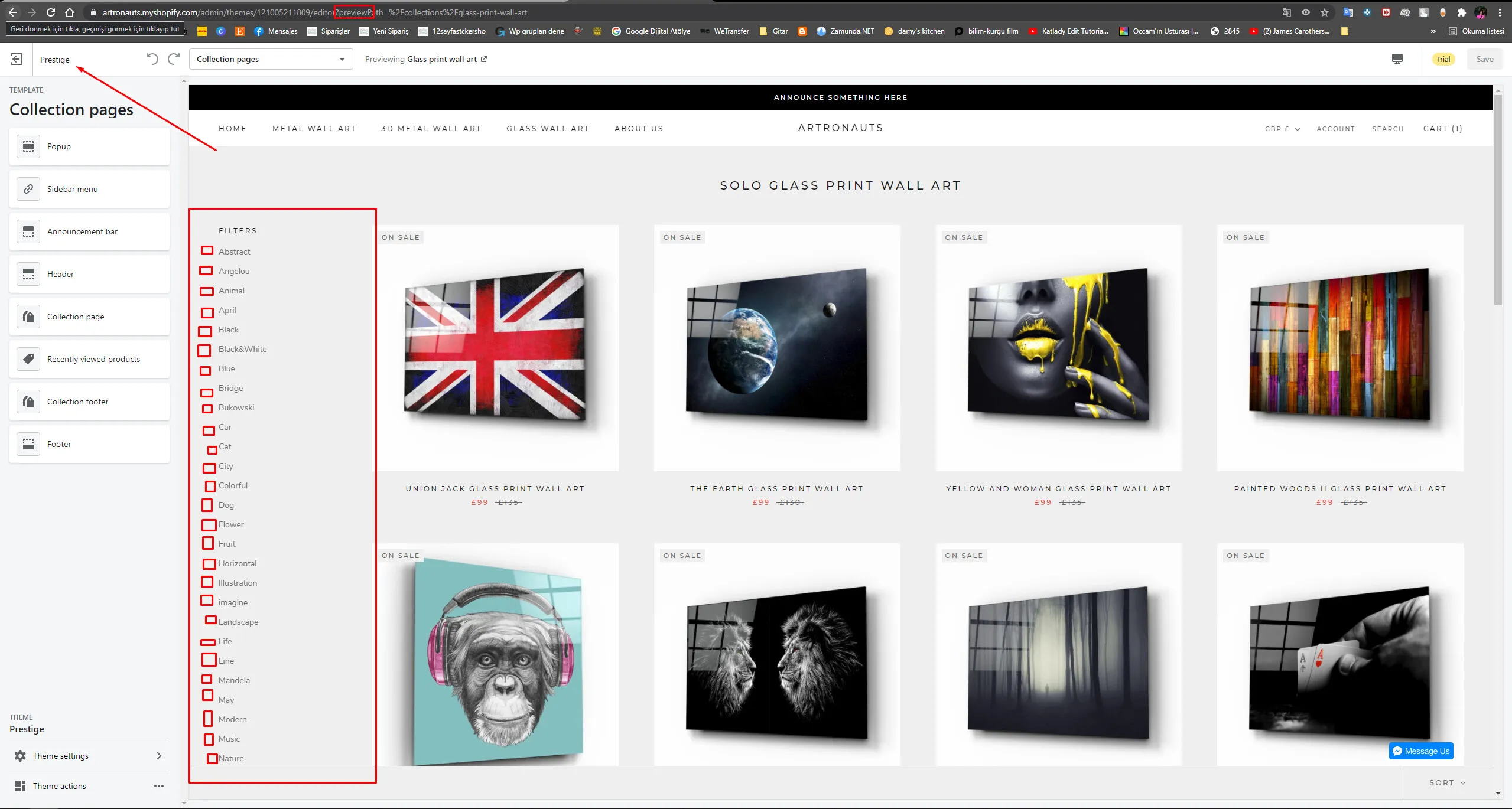
Faceted navigation index bloat is an enterprise SEO defect where automated storefront filters produce thousands of unique URL permutations that search engines treat as separate, thin landing pages. In native Shopify Plus architecture, dynamic filter options append complex query parameters directly onto base collection handles (e.g., ?filter.v.option.color=Red).

When search crawlers encounter these parameterized URLs without strict technical boundaries, they spend valuable crawl budget requesting duplicate product grids rather than discovering new product launches or high-margin collection pages. In our technical audits for enterprise clients, unmanaged filter parameters routinely account for over 60% of Googlebot's total server requests.
Primary Technical Signals of Crawl Waste
- Crawl Ratio Disparity: Googlebot log files display excessive GET requests for URLs containing
?filter.v.or?sort_by=. - Indexation Lag: Newly published product pages take weeks to enter Google's primary index due to crawler depletion on collection variants.
- Soft 404 Escalation: Out-of-stock attribute combinations render empty collection grids that register as soft 404 errors in Google Search Console.
- Internal Link Equity Dilution: PageRank flows into non-indexable filter options instead of consolidating on primary category hubs.
Configuring robots.txt.liquid to Block Low-Value Parameter URLs
Since the introduction of custom layout controls in Shopify Plus, developers can modify site directory permissions directly inside the robots.txt.liquid file. Restricting Googlebot from crawling parameter-heavy filter patterns eliminates crawl waste before search bots parse rendered HTML grids.
Add specific disallow directives inside your robots.txt.liquid file to target non-indexable filter query strings:
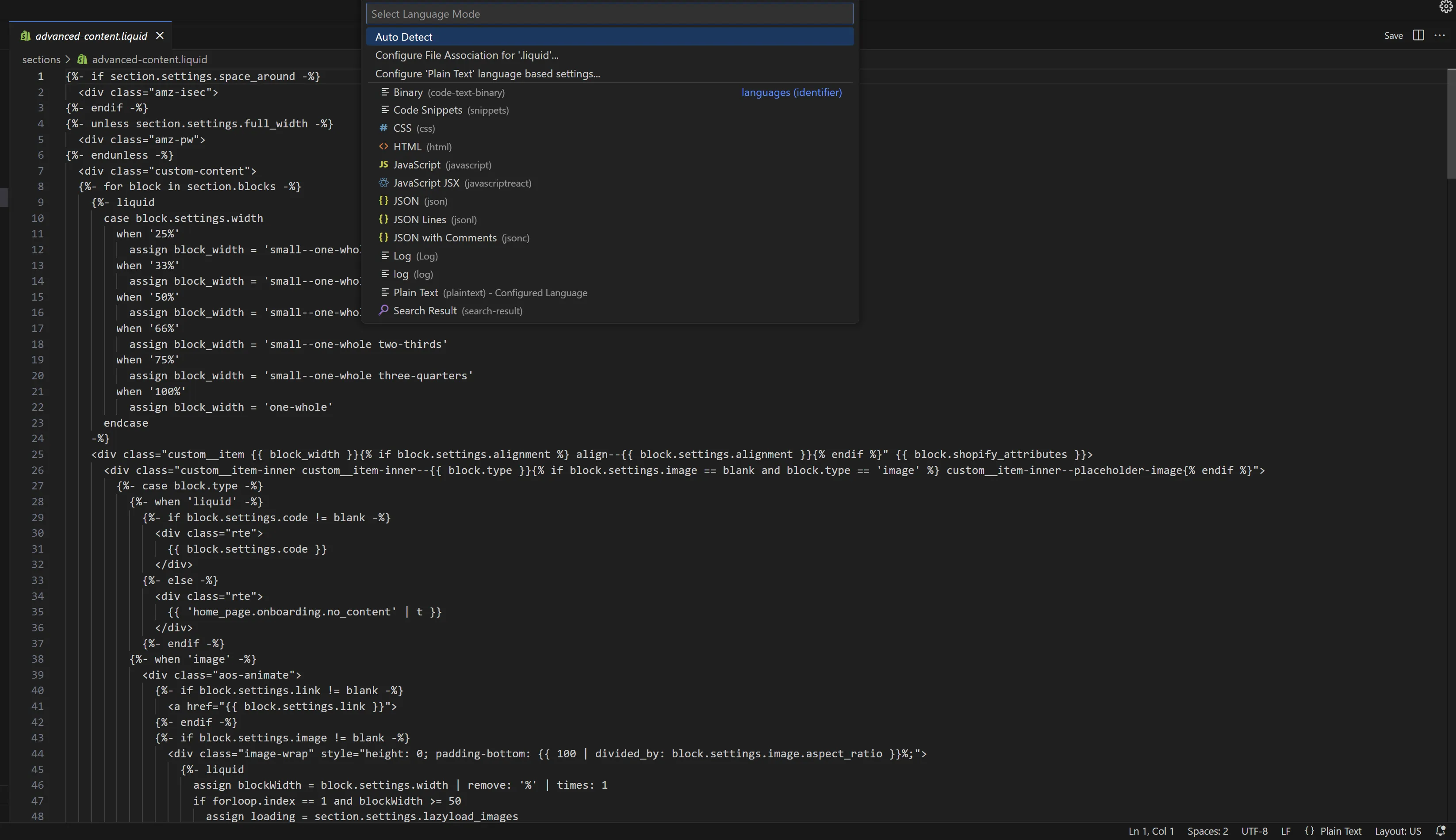
Disallow: /*?*filter.v.(Blocks standard storefront filtering parameters)Disallow: /*?*sort_by=(Blocks collection sorting parameters)Disallow: /*?*grid_type=(Blocks layout viewing parameter strings)Disallow: /*?*view=(Blocks alternative collection view templates)
Implementation Checklist for Custom Robots Rules
Before deploying block rules, our team audits all organic traffic entry points to ensure valuable long-tail landing pages are not accidentally suppressed.
- Navigate to Online Store > Themes > Edit Code in your Shopify Plus admin.
- Locate or create the
robots.txt.liquidtemplate file inside the layout directory. - Inject custom disallow rules directly into the primary
user-agent: *rule group. - Validate rule execution using Google Search Console's URL Inspection Tool and live test requests.
Implementing Dynamic Canonicalization Rules via Liquid and Metafields
Standard Shopify themes render self-referencing canonical tags on filtered collection URLs. This causes search engines to treat /collections/mens-shoes?filter.v.color=Red as an independent URL, diluting rank authority across duplicate pages.
To fix this, we customize the theme.liquid layout file to force all parameter-based filter variants back to the clean base collection canonical target. You can leverage our custom Shopify development solutions to engineer robust canonical Liquid controls.
Standard Liquid canonical parameter stripping implementation:
<link rel="canonical" href="{{ canonical_url | split: '?' | first }}" />
For complex programmatic SEO strategies where specific high-volume filter combinations (e.g., /collections/mens-shoes-red) require dedicated indexing, we utilize Shopify Metafields to override default canonical outputs with custom subcategory handles.
Managing Faceted Navigation with AJAX and JavaScript State Management
While blocking query parameters in robots.txt.liquid stops crawling, it does not prevent internal PageRank from leaking through standard HTML anchor links embedded in the filter interface. To preserve internal link equity, enterprise storefronts must decouple client-side user experience from physical URL anchors.
By converting filter controls into non-crawlable DOM elements (such as <button> tags with data- attributes), search engines see a clean, static collection page while human users enjoy instant client-side filtering.
- Fetch updated product collection grids via asynchronous requests using the Shopify Storefront GraphQL API.
- Update the browser location bar seamlessly with
history.pushState(), maintaining bookmarkable URLs for shoppers without generating crawlable HTML anchors for search bots. - Prevent soft 404 generation by executing client-side state checks that gracefully notify shoppers when specific attribute filters yield zero available inventory.
Partnering with an experienced enterprise Shopify SEO agency ensures client-side rendering strategies remain fully compliant with search engine rendering pipelines.
XML Sitemap Architecture for Catalogs Exceeding 50,000 Products
Shopify automatically generates a parent sitemap index referencing secondary sitemaps for products, collections, pages, and blogs. However, enterprise catalogs containing over 50,000 SKUs frequently hit native sitemap pagination limits, resulting in delayed indexing of new inventory.
To maximize crawl priority on large catalogs, we structure XML sitemap pipelines to emphasize high-margin, active stock while excluding out-of-stock or thin products.
Sitemap Architecture ComponentNative Shopify LimitEnterprise Optimization StrategyChild Sitemap Size5,000 URLs per fileSegment by parent collection priority using custom middleware.Catalog Index Limit50,000 URLs totalAutomatically purge out-of-stock SKUs inactive for >30 days.Update NotificationPassive crawl pingAutomate Search Console API index pings on product updates.Our team builds specialized sitemap pipelines using technical SEO and data architecture standards to guarantee critical product inventory is indexed within hours of launch.
Measuring Crawl Efficiency and Indexation Ratio via Google Search Console
Managing high-SKU enterprise catalogs requires continuous monitoring of search crawler behavior. The definitive quantitative metric for catalog search health is the Indexation Ratio.
Indexation Ratio Formula: (Total Valid Indexed URLs / Total Submitted URLs in Sitemap) * 100
Enterprise Shopify Plus storefronts should maintain an Indexation Ratio of 85% or higher. Ratios below 70% indicate severe index bloat, crawl waste, or unchecked parameter proliferation.
Common Indexation Pitfalls to Avoid
- Blocking via robots.txt While Canonicalizing: If a URL is blocked in
robots.txt, Googlebot cannot crawl it to read therel="canonical"tag, preventing authority consolidation. - Applying Noindex to Filter Pages: Utilizing
noindextags on parameter URLs still requires Googlebot to spend crawl budget downloading and parsing HTML documents before discovering the directive. - Exposing Site Search Results: Allowing internal search URLs (
/search?q=) to be crawled creates infinite parameter loops that rapidly drain crawl budget.
How Avelize Approaches High-SKU Shopify SEO
Our technical team approaches enterprise search engineering through a structured, data-backed implementation framework focused on measurable bottom-line growth:
- Log File & Crawl Budget Audit (Weeks 1–2): We analyze Googlebot access patterns using server logs and Search Console data to map exact parameter leakage points.
- Technical Architecture Overhaul (Weeks 3–5): We engineer custom
robots.txt.liquidlogic, Liquid canonical stripping, and AJAX/GraphQL client-side state management. - Sitemap & Data Pipeline Optimization (Weeks 6–7): We purge dead inventory variants and automate programmatic XML index submissions.
- Performance Monitoring & Reporting (Ongoing): We track Indexation Ratio improvements, crawl efficiency, and organic category revenue growth, aiming for an 85%+ indexation rate within 60 days of deployment.
Frequently Asked Questions
How does a Shopify Plus SEO agency fix faceted navigation index bloat?
Faceted navigation index bloat in Shopify Plus occurs when collection filter attributes create thousands of duplicate parameterized URLs, depleting Googlebot's crawl budget across high-SKU storefronts. To resolve this, a specialized Shopify Plus SEO agency implements a three-part technical architecture. First, custom disallow rules are added to the robots.txt.liquid layout file to block non-essential parameter strings such as filter.v., sort_by, and view parameters from search crawlers. Second, theme Liquid code is modified to strip parameters from rel=canonical tags, ensuring all dynamic grid views pass equity back to clean parent collection handles. Third, native HTML anchor tags within filter menus are converted into JavaScript-driven elements utilizing the HTML5 History API (pushState) and Storefront GraphQL API queries. This prevents search bots from discovering redundant URL permutations while preserving seamless, real-time client-side filtering experiences for human shoppers without incurring server round-trips or soft 404 indexing errors.
Is Liquid canonical stripping sufficient for Shopify Plus filter SEO?
No, Liquid canonical stripping alone is insufficient. While stripping query parameters in Liquid ensures the rel=canonical tag points back to the base collection, search engines must still crawl the parameterized URL to parse the tag. For enterprise stores with tens of thousands of SKUs, this continues to consume valuable crawl budget. A complete enterprise solution combines canonical stripping with disallow directives in robots.txt.liquid and client-side AJAX state management.
What is a healthy indexation ratio for high-SKU Shopify Plus stores?
A healthy indexation ratio for high-SKU Shopify Plus catalogs is 85% or higher, calculated by dividing valid indexed URLs by total sitemap-submitted URLs in Google Search Console. Ratios below 70% signal severe crawl waste caused by unblocked collection parameters, duplicate product variants, or legacy out-of-stock SKUs remaining in the XML sitemap index.
If unmanaged collection filters or indexing lag are capping your organic growth, explore our specialized enterprise Shopify SEO services or contact our technical engineering team to audit your storefront architecture today.
Published / Last reviewed: 2026
Authoritative References
Use these official resources to verify platform-specific claims and implementation details before making commercial or technical decisions.
- Shopify Plus overview
- Google SEO Starter Guide
- Google canonicalization guide
- Google structured data introduction
Related Avelize Services and Guides: Custom Apps · Plus Customization · Shopify Seo Services