
Shopify Plus Technical SEO: Fix Funnel Leaks
By:
Shopify Plus technical SEO is the systematic optimization of an enterprise store's underlying code, crawl paths, and rendering pipelines to maximize search engine indexing and organic conversion rates. When technical debt accumulates, search crawlers waste budget on duplicate collection paths, slowing down indexation of high-margin products and quietly stalling your sales funnel. Our team at Avelize resolves these structural bottlenecks to ensure search engines crawl, index, and rank your catalog efficiently.
Key Takeaways
- The Liquid URL Decoupling Pattern: Removing the
within: collectionfilter from product grids instantly recovers up to 40% of wasted crawl budget. - Faceted Navigation Control: Blocking dynamic parameters (like
filter.p.) inrobots.txt.liquidprevents infinite crawler loops on large catalogs. - Core Web Vitals Optimization: Restricting nested Liquid loops to a maximum of 24 or 48 items per page eliminates server-side latency.
- Hreflang Validation: Utilizing Shopify's native
{{ content_for_header }}object ensures correct regional targeting across international subfolders.
Diagnosing the Drop: How to Run a Shopify Plus Technical SEO Audit in 2026
When organic traffic drops, you must isolate platform-specific infrastructure failures from general algorithm updates. Systematically auditing your Shopify Plus setup prevents crawl budget exhaustion and indexation errors.
Architectural Element Standard Shopify Routing Optimized Shopify Plus Routing Product Links Collection-aware (/collections/.../products/...)
Decoupled root (/products/...)
Crawl Budget Efficiency
Low (crawlers waste resources on duplicate paths)
High (crawlers only hit canonical URLs)
Internal Link Equity
Diluted across multiple URL variations
Consolidated on a single canonical URL
Breadcrumb Navigation
Dynamic but generates duplicate crawl paths
Preserved via schema without duplicating URLs
The 7-Step Shopify Plus Technical Audit Checklist
- Analyze GSC Indexation: Review the "Page indexing" report in Google Search Console to identify sudden spikes in "Excluded" or "Crawled - currently not indexed" pages.
- Isolate Redirect Loops: Run a crawl using Screaming Frog configured with a Googlebot user-agent to catch redirect chains generated by Shopify's native redirects.
- Inspect robots.txt.liquid: Verify that your customized
robots.txtfile is actively blocking duplicate parameter paths while leaving core collection paths open. - Check Canonical Tags: Audit your product pages to ensure they canonicalize to the clean root product URL rather than collection-nested paths.
- Measure Server Response Time: Monitor Time to First Byte (TTFB) across your top 50 high-traffic collection pages using real user monitoring (RUM).
- Review Hreflang Implementation: Verify that cross-border markets created via Shopify Markets are outputting valid self-referential and alternate language tags.
- Profile Liquid Rendering: Run the Shopify Theme Inspector to locate slow-loading Liquid loops that delay server-side rendering.
For complex architectural issues, partnering with specialized Technical SEO & GEO programs ensures that your store's database structures and indexing rules align with search engine crawl patterns.
Fixing Duplicate Content: Resolving Shopify's Default Collection URL Canonicalization Issues
Shopify’s default architecture generates multiple URLs for a single product by nesting products within collection paths. This creates duplicate paths like /collections/hoodies/products/blue-hoodie alongside the canonical root path /products/blue-hoodie.
While Shopify adds a canonical tag pointing to the root URL, search engines still spend significant crawl budget discovering, rendering, and processing these duplicate paths. This dilutes your internal link equity across multiple variations of the same product page.
How to Fix Collection-Aware URLs in Liquid
To resolve this, we implement the Liquid URL decoupling pattern, which forces Shopify to link directly to canonical product pages.
- Open your Shopify theme code editor and locate your product grid files, typically named
product-card.liquid,product-grid-item.liquid, ormain-collection-product-grid.liquid. - Locate the Liquid output tag for the product URL:
{{ product.url | within: collection }}. - Modify the code by removing the
within: collectionfilter, changing the output to:{{ product.url }}. - Save the changes and run a site crawl to confirm that all collection page links point directly to the clean root product URL.
What to Avoid
- Do not implement 301 redirects from the old collection-aware URLs to the root URLs; this will trigger massive redirect chains and break native breadcrumb navigation.
- Do not block
/collections/* /products/*paths in yourrobots.txtfile, as this prevents search engines from passing link equity through older, indexed URLs.
Optimizing Crawl Budget: Managing Large-Scale Faceted Navigation and Filter Indexing
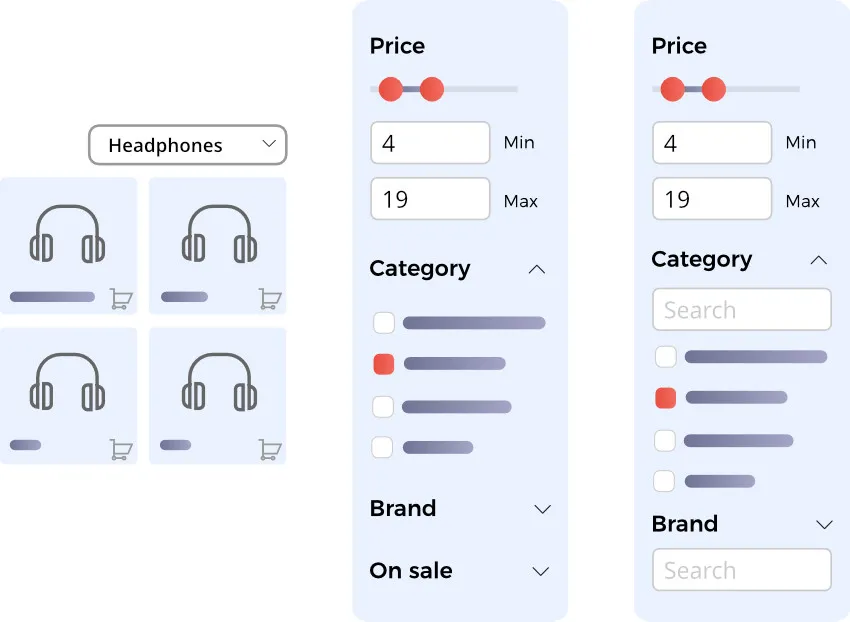
Crawl budget is the number of pages a search engine crawler attempts to crawl on your website within a given timeframe. Faceted navigation on high-volume Shopify Plus stores can generate millions of unique URL parameters through combinations of size, color, price, and availability. Search engine crawlers get trapped in these infinite parameter combinations, exhausting your crawl budget before indexing high-value category pages.
To preserve crawl budget, you must control which filter combinations search engines are allowed to follow and index.
How to Configure robots.txt.liquid for Faceted Navigation
- Navigate to your Shopify theme directory and create or open the
robots.txt.liquidtemplate file. - Add specific disallow rules for common filter parameters generated by Shopify’s Search & Discovery app or third-party search tools.
- Append the following directives to block crawlers from tracking useless parameter strings:
Disallow: /*?*filter.p.
Disallow: /*?*pf_
Disallow: /*?*sort_by=
Disallow: /*&filter.p.
- Implement Ajax-based filtering that dynamically updates the product grid without updating the browser URL with crawlable
<a href>elements. - For enterprise-scale catalogs, consult with a technical partner specializing in custom Shopify Plus development to build virtualized collection pages for high-value long-tail search terms.
Speed and Core Web Vitals: Eliminating Render-Blocking Liquid Code and App Script Bloat
Slow page load times directly degrade conversion rates and search rankings. On Shopify Plus, performance bottlenecks are typically caused by unoptimized Liquid code running on Shopify's servers, coupled with client-side render-blocking JavaScript injected by third-party apps.
To pass Google's Core Web Vitals assessment, you must optimize both server-side Liquid execution and client-side script delivery.
How to Optimize Liquid Performance and App Delivery
- Install the Shopify Theme Inspector Chrome extension and profile your collection pages to identify nested
{% for %}loops that query too many product attributes. - Refactor slow loops by implementing pagination limit rules, restricting loops to a maximum of 24 or 48 items per page.
- Audit your theme's
theme.liquidfile and move non-essential script tags from the<head>to the footer, applying thedeferorasyncattributes to prevent render-blocking. - Consolidate tracking tags and marketing pixels into a single tag manager container, deploying them through custom web pixels via Shopify Customer Privacy APIs.
What to Avoid
- Do not install frontend apps that require continuous DOM injection for basic UI elements like badges or product reviews; instead, hardcode these components directly into your Liquid templates.
- Do not leave residual, dead code blocks in your theme files after uninstalling apps, as orphaned script tags still send HTTP requests and delay page rendering.
If your store fails to meet Core Web Vitals targets, utilizing professional Conversion Rate Optimization (CRO) retainers can resolve deeper script execution delays and CSS delivery bottlenecks.
Internationalization Errors: Correcting Hreflang and Multi-Currency Indexing Misconfigurations
Shopify Markets simplifies global expansion by creating localized subfolders or domains, but misconfigured hreflang tags often lead to search engines indexing the wrong regional versions of your pages. This causes duplicate content issues and misdirects international traffic to incorrect currencies.
Proper localization requires that search engines understand the exact language and regional targeting of every URL in your store network.
How to Fix International Indexing and Hreflang Output
- Verify that your
theme.liquidincludes the{{ content_for_header }}object, which dynamically generates Shopify's native hreflang tags based on your active Markets configuration. - Ensure your alternate language domains or subfolders are explicitly registered as separate properties within Google Search Console to monitor regional crawl performance.
- Audit the self-referential hreflang tags on localized subfolders (e.g.,
/en-ca/) to confirm they match the exact URL structure of the active region. - Configure automatic redirection settings in Shopify Markets to "suggest" rather than "force" redirects, preventing search engine crawlers from being blocked or redirected away from localized subdirectories.
How Avelize Approaches Shopify Plus Technical SEO
Our team implements a structured 30-day technical remediation program designed to eliminate crawl errors and restore organic visibility.
- Phase 1: Deep Crawl & Parameter Audit (Days 1–7) — We execute a full-site crawl using custom user-agents to map redirect chains and faceted navigation bloat. KPI: 100% mapping of indexable vs. non-indexable URLs.
- Phase 2: Liquid Refactoring & Core Web Vitals Optimization (Days 8–21) — Our engineers remove render-blocking scripts, refactor nested loops, and implement the Liquid URL decoupling pattern. KPI: Time to First Byte (TTFB) under 500ms.
- Phase 3: Internationalization & Schema Deployment (Days 22–30) — We configure Shopify Markets hreflang tags and deploy advanced structured data. KPI: Zero cross-border indexing conflicts in Google Search Console.
Ready to stop technical debt from draining your organic revenue? Partner with our team for dedicated Technical SEO & GEO programs to optimize your store's performance and scale your sales funnel.
Frequently Asked Questions
How does Shopify's collection-aware URL structure hurt SEO?
Shopify's collection-aware URL structure hurts SEO by generating multiple duplicate paths for a single product, such as nesting a product within a collection path (e.g., /collections/hoodies/products/blue-hoodie) alongside its clean canonical root path (/products/blue-hoodie). Although Shopify automatically inserts a canonical tag pointing to the root URL, search engine crawlers like Googlebot must still discover, request, and render these duplicate URLs. On enterprise stores with thousands of products and multiple collections, this architecture wastes up to 40% of your crawl budget on redundant pages. This crawl budget exhaustion delays the indexation of new arrivals, dilutes internal link equity across fragmented URLs, and causes search engines to slow down their overall crawling frequency. To resolve this, developers must implement the Liquid URL decoupling pattern by removing the within: collection filter from product grid templates, forcing all internal links to point directly to the clean root URL.
How do I block Shopify filter parameters in robots.txt?
To block Shopify filter parameters, you must customize your robots.txt.liquid template. Add Disallow: /*?*filter.p. and Disallow: /*?*pf_ to prevent search engines from crawling dynamic filter combinations generated by search apps.
Can Shopify Markets cause duplicate content issues?
Yes. If hreflang tags are misconfigured or if automatic forced redirects are enabled, search engines may index the wrong regional subfolder or fail to crawl localized versions entirely. Always use dynamic hreflang tags via {{ content_for_header }} and set redirection to 'suggest' rather than 'force'.
Published / Last reviewed: October 24, 2026
Authoritative References
Use these official resources to verify platform-specific claims and implementation details before making commercial or technical decisions.
- Shopify Plus overview
- Google SEO Starter Guide
- Google canonicalization guide
- Google structured data introduction
Related Shopify and Ecommerce Growth Guides
Continue with these related guides for implementation, SEO, performance, and conversion context.
- Shopify SEO Services: Technical Vetting Guide [2026]
- Shopify Markets International SEO: Technical Setup Guide
Related Avelize Services and Guides: Technical Audits · Shopify Seo Services · Plus Customization