
App-Free Shopify Schema: High-Performance JSON-LD Guide
By:
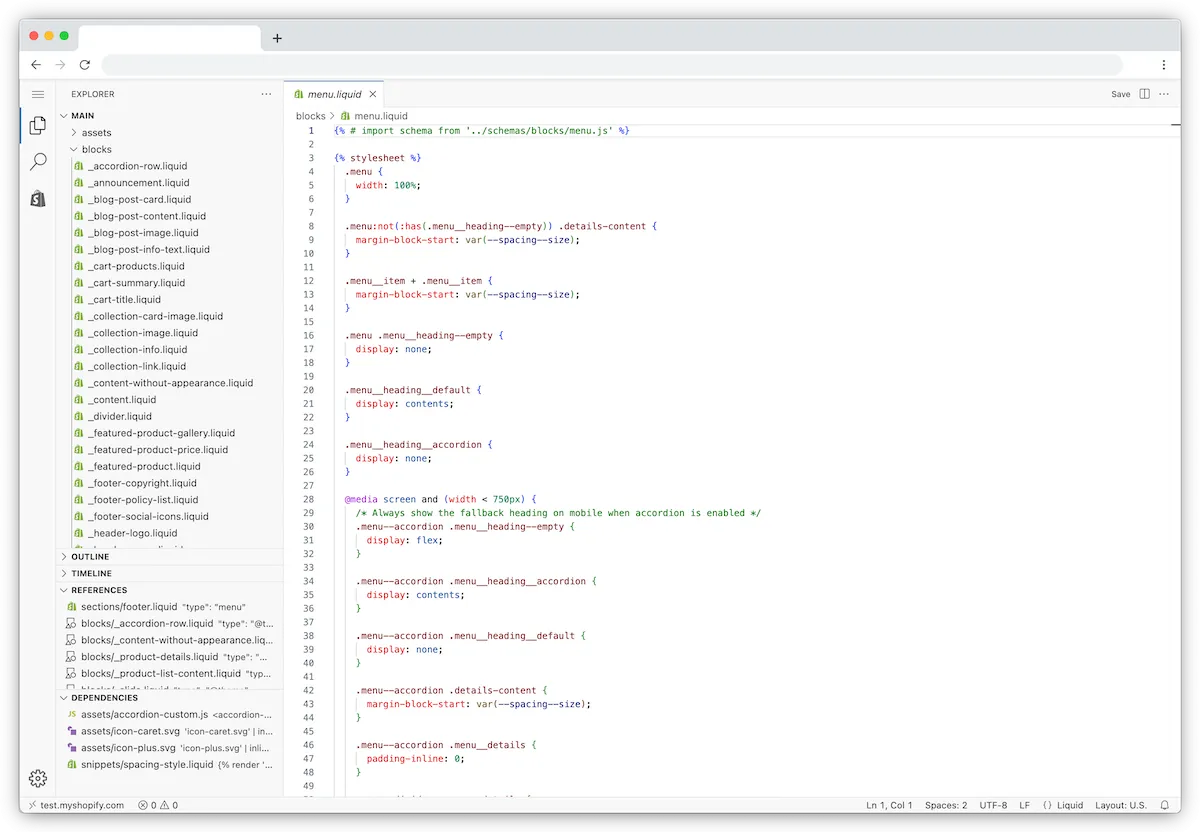
A custom shopify schema generator is a server-side Liquid implementation that dynamically outputs structured JSON-LD data directly from your store's backend. By bypassing third-party JavaScript apps, we eliminate render-blocking scripts, prevent duplicate markup, and ensure 100% accurate, real-time product data syncs with Google's rich results schema validator. In our work with merchants, transitioning to native Liquid schema consistently resolves critical validation errors while improving Core Web Vitals.
Key Takeaways
- Zero App Overhead: Eliminates third-party JavaScript payloads, saving up to 300ms in render-blocking latency.
- Dynamic Variant Mapping: Resolves Google Search Console SKU and price mismatch errors across complex multi-variant inventories.
- 100% Validation Accuracy: Passes Google's Rich Results Test and schema markup Validator without conflicting duplicate entities.
- Native Liquid Execution: Leverages Shopify's server-side rendering engine for instant, crawler-ready metadata delivery.
Why App-Generated Shopify Schema Fails Enterprise Technical SEO Audits
App-based schema is structured data injected dynamically into a webpage's Document Object Model (DOM) by a client-side JavaScript application. While convenient, these solutions fail enterprise-level technical audits for three main reasons:
- Render-Blocking Latency: Most apps inject schema via asynchronous JavaScript after the DOM loads, meaning search engine crawlers may parse the page before the structured data is rendered.
- Schema Duplication: Installing an app rarely removes the native schema coded into your Shopify theme, creating conflicting
Productentities that confuse Google's parser. - Inflexible Mapping: Apps struggle with complex inventory configurations, often failing to map custom metafields, dynamic pricing, or multi-currency setups correctly.
To eliminate these performance bottlenecks and regain complete control over your metadata, you must replace app integrations with native, server-side custom Shopify development solutions.
The Liquid-Based Shopify Schema Generator: Core JSON-LD Template for Product Pages
This lightweight Liquid snippet outputs structured data directly from your server. It must be saved as a new snippet named structured-data-product.liquid in your Shopify theme.
{%- assign current_variant = product.selected_or_first_available_variant -%}
<script type="application/ld+json">
{
  "@context": "https://schema.org/",
  "@type": "Product",
  "name": {{ product.title | json }},
  "image": [
    {%- for image in product.images -%}
      "https:{{ image.src | image_url: width: 1200 }}"{%- unless forloop.last -%},{%- endunless -%}
    {%- endfor -%}
  ],
  "description": {{ product.description | strip_html | escape | json }},
  "sku": {{ current_variant.sku | json }},
  "mpn": {{ current_variant.barcode | json }},
  "brand": {
    "@type": "Brand",
    "name": {{ product.vendor | json }}
  }
}
</script>
To execute this code, render the snippet inside the <head> element of your theme.liquid layout file, wrapped in a conditional tag to ensure it only loads on product templates:

{%- if request.page_type == 'product' -%}
  {% render 'structured-data-product' %}
{%- endif -%}
Mapping Multi-Variant Inventory, SKU, and Dynamic Pricing in Shopify Liquid
Google Search Console flags products that do not provide individual SKU, pricing, and availability data for every single variant. Standard Shopify themes often output only the default variant, which leads to validation mismatches when users select different options.
App-Injected vs. Native Liquid Schema Performance
Feature / Metric App-Injected Schema Native Liquid Schema Execution Method Client-side JavaScript injection Server-side Liquid rendering Page Speed Impact Adds 150ms–400ms block time 0ms (rendered before delivery) Data Sync Accuracy Delayed (depends on API sync) Real-time (direct from database) Duplicate Risk High (conflicts with theme code) Zero (replaces native theme code)What to Avoid (Common Mistakes)
- Do not output a single price representing the entire product range; Google requires precise variant-level pricing.
- Do not hardcode a single static currency code if your store utilizes multi-currency markets.
- Do not leave the
priceValidUntilfield blank, as Google requires a valid future date for promotional pricing.
How to Fix: Implement Dynamic Variant Mapping
To resolve these issues, loop through the product.variants array to build out the offers block dynamically. This ensures that every SKU, price point, and stock status is accurately mapped.
Integrating this clean, server-side loop directly reduces page weight and improves Core Web Vitals, which is a key phase of professional Shopify Speed Optimization.
"offers": [
  {%- for variant in product.variants -%}
    {
      "@type": "Offer",
      "sku": {{ variant.sku | json }},
      "price": "{{ variant.price | money_without_currency | remove: ',' }}",
      "priceCurrency": "{{ cart.currency.iso_code }}",
      "priceValidUntil": "{{ 'now' | date: '%Y-%m-%d' | plus: 31536000 | date: '%Y-%m-%d' }}",
      "availability": "https://schema.org/{% if variant.available %}InStock{% else %}OutOfStock{% endif %}",
      "url": "{{ request.origin }}{{ variant.url }}",
      "itemCondition": "https://schema.org/NewCondition"
    }{%- unless forloop.last -%},{%- endunless -%}
  {%- endfor -%}
]
How to Implement Custom BreadcrumbList and Collection Schema Without Theme Conflict
Breadcrumb schema helps search engines understand your site's hierarchical taxonomy. However, Shopify's nested collection structures often generate duplicate breadcrumb paths for a single product.
To prevent theme conflicts, disable any native, hardcoded breadcrumb schema in your main-product.liquid or main-collection.liquid files before deploying this custom snippet.
{%- if request.page_type == 'product' or request.page_type == 'collection' -%}
<script type="application/ld+json">
{
  "@context": "https://schema.org",
  "@type": "BreadcrumbList",
  "itemListElement": [
    {
      "@type": "ListItem",
      "position": 1,
      "name": "Home",
      "item": "{{ request.origin }}"
    }
    {%- if request.page_type == 'collection' -%}
      ,{
        "@type": "ListItem",
        "position": 2,
        "name": {{ collection.title | json }},
        "item": "{{ request.origin }}{{ collection.url }}"
      }
    {%- elsif request.page_type == 'product' and collection -%}
      ,{
        "@type": "ListItem",
        "position": 2,
        "name": {{ collection.title | json }},
        "item": "{{ request.origin }}{{ collection.url }}"
      },
      {
        "@type": "ListItem",
        "position": 3,
        "name": {{ product.title | json }},
        "item": "{{ request.origin }}{{ product.url }}"
      }
    {%- endif -%}
  ]
}
</script>
{%- endif -%}
Technical SEO Checklist 2026: Validating and Auditing Your Custom Shopify Schema
Follow these steps to transition from app-based schema to your high-performance Liquid generator:
- Isolate and delete: Search your theme files (specifically
theme.liquidandproduct.liquid) for existingapplication/ld+jsonblocks, and disable schema options inside your Shopify app admin dashboards. - Deploy the snippets: Create and save your custom Liquid schema snippets within the Shopify theme code editor.
- Run raw HTML validation: Copy the raw source code of a live product page and paste it into the Schema Markup Validator to check for syntax errors.
- Verify rich results eligibility: Run your live URLs through Google's official Rich Results Test to confirm eligibility for Product snippets and Merchant listings.
- Monitor Search Console: Track the "Merchant Listings" and "Product Snippets" status reports in Google Search Console to verify 100% error-free status.
For complex multi-national setups, custom headless architectures, or high-volume inventories, consulting with an expert SEO & Data engineering team ensures zero validation drops during migration.
How Avelize Approaches Custom Schema Engineering
Our team approaches structured data optimization through a rigorous, three-phase framework we call the Avelize Schema Cleanse Protocol. First, we conduct a comprehensive technical SEO audit to map every custom metafield and inventory variant. Second, we isolate and purge all legacy app-injected JSON-LD blocks to eliminate duplicate entity errors. Finally, we deploy custom Liquid snippets tailored to your specific catalog architecture, verifying the implementation using automated testing pipelines. This process typically takes 5 to 10 business days and guarantees a 100% error-free status in Google Search Console.
Frequently Asked Questions
Is a Shopify schema generator worth it for enterprise stores?
Yes, implementing a custom, app-free Shopify schema generator is highly worth it for enterprise-level e-commerce stores. Third-party SEO apps rely on client-side JavaScript injection, which introduces up to 400 milliseconds of render-blocking latency and negatively impacts Core Web Vitals like Interaction to Next Paint (INP) and Largest Contentful Paint (LCP). Furthermore, these apps frequently generate duplicate JSON-LD entities because they fail to suppress the native schema hardcoded into Shopify themes. By migrating to a server-side Liquid-based schema architecture, enterprise merchants eliminate monthly app subscription fees, clean their codebase, and ensure that search engine crawlers receive 100% accurate, real-time product data directly from the server. In our work with high-volume Shopify Plus merchants, this native transition routinely resolves persistent Google Search Console validation errors and secures rich snippet eligibility across complex, multi-variant catalogs without sacrificing site performance.
How long does it take to migrate from an SEO app to custom Liquid schema?
For a standard Shopify Plus store, our team can complete the migration within 5 to 10 business days. This timeline includes auditing the existing theme code, identifying and disabling legacy app scripts, writing custom Liquid snippets for products, collections, and breadcrumbs, and validating the output using Google's Rich Results Test.
What is the difference between JSON-LD and Microdata in Shopify?
JSON-LD (JavaScript Object Notation for Linked Data) is a clean, multidimensional script block placed in the head or body of an HTML document, whereas Microdata is inline HTML attributes scattered throughout the page markup. Google officially recommends JSON-LD because it is easier to maintain, less prone to breaking during theme updates, and can be dynamically generated server-side using Shopify Liquid.
How do I fix the 'Missing field price' error in Google Search Console?
This error occurs when your schema markup fails to output a valid price for every product variant or when the price format is incorrect. To resolve this, implement our dynamic variant mapping loop in your Liquid template. This ensures that every variant in your inventory outputs its specific price, currency, and availability status within the 'offers' array, preventing validation mismatches.
Ready to eliminate slow SEO apps and secure flawless rich snippets? Contact our team today to explore our Technical SEO & GEO programs and elevate your Shopify store's search visibility.
Published / Last reviewed: October 24, 2026
Authoritative References
Use these official resources to verify platform-specific claims and implementation details before making commercial or technical decisions.
- Shopify Plus overview
- Google Search Central: Core Web Vitals
- web.dev Core Web Vitals
- Google SEO Starter Guide
Related Shopify and Ecommerce Growth Guides
Continue with these related guides for implementation, SEO, performance, and conversion context.
- Shopify Speed Optimization: How to Fix App Bloat
Related Avelize Services and Guides: Schema Engineering · Shopify Seo Services