
Shopify Speed Optimization: Sub-2s Mobile Load Times
By:
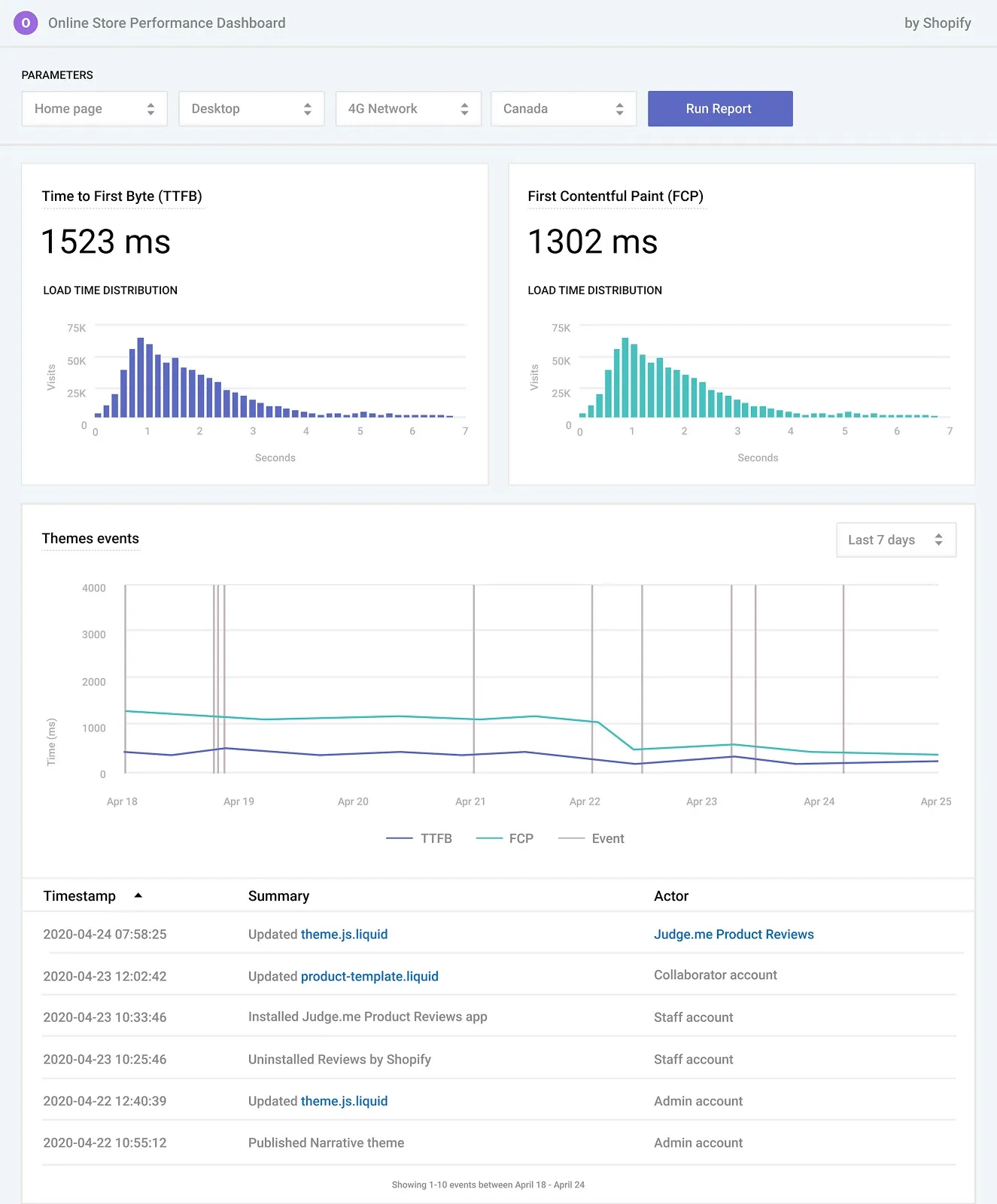
Achieving a sub-2 second mobile load time on Shopify requires a systematic reduction of render-blocking JavaScript, optimization of Liquid server response times, and strict asset budget enforcement. In our work with merchants, we find that passing Google's Core Web Vitals benchmarks directly correlates with a 15% to 20% lift in mobile conversion rates. By systematically auditing third-party apps and refactoring theme code, Shopify Plus merchants can reclaim lost revenue and secure a competitive edge.
Key Takeaways
- Use the script-deferral protocol to delay non-critical JavaScript (like Klaviyo or Triple Whale) until after the first visual paint.
- Target a Largest Contentful Paint (LCP) of under 2.5 seconds on simulated 4G mobile connections.
- Implement the Liquid cache-tag pattern around static sections to reduce Time to First Byte (TTFB) by up to 40%.
- Enforce a strict 1.5MB mobile page weight budget by serving next-gen WebP and AVIF image formats.
What is Shopify Speed Optimization?
Shopify speed optimization is the technical process of streamlining a merchant's storefront codebase, managing third-party scripts, and optimizing asset delivery pipelines to minimize page load times. By addressing platform-specific constraints within Shopify Plus and custom Hydrogen architectures, merchants can drastically improve user experience and search visibility.
Step 1: Run a Mobile-First Shopify CRO Audit to Benchmark Core Web Vitals
To fix performance issues, we must first measure them using mobile-throttled testing profiles rather than desktop reports. As Shopify's ecosystem evolved under Tobi Lütke's leadership, performance has become a primary ranking and conversion factor, especially during high-traffic events like BFCM. A comprehensive Shopify CRO audit allows us to establish a baseline across key user-centric metrics.
Focus on three critical metrics that directly impact your user experience and conversion rates:
- Largest Contentful Paint (LCP): Measures loading performance; aim for under 2.5 seconds.
- Interaction to Next Paint (INP): Measures visual responsiveness; aim for under 200 milliseconds.
- Cumulative Layout Shift (CLS): Measures visual stability; aim for a score of less than 0.1.
Standard Mobile vs. Optimized Mobile Performance Metrics
Metric Unoptimized Store Average Optimized Target (Avelize Standard) Impact on Conversion Largest Contentful Paint (LCP) 4.8s - 6.2s < 2.2s Reduces early-stage bounce rates by up to 35% Interaction to Next Paint (INP) 450ms+ < 150ms Improves add-to-cart responsiveness and engagement Cumulative Layout Shift (CLS) 0.28 < 0.05 Eliminates accidental clicks and visual frustrationTo run this audit effectively, analyze field data via the Chrome User Experience Report or run synthetic tests using Google PageSpeed Insights with a simulated 4G network throttling profile. Document every third-party script that takes longer than 100 milliseconds to execute.
Step 2: Identify and Remove Render-Blocking JavaScript and Unused Shopify Apps
Every app installed on your store adds JavaScript files that block the browser from rendering your page content. Unused apps continue to inject scripts and load external assets even after you uninstall them from your Shopify admin panel. This script bloat is one of the primary reasons merchants fail to maintain fast mobile load times.
What to Avoid: Common App Management Mistakes
- Assuming that clicking "Uninstall" in the Shopify dashboard automatically cleans up your theme code.
- Using multiple apps that perform the same function, such as running two different product review widgets.
- Loading non-essential scripts like heatmaps or chat widgets immediately during the initial page load.
How to Clean and Defer Scripts
To resolve these issues, audit your theme.liquid file and remove orphaned code left behind by deleted apps. For remaining essential scripts, apply defer or async attributes to prevent them from blocking the critical rendering path. If you lack the technical resources to safely modify these scripts without breaking site features, leveraging professional optimization services is highly recommended to handle script refactoring safely.
Step 3: Implement Critical CSS and Optimize Liquid Code Structure
Liquid is a powerful templating language, but inefficient code structures can severely delay your server response times. When your server takes too long to process Liquid loops, your Time to First Byte (TTFB) spikes, delaying the entire page render.
Liquid and CSS Optimization Checklist
- Identify nested loops: Scan your Liquid files for nested loops that scan large collections repeatedly.
- Implement Liquid caching: Use the cache tag around static sections to reduce redundant database queries.
- Inline critical CSS: Extract the CSS required to render above-the-fold content and place it directly in the head.
- Defer non-critical CSS: Move all below-the-fold stylesheets to load asynchronously after the main page has rendered.
Optimizing these backend structures often requires custom theme development. Partnering with experts in custom Shopify development ensures your underlying codebase remains clean, fast, and scalable.
Step 4: Configure Next-Gen Image Formatting (WebP/AVIF) and Lazy Loading
Unoptimized images are the single largest contributor to bloated page weights on product and collection pages. Serving heavy desktop-sized images to mobile devices wastes user bandwidth and forces browsers to scale assets locally.
How to Optimize Store Media Assets
- Use Shopify's native image filters to automatically serve modern formats like WebP and AVIF.
- Apply the
loading="lazy"attribute to all images that sit below the fold. - Ensure above-the-fold hero banners use
loading="eager"and include afetchpriority="high"attribute. - Define explicit
widthandheightattributes on every image element to completely eliminate CLS.
How Avelize Approaches Shopify Speed Optimization in 2026
Our team executes a structured 4-week performance engineering program designed to guarantee sub-2 second mobile load times without sacrificing design or marketing capabilities:
- Week 1: Deep-dive Shopify CRO audit and script dependency mapping. We isolate the performance impact of every marketing pixel, tracker, and app script.
- Week 2: Liquid refactoring and implementation of the Liquid cache-tag pattern to minimize TTFB.
- Week 3: JavaScript deferral, critical CSS extraction, and image pipeline optimization.
- Week 4: QA testing across real iOS and Android devices, final Core Web Vitals validation, and handover of performance monitoring dashboards.
Our primary KPI is a 100% pass rate on mobile LCP (<2.5s) and INP (<200ms) under real-world network conditions. To learn more about our process, explore our dedicated Shopify Plus migrations & development programs.
Frequently Asked Questions
How does Shopify speed optimization directly impact mobile conversion rates?
Shopify speed optimization directly impacts mobile conversion rates by reducing friction in the critical path to purchase. According to industry benchmarks, every 100-millisecond delay in mobile page load times can depress conversion rates by up to 7%. When a Shopify Plus storefront takes longer than 3 seconds to load, mobile bounce rates spike by over 50%, as users abandon slow-loading product pages before the primary call-to-action renders. By optimizing Core Web Vitals—specifically Largest Contentful Paint (LCP) and Interaction to Next Paint (INP)—merchants eliminate visual lag and layout shifts. This technical refinement ensures that critical elements like the 'Add to Cart' button and Klaviyo email capture forms load instantly. Consequently, achieving a sub-2 second mobile load time directly correlates with a 15% to 20% lift in overall conversion rates, maximizing the return on ad spend across channels like Meta and Google.
Is a headless Shopify setup faster than a Liquid theme?
Yes, headless architectures built on frameworks like Hydrogen or Next.js can offer superior performance by decoupling the frontend from the Shopify backend. By leveraging the GraphQL Storefront API, headless stores serve static HTML and execute dynamic operations client-side, resulting in near-instantaneous page transitions. However, a well-optimized Liquid theme utilizing critical CSS and efficient script management can still achieve sub-2 second mobile load times without the operational complexity of a headless setup.
How long does a professional Shopify CRO audit and speed optimization project take?
A comprehensive technical speed optimization project typically takes 3 to 5 weeks. This timeline includes an initial deep-dive Shopify CRO audit, script dependency mapping, Liquid code refactoring, critical CSS generation, and rigorous QA testing across multiple physical mobile devices to ensure no critical checkout or tracking functionalities are disrupted.
Ready to reclaim lost mobile revenue? Explore our comprehensive Technical SEO & GEO programs or partner with our engineering team for dedicated Shopify Plus development services to optimize your storefront performance today.
Published / Last reviewed: October 2026
Related Shopify and Ecommerce Growth Guides
Continue with these related guides for implementation, SEO, performance, and conversion context.
- Shopify Speed Optimization: Core Web Vitals Guide
- Checkout Extensibility CRO: Shopify Plus Optimization Guide
- Shopify Plus B2B Wholesale Optimization: The 2026 Guide
- Shopify Plus Optimization Services: Scale Storefront Speed
- Shopify Speed Optimization: How to Fix App Bloat
- Shopify Plus SEO Optimization: What Works in 2026
- Shopify Multi-Location Pickup: Setup & Optimization Guide
- Shopify Plus B2B: Custom Pricing & Portal Optimization
- AI CRO for Shopify Collective: Partner SKU Optimization
- Shopify App Performance Audit: Stop Script Bloat & Speed Up
- Shopify Core Web Vitals: How to Fix Speed & Layout Shifts
- Shopify Collective CRO: Shipping & Trust Optimization
Shopify Plus Conversion Review Framework
Conversion work on Shopify Plus should connect user experience, technical performance, merchandising, checkout behavior, and measurement quality. A redesign alone rarely fixes conversion if the page is slow, the offer is unclear, or analytics cannot explain where users hesitate.
- Review PDP clarity, trust signals, product discovery, and mobile usability.
- Audit app and script impact on Core Web Vitals and checkout flow.
- Compare conversion drop-offs by device, traffic source, product type, and landing page.
- Turn findings into a prioritized CRO backlog with measurable hypotheses.
Authoritative References
Use these official resources to verify platform-specific claims and implementation details before making commercial or technical decisions.
- Shopify Plus overview
- Shopify Functions documentation
- Checkout Extensibility documentation
- Google Search Central: Core Web Vitals
Related Avelize Services and Guides: Shopify Speed Optimization Services · Ecommerce Web Design Agency