
Shopify Plus Migration: Timeline, Cost & Risk Guide
By:
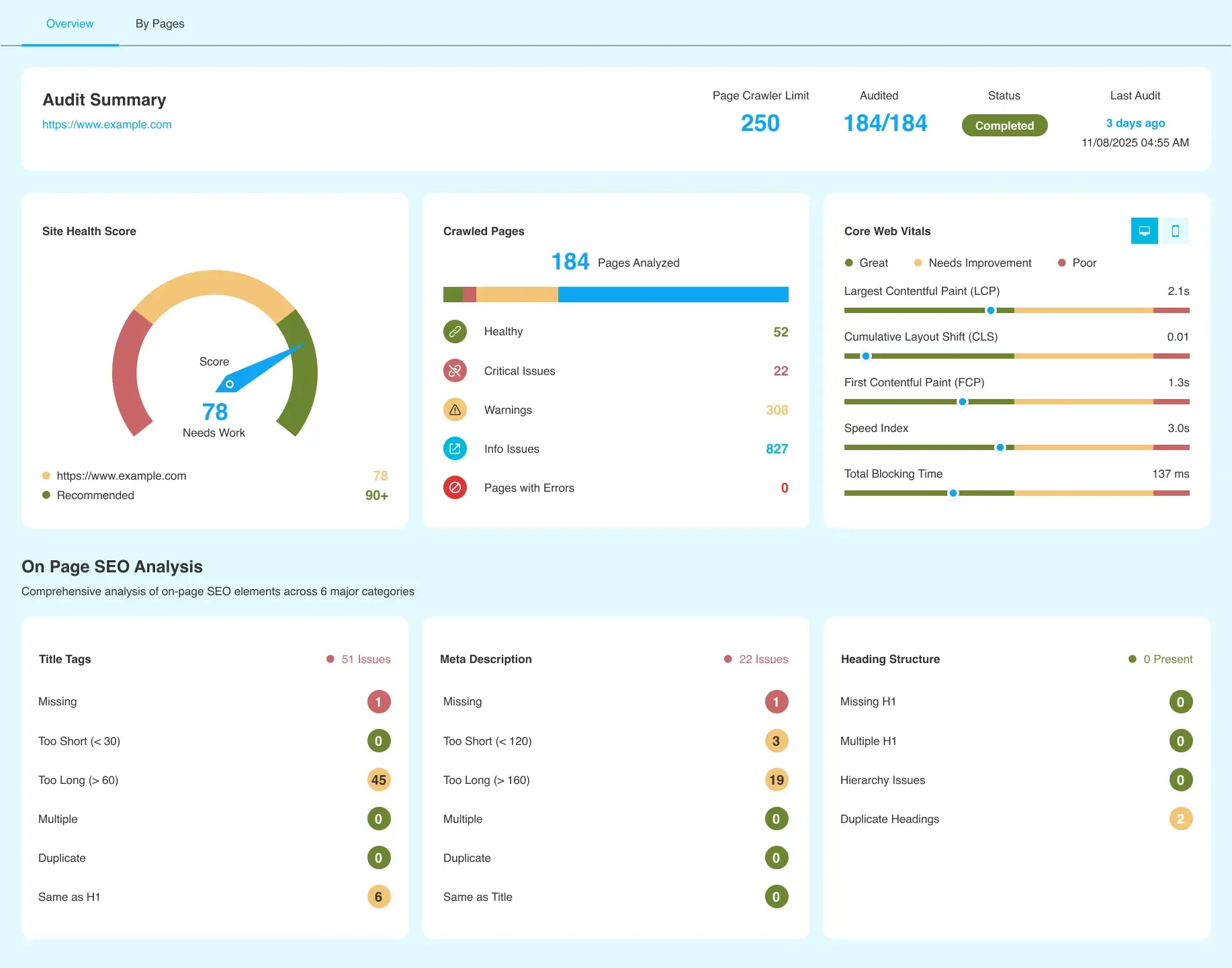
Migrating an enterprise Magento store to Shopify Plus requires a highly systematic approach to prevent database corruption, broken ERP integrations, and catastrophic organic traffic loss. By transitioning from Magento's legacy on-premise architecture to Shopify's fully hosted, API-first SaaS platform, merchants can eliminate technical debt while scaling infrastructure. Our team executes this transition using a zero-downtime database mapping framework and edge-level redirect deployment to preserve 100% of your historical data and search engine equity.
Key Takeaways
- The Edge-Redirect Matrix: Deploying 301 redirects at the CDN edge bypasses Shopify's native admin limits and preserves critical search equity.
- Multipass Authentication: Resolves the legacy Magento password hashing mismatch without forcing disruptive bulk password resets.
- Shopify Functions Integration: Replaces heavy custom Magento PHP modules with ultra-fast, edge-executed logic running in under 5ms.
- Bidirectional ERP Syncing: Ensures real-time inventory and order flow consistency across enterprise systems post-migration.
Evaluating Your Magento Web Development Agency vs. a Dedicated Shopify Plus Migration Consultant
A Shopify Plus migration consultant is an enterprise-grade architect who specializes in transitioning complex legacy database structures, preserving multi-layered SEO equity, and rebuilding custom Magento codebases into Shopify's modern API-first infrastructure to prevent data corruption and organic traffic drops.
While a generalist magento web development agency excels at maintaining on-premise PHP environments, they often lack deep knowledge of Shopify's SaaS limits and API rate-limiting thresholds.
- Platform-Specific Architecture: Magento relies on relational database EAV (Entity-Attribute-Value) schemas, whereas Shopify utilizes a flat-file JSON structure.
- API Rate Limit Mitigation: A specialized consultant understands how to navigate Shopify Plus GraphQL Admin API limits using leaky bucket algorithms during high-volume data ingestion.
- SEO Preservation: Generalist agencies often overlook Magento's complex URL rewrites, leading to broken redirect chains.
Database Mapping: Migrating Magento Customer Passwords, Order History, and Product Metatags to Shopify Plus
Magento and Shopify Plus handle data schemas in fundamentally different ways, requiring precise ETL (Extract, Transform, Load) mapping to ensure data integrity.
The Customer Password Challenge
Because Magento uses custom bcrypt, MD5, or SHA-256 hashing algorithms, you cannot directly import raw passwords into Shopify Plus.
- Solution: Utilize Shopify's Multipass feature to authenticate legacy users seamlessly, or execute a targeted customer activation email campaign using segmented lists.
Order History Mapping
- Export Magento orders into a clean CSV format, ensuring all line items, tax calculations, and fulfillment states are preserved.
- Map Magento order IDs to Shopify tags or metafields to preserve historical reference numbers for customer service teams.
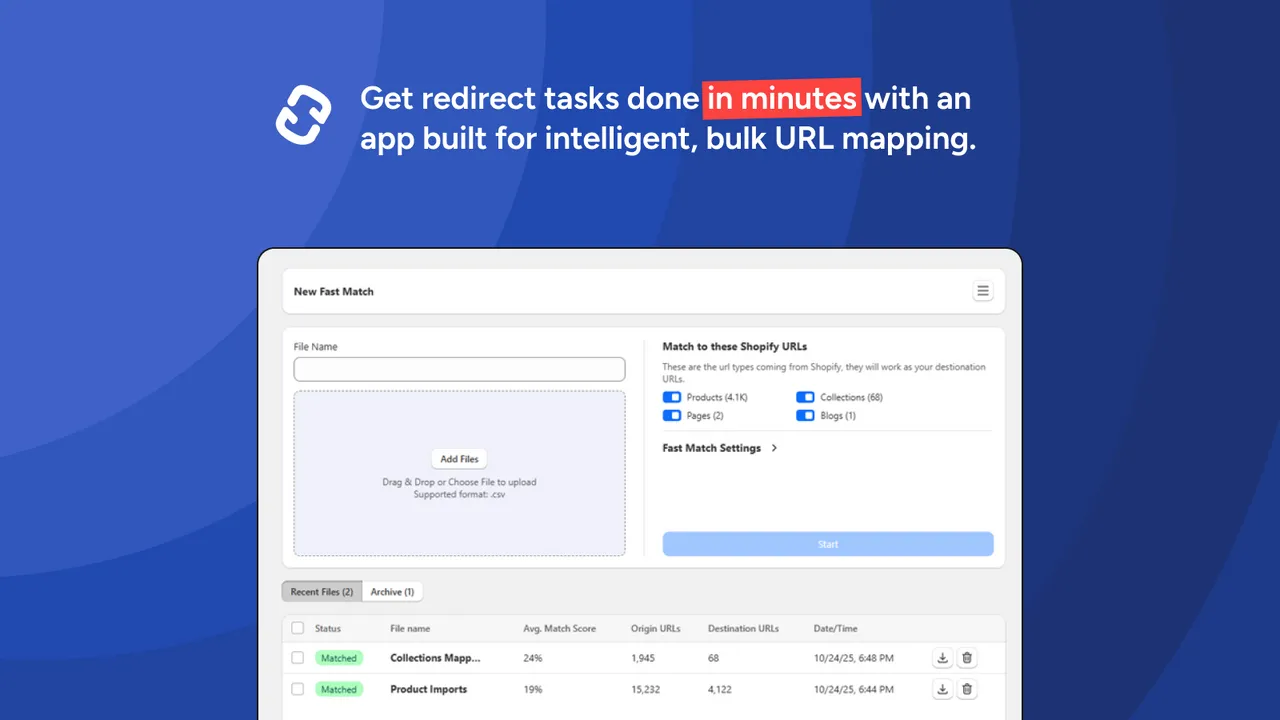
- Use the Shopify Transporter app or custom scripts utilizing the Shopify Bulk Import API to bypass standard rate limits.
Product Metatags and Metafields
- Map Magento custom product attributes directly to Shopify Metafields.
- Ensure all SEO title tags and meta descriptions are mapped to default Shopify SEO fields to maintain search engine visibility.
- Leverage professional technical SEO services to audit your metadata mapping before finalizing the database import.
Preserving Organic Traffic: The 301 Redirect Strategy for Magento's Deep URL Structures
Magento's nested category structures do not match Shopify's flat structure. Failure to map these correctly will result in an immediate 30-50% drop in organic search traffic.
Common Mistakes to Avoid
- Do not rely on Shopify's native redirect tool for bulk uploads exceeding 100,000 URLs, as it can degrade admin performance and lead to mapping limits.
- Avoid creating redirect chains; map all legacy URLs directly to the final Shopify destination.
- Do not neglect query parameters used in Magento filter navigation, as these often hold significant search equity.
Implementation: How to Build the Redirect Matrix
- Crawl the Legacy Site: Run a full Screaming Frog crawl of the live Magento store to extract all indexable URLs, canonical tags, and response codes.
- Map URLs Systematically: Use regex patterns to map Magento's nested category URLs to Shopify's collections and products paths.
- Deploy at the DNS Level: For enterprise catalogs exceeding 100,000 redirects, deploy redirect rules at the CDN edge (the Edge-Redirect Matrix) to minimize server response times and bypass Shopify's internal redirect limits.
Ensure your technical team utilizes dedicated SEO & Data services to monitor Google Search Console for 404 spikes immediately following DNS propagation.
Scaling with Shopify Plus: Rebuilding Magento Custom Functionality Using Shopify Functions and Checkout Extensibility
Enterprise Magento stores heavily rely on custom PHP modules for complex pricing, shipping logic, and checkout customizations. For brands scaling with Shopify plus in 2026, these must be rebuilt using modern, secure APIs.
Replacing Magento PHP Modules
- Shopify Functions: Replace Magento's custom cart pricing rules and shipping logic with Shopify Functions, which execute in under 5ms at the edge.
- Checkout Extensibility: Replace Magento's custom checkout modifications with Shopify's secure, upgrade-safe Checkout Extensibility using custom UI extensions and web pixels.
- Custom Apps: Utilize custom Shopify development to build private apps hosted on AWS or Heroku to handle complex backend business logic that exceeds native admin capabilities.
Post-Launch QA Checklist: Verifying Payment Gateways, ERP Integrations, and Analytics Tracking
A successful migration requires systematic post-launch verification to ensure zero disruption to order processing and fulfillment.
The Essential Post-Launch Checklist
- Verify Payment Gateway Capture: Execute real transactions using Shopify Payments, Authorize.Net, or Adyen to ensure funds capture and settle correctly in your merchant account.
- Audit ERP Data Flow: Confirm that orders, inventory levels, and customer records sync bidirectionally between Shopify Plus and your ERP without latency.
- Validate Analytics and Tracking: Ensure Google Analytics 4 purchase events, Google Tag Manager container triggers, and Meta pixels fire accurately on the order status page.
- Test Page Speed: Run performance audits to verify that your new theme meets Core Web Vitals targets; if latency issues persist, implement specialized Shopify speed optimization protocols.
- Monitor Canonical Tags: Verify that all collection and product pages contain self-referential canonical tags to prevent duplicate content issues.
How Avelize Approaches Magento to Shopify Plus Migrations
We execute enterprise migrations using a structured 12-week blueprint designed to mitigate risk and maximize performance.
- Phase 1: Discovery & Schema Mapping (Weeks 1-3): We audit your Magento database, map custom EAV attributes to Shopify Metafields, and design the integration architecture. KPI: 100% data field alignment.
- Phase 2: Theme & Integration Development (Weeks 4-8): Rebuilding custom logic using Shopify Functions and Checkout Extensibility. KPI: Core Web Vitals mobile score > 90.
- Phase 3: Data Migration & Edge-Redirect Setup (Weeks 9-10): Executing dry-run imports and configuring the Edge-Redirect Matrix. KPI: Zero broken redirect chains.
- Phase 4: Launch & Post-Launch QA (Weeks 11-12): DNS cutover, real-time transaction testing, and ERP sync validation. KPI: Zero order processing latency.
Partner with our team for your enterprise transition by visiting our Shopify Plus migrations service page.
Frequently Asked Questions
Is a Shopify Plus migration consultant necessary for Magento replatforming?
Yes. An enterprise migration involves complex database mapping, deep URL redirect structures, and API integration alignments that generalist development teams often overlook. A dedicated consultant ensures zero data loss and preserves your organic search rankings.
How long does a Magento to Shopify Plus migration take?
A standard enterprise migration typically takes between 12 to 16 weeks. This timeline accounts for database extraction, custom schema mapping, frontend theme development, ERP integration testing, and comprehensive post-launch QA protocols.
What is the difference between Magento and Shopify Plus database structures?
The primary difference between Magento and Shopify Plus database structures lies in their architectural design: Magento utilizes a highly normalized relational database model known as the Entity-Attribute-Value (EAV) schema, whereas Shopify Plus operates on a denormalized, flat-file JSON structure accessed via GraphQL and REST APIs. Magento's EAV model allows for infinite database customization but requires complex SQL joins that degrade server performance under high concurrent loads. In contrast, Shopify's flat-file architecture stores product data, variants, and metadata in structured JSON metafields, ensuring rapid read-write speeds and native scalability without database overhead. When migrating, data must undergo an Extract, Transform, Load (ETL) process to map Magento's nested relational tables into Shopify's flat metafield schema. Failure to execute this mapping precisely results in orphaned data fields, broken product relationships, and corrupted historical customer profiles during the ingestion phase.
How do you migrate customer passwords from Magento to Shopify Plus?
Because Magento and Shopify use different encryption algorithms, direct password migration is not natively supported. Merchants must either use Shopify Multipass for seamless single sign-on authentication or run a targeted customer activation campaign post-launch.
Ready to scale your e-commerce operations with zero migration downtime? Contact our team of experts to explore our tailored Shopify Plus migrations programs.
Published / Last reviewed: October 24, 2026
Shopify Plus Migration Risk Checklist
A Shopify Plus migration should be planned around risk, not only around launch tasks. The most important work is deciding which URLs, templates, analytics events, redirects, integrations, and checkout flows must survive the move without damaging revenue or organic search visibility.
- Map current revenue-driving URLs and search queries before changing templates.
- Validate redirects, canonicals, structured data, and sitemap output before launch.
- Test checkout, payments, analytics, consent, and third-party scripts in a staging flow.
- Measure Core Web Vitals, conversion rate, crawl errors, and revenue after launch.
Phased Shopify Plus Implementation Plan
For many teams, a phased migration is safer than changing every business-critical system at once. Start with the pages and flows that create the highest revenue or SEO risk, then move into secondary templates, automation, and experimentation after the foundation is stable.
Authoritative References
Use these official resources to verify platform-specific claims and implementation details before making commercial or technical decisions.
Shopify Plus Pricing 2026: What Enterprise Teams Should Budget For
Shopify Plus pricing should not be evaluated as a single monthly fee. For enterprise teams, the real budget usually combines platform fees, payment processing, transaction rules, app costs, implementation work, analytics setup, QA, and ongoing optimization.
The safest way to compare Shopify Plus cost is to separate the decision into four layers:
- Platform cost: the contracted Shopify Plus fee and any commercial terms quoted by Shopify.
- Payment and transaction costs: Shopify Payments, external gateways, payment method mix, and international selling requirements.
- Implementation cost: theme work, migration, integrations, tracking, redirects, QA, and launch support.
- Operating cost: apps, CRO testing, maintenance, analytics, SEO monitoring, and performance optimization.
Shopify Plus Features That Affect Pricing Decisions
The pricing question is not only whether Shopify Plus is more expensive than standard Shopify plans. The better question is whether the additional enterprise capabilities reduce operational friction, technical risk, or conversion loss enough to justify the cost.
- Checkout extensibility and advanced checkout customization needs.
- B2B, wholesale, multi-market, or multi-store operating requirements.
- Higher-volume merchandising, automation, and integration workflows.
- SEO, analytics, and migration safeguards that reduce launch risk.
Hidden Shopify Plus Costs to Include in the 2026 Budget
Many Shopify Plus budgets miss the work around the platform: app rationalization, theme performance cleanup, data migration, redirect mapping, analytics QA, consent tooling, and post-launch conversion measurement. These costs matter because they decide whether the platform change actually improves revenue or simply moves the same problems into a new stack.
When Shopify Plus Is Worth It
Shopify Plus is usually easier to justify when the business has meaningful operational complexity, international growth, B2B requirements, checkout constraints, or performance and SEO debt that is holding back conversion. It is harder to justify when the store only needs a cosmetic redesign or does not yet have the traffic, revenue, or team capacity to use the enterprise features.
Need a Shopify Plus Cost and SEO Review?
If you are comparing Shopify Plus pricing against migration risk, SEO impact, performance debt, or conversion upside, I can review the current store and map the highest-risk cost items before you commit to a migration or rebuild.
Related Shopify and Ecommerce Growth Guides
Continue with these related guides for implementation, SEO, performance, and conversion context.
- B2B Ecommerce ROI Calculator: Justifying Your Shopify Plus Migration
- Magento to Shopify Plus Migration: SEO & Data Guide
- Shopify Plus Migration: ERP Integration & Data Blueprint
- Shopify to Power Automate: Zero-Cost Integration Guide
Related Avelize Services and Guides: Magento To Shopify Plus Migration Agency · Replatforming