
Shopify Plus Technical SEO Audit: Enterprise Blueprint
By:
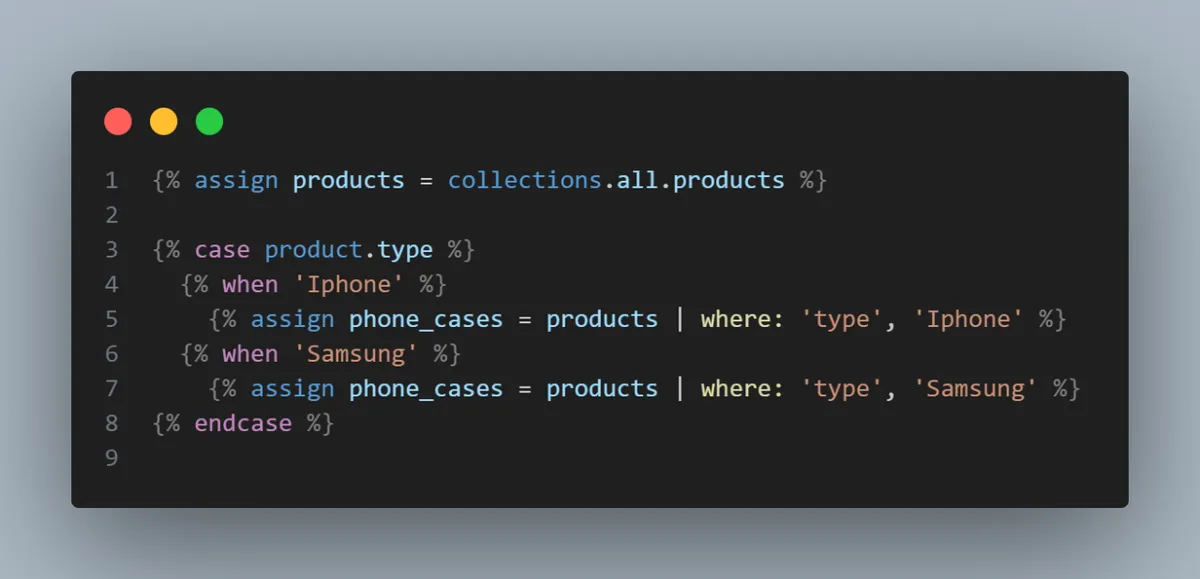
Schema Engineering: a practical Shopify Plus guide to the SEO, CRO, and revenue decisions that matter for ecommerce teams.
A Shopify Plus technical SEO audit is a systematic evaluation of an enterprise storefront's codebase, routing architecture, and indexation controls to eliminate platform-specific search bottlenecks. In our work with merchants, we find that standard crawlers fail to diagnose Shopify's rigid, proprietary structure. By auditing Liquid performance, duplicate collection paths, and schema drift, enterprise brands can unlock significant organic growth and improve crawl efficiency.
Key Takeaways
- The Collection-Path Bypass Pattern: Removing the
| within: collectionfilter reclaims up to 80% of wasted crawl budget on large-scale catalogs. - Robots.txt Customization: Leveraging
robots.txt.liquidin 2026 to dynamically block high-volume faceted navigation parameters like*?pf_*and*?grid*. - Dynamic Schema Validation: Resolving variant-level schema drift to prevent Google Merchant Center suspensions and secure rich snippets.
- Asset Performance: Eliminating orphaned app scripts and preloading Largest Contentful Paint (LCP) images to meet Core Web Vitals thresholds.
Why Standard SEO Audits Fail on Shopify Plus
Standard SEO auditing tools treat Shopify Plus stores like generic open-source platforms. They flag thousands of duplicate pages without understanding Shopify's underlying Liquid routing or CDN architecture. To drive real organic performance, merchants need an audit tailored to the unique constraints of the Shopify platform.

robots.txt.liquid template
Schema Markup
Checks for basic schema presence
Validates dynamic variant schema drift and resolves Google Merchant Center mismatches
Page Speed
Recommends generic image compression
Refactors nested Liquid loops and optimizes Cloudflare CDN edge delivery
1. Indexation Control: Auditing Shopify's Native Duplicate URL Structure
Shopify natively generates multiple URLs for a single product by default: the canonical path (/products/product-name) and the collection-associated path (/collections/collection-name/products/product-name).
While canonical tags point to the primary URL, search engine crawlers still waste valuable crawl budget processing thousands of duplicate collection-path URLs.
How to Fix the Collection URL Loop
- Audit your theme's product grid Liquid files (usually
product-grid-item.liquidorcard-product.liquid). - Locate the product URL href attribute:
{{ product.url | within: collection }}. - Remove the
| within: collectionfilter to force the grid to link directly to the canonical/products/URL. - Implement this change to reclaim up to 80% of wasted crawl budget on large catalogs.
- Verify the fix by running a crawl to ensure internal links point exclusively to canonical URLs.
For complex catalogs requiring advanced routing adjustments, leveraging professional Technical SEO & GEO programs ensures code changes do not break collection-specific breadcrumbs.
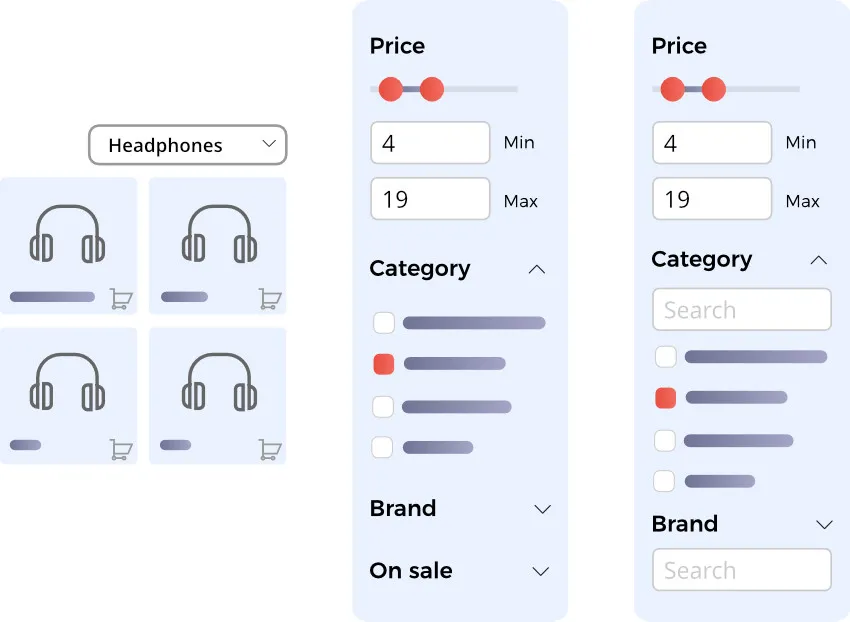
2. Robots.txt & Sitemap Customization Limits on Shopify Plus
Shopify automatically generates the sitemap.xml file and restricts direct file edits. However, Shopify Plus allows customization of the robots.txt file via the robots.txt.liquid theme template.
Audit Checklist: Robots.txt and Sitemap Validation
- Verify the presence of
robots.txt.liquidin your theme templates directory to confirm custom rule support. - Identify and block high-volume, low-value URL parameters such as
*?filter*,*?pf_*, and*?grid*. - Confirm that the
/checkout,/cart, and/accountpaths are explicitly disallowed. - Check that the sitemap index URL listed in the robots.txt matches your primary domain exactly.
- Ensure no critical landing pages are accidentally blocked by broad wildcard rules (e.g.,
/*?*).
3. Internationalization (i18n): Hreflang Mapping Across Multi-Store & Shopify Markets
Enterprise brands use either Shopify Markets (subfolders) or a multi-store setup (separate expansion stores) to target global consumers. Misconfigured hreflang tags across these setups result in incorrect regional targeting and search engine confusion.
Common Multi-Store Hreflang Mistakes
- Hardcoded hreflang tags: Avoid hardcoding tags in
theme.liquid, which creates mismatched language-to-country mappings across stores. - Self-referencing tag omissions: Every localized URL must reference itself and all other regional variants.
- Unsynchronized product handles: If product handles differ between localized stores, automated hreflang systems break, generating 404 errors.
- Default x-default omission: Failing to specify an
x-defaultURL for users outside targeted regions.
Ensure your localized directories or expansion stores map 1:1 using automated translation apps or custom middleware to maintain clean, dynamic hreflang tag injections.
4. Theme Architecture & Liquid Code Performance Bottlenecks
Liquid is a powerful templating language, but inefficient code blocks server response times. Nested loops and excessive database queries delay the initial HTML generation, directly harming your organic performance.
- Nested loops: Avoid looping through collections inside another loop (e.g., checking product tags within a product grid loop), which increases execution time exponentially.
- Excessive asset requests: Consolidate multiple CSS and JS files into single, minified payloads to reduce HTTP requests.
- Dynamic pricing scripts: Avoid using heavy Liquid scripts to calculate currency conversions on the fly; handle conversions server-side or via lightweight client-side API calls.
Remediating complex, nested loops often requires custom Shopify development to refactor dynamic queries and implement efficient theme architecture.
5. Structured Data Validation: Resolving Product Schema Drift on Variant Pages
Search engines require clean structured data to display rich snippets. Shopify themes often output conflicting schema markup because they fail to update product variant data dynamically when a user changes options.
How to Fix Schema Drift on Variant Pages
- Ensure your JSON-LD schema outputs an
AggregateOfferwhen multiple variants exist, or a singleOfferwhen a specific variant URL (e.g.,?variant=12345) is loaded. - Validate that the
sku,price, andavailabilityvalues in the schema update dynamically via JavaScript when a user selects a different variant. - Remove legacy microdata (HTML inline schema) from your theme files to prevent search engines from reading duplicate, conflicting schemas.
- Verify that the product schema references the exact same image URLs, titles, and descriptions visible on the rendered page to avoid Google Merchant Center suspensions.
6. Core Web Vitals & Edge Delivery: Optimizing TTFB and LCP on Shopify's CDN
Shopify operates on a global CDN powered by Cloudflare, offering fast edge delivery. However, unoptimized media assets and render-blocking scripts bypass these benefits, driving up Time to First Byte (TTFB) and Largest Contentful Paint (LCP).
- TTFB Optimization: Keep server response times low by limiting the number of dynamic Liquid logic operations executed before the page renders.
- LCP Optimization: Preload the hero image or primary product image on product detail pages using
<link rel="preload" as="image">. - Image Sizing: Utilize Shopify's native image filters (e.g.,
image_tagwithsrcset) to serve responsively sized WebP or AVIF images. - Font Loading: Use
font-display: swapin your CSS to prevent render-blocking font files from delaying text display.
7. App Integration Audit: Identifying and Cleaning Up Legacy Script Bloat
Every app installed on a Shopify Plus store injects external scripts. Even after an app is uninstalled, orphaned code blocks often remain in your theme.liquid file, silently dragging down page speed and crawling efficiency.
What to Avoid: Common App Audit Pitfalls
- Ignoring orphaned files: Do not assume deleting an app from the Shopify admin removes its code; manually inspect
snippets/andsections/for legacy app files. - Render-blocking tag managers: Avoid loading multiple tag managers or analytics scripts synchronously in the document head.
- Unused theme app extensions: Disable unused app blocks in the theme customizer to prevent Shopify from loading unnecessary assets.
- Relying on app-driven lazy loading: Avoid apps that lazy-load images via proprietary JavaScript libraries; use native HTML
loading="lazy"instead.
How Avelize Approaches This
Our team executes a comprehensive Shopify Plus technical SEO audit over a structured 3-week sprint. We review your Liquid codebase, API integrations, and international routing architecture to deliver a developer-ready implementation roadmap. Our primary KPI is a 100% resolution of indexation bloat and a minimum 15% improvement in Core Web Vitals performance.
Frequently Asked Questions
Is a Shopify Plus technical SEO audit worth it for large catalogs?
Yes. Large catalogs suffer exponentially from crawl budget waste due to duplicate collection-path URLs and faceted navigation filters. Resolving these issues ensures search engine crawlers index your high-priority products faster.
How does Shopify Plus handle robots.txt customization?
Shopify Plus handles robots.txt customization through a proprietary template file named robots.txt.liquid, which must be created within your store's active theme templates directory. Unlike standard Shopify plans that restrict robots.txt modifications entirely, Shopify Plus allows developers to write dynamic Liquid logic to append or prepend custom directives to the default system-generated rules. This capability is critical for enterprise stores managing high-volume faceted navigation, as it enables the programmatic blocking of crawl-heavy URL parameters such as search filters, sorting queries, and custom grid views (e.g., *?pf_* or *?filter*). By utilizing this liquid-based approach, merchants can prevent search engine crawlers from wasting crawl budget on low-value, duplicate pages while ensuring that critical landing pages, collections, and canonical product URLs remain fully accessible for indexing across global search engines.
What is the difference between Shopify Markets and multi-store hreflang setups?
Shopify Markets manages localized subfolders within a single Shopify admin, dynamically injecting hreflang tags. A multi-store setup uses entirely separate Shopify expansion stores, requiring custom middleware or synchronized handles to map hreflang tags accurately across different domains.
Ready to optimize your storefront's search architecture? Learn more about our Technical SEO & GEO programs to scale your organic performance.
Published / Last reviewed: October 2026
Search Intent Refresh Notes
This page has search demand in Google Search Console. Refresh it around the highest-impression query language, add concrete examples, clarify the decision criteria, and link to the most relevant service page or related guide.
Authoritative References
Use these official resources to verify platform-specific claims and implementation details before making commercial or technical decisions.
- Shopify Plus overview
- Google SEO Starter Guide
- Google canonicalization guide
- Google structured data introduction
Related Shopify and Ecommerce Growth Guides
Continue with these related guides for implementation, SEO, performance, and conversion context.
- Enterprise Shopify SEO Services: Technical Retainer Guide
- Shopify CRO Audit: Enterprise UX Design Frameworks
- Shopify Markets Local SEO: Enterprise Subfolder Strategy
- Shopify Markets International SEO: Technical Setup Guide
- Shopify Flow Enterprise: Compliance & Reporting Guide
- Magento to Shopify Plus: Why Enterprise Brands Hire Experts
- Scaling with Shopify Plus: Enterprise Architecture Blueprint
- Shopify SEO Services: Technical Vetting Guide [2026]
- Custom Shopify Schema: Advanced Enterprise SEO Guide
Related Avelize Services and Guides: Services · Ecommerce Web Design Agency