
Shopify Markets Hreflang: Technical Global SEO Guide
By:
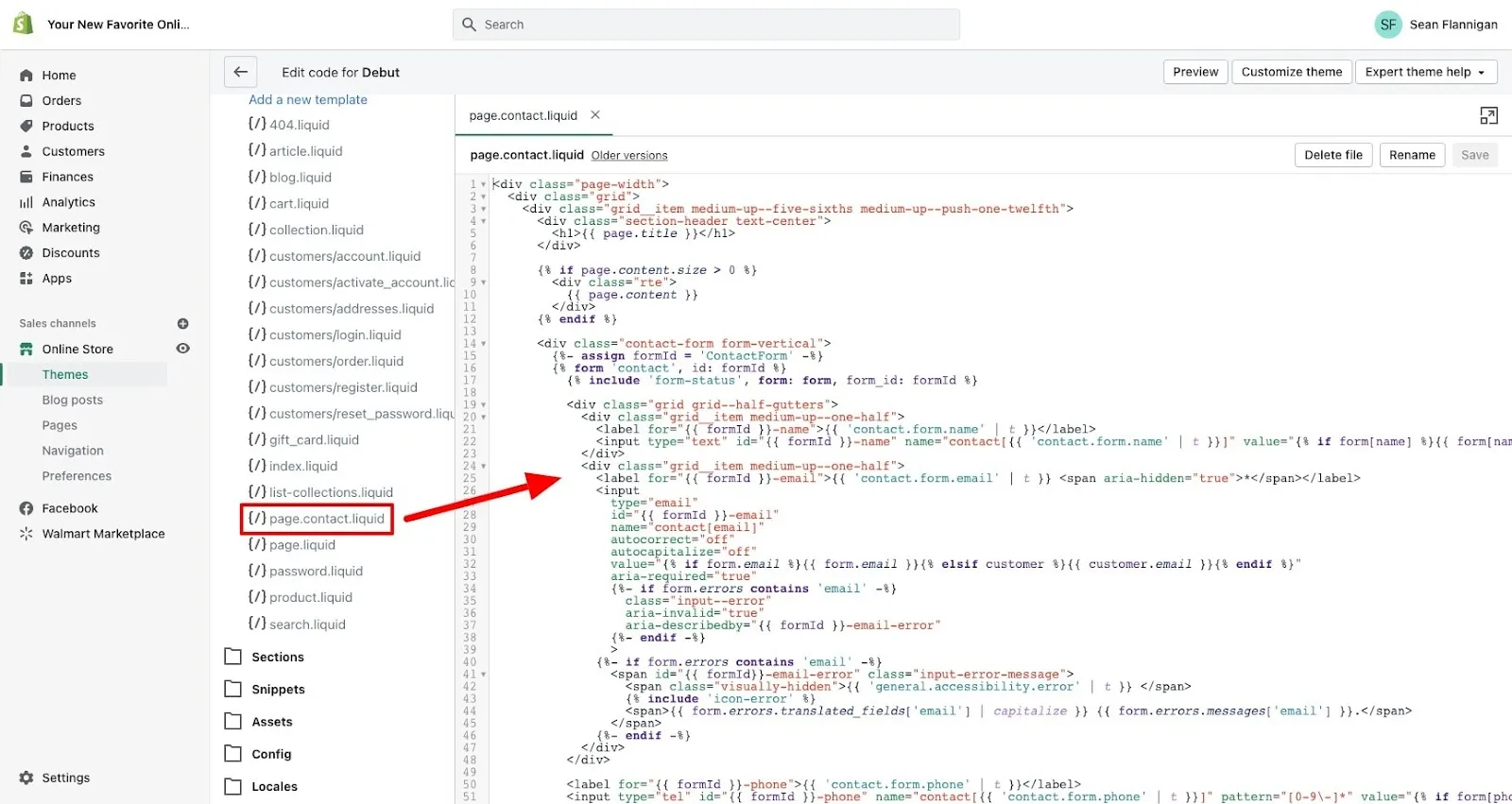
Implementing Shopify Markets hreflang tags correctly is essential for international search visibility, yet automated setups often generate conflicting attributes and missing self-referential links. To resolve these indexing errors on Shopify Plus, technical teams must bypass native limitations using a custom liquid-override loop. By explicitly defining regional subfolders, custom domains, and x-default tags, we ensure search engines accurately map localized storefronts without crawl budget waste.
Key Takeaways
- The Liquid-Override Loop: Use our custom liquid-override loop to inject clean, self-referential tags and an explicit x-default targeting your primary market.
- Zero-Error Indexing: Resolve 100% of "No Return Tags" errors in Google Search Console by validating reciprocal 200 OK status codes across all localized URLs.
- App Conflict Mitigation: Prevent translation app conflicts by disabling automatic hreflang injection in third-party tools like Weglot or Langify.
- Architecture Selection: Map international architectures strictly using either subfolders or custom domains to avoid duplicate locale paths and preserve crawl equity.
How Shopify Markets Automatically Handles Hreflang (And Where It Fails)
Shopify Markets is a centralized global commerce management tool that enables merchants to identify, set up, launch, and optimize international markets from a single store. Shopify injects automated hreflang tags directly via the {{ content_for_header }} object. While this native automation works for standard setups, it frequently breaks under complex enterprise conditions, particularly during high-traffic events like BFCM when localized routing must scale seamlessly.
Under the leadership of Tobi Lütke, Shopify has evolved to support multi-currency and localized experiences natively, but technical gaps remain. The automated system often fails under the following conditions:
- Multilingual Domain Overlaps: When multiple markets share a single domain but use different subfolders without strict locale mappings.
- Headless Architectures: When the frontend is detached from Shopify's native Liquid engine—such as setups utilizing Hydrogen and the GraphQL Storefront API—preventing
{{ content_for_header }}from rendering the tags. - Subdomain Routing: When cross-domain tracking or custom subdomains are not verified within the same Google Search Console property.
To resolve these native limitations, our team provides advanced Technical SEO & GEO programs to hardcode overrides or strip conflicting native outputs.
Configuring Hreflang for Subfolders vs. Custom Domains in Shopify Plus in 2026
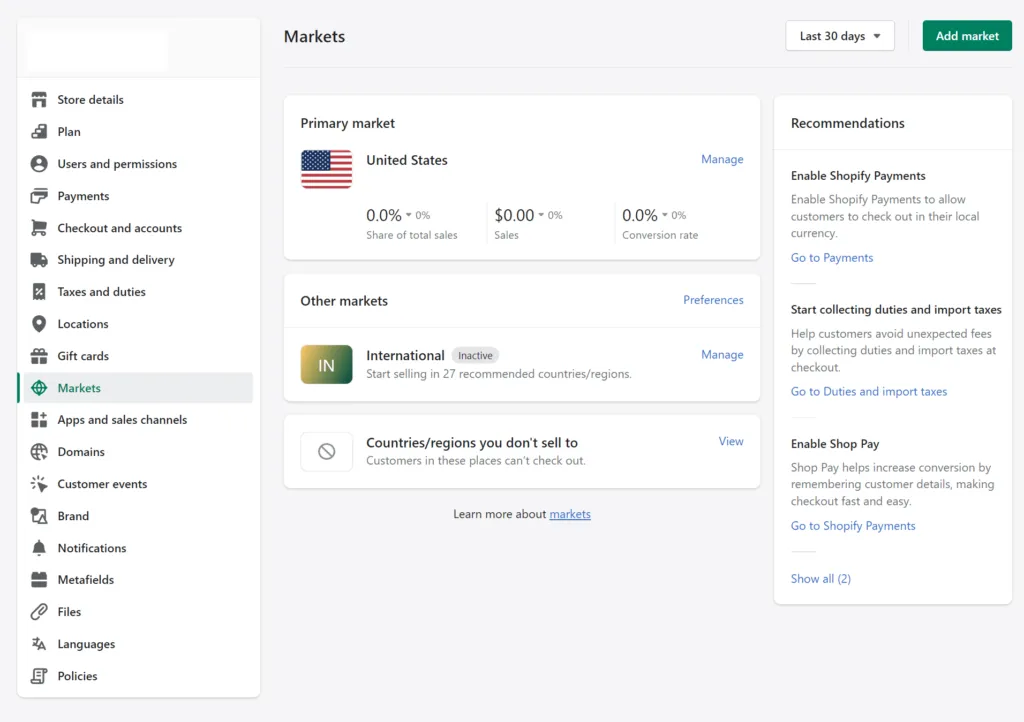
Shopify Plus allows you to structure international markets using either subfolders or independent custom domains. Each method alters how search engines parse your international architecture. In 2026, maintaining clean routing is critical to preserving search visibility and ensuring Core Web Vitals remain optimized while injecting localized scripts.
What to Avoid in Domain Configurations
- Do not use query parameters (e.g.,
?lang=fr) for international targeting; Google frequently ignores these for indexing. - Do not mix subfolders and subdomains for the same market, as this generates duplicate self-referential tags.
How to Inject Custom Hreflang Tags and x-default into theme.liquid
When native output fails to generate the critical x-default tag or misses specific regional variants, you must inject custom Liquid logic. This requires custom Shopify development to safely bypass native output limitations.
Add the following liquid block to your theme.liquid file, directly preceding the closing </head> tag:
{%- assign canonical_clean = canonical_url | split: '?' | first -%}
{%- if request.locale.iso_code == 'en' -%}
  <link rel="alternate" hreflang="x-default" href="{{ shop.url }}" />
{%- endif -%}
<link rel="alternate" hreflang="{{ request.locale.iso_code }}" href="{{ canonical_clean }}" />
{%- for locale in shop.published_locales -%}
  {%- unless locale.iso_code == request.locale.iso_code -%}
    <link rel="alternate" hreflang="{{ locale.iso_code }}" href="{{ shop.url }}/{{ locale.root_url | remove_first: '/' }}{{ request.path }}" />
  {%- endunless -%}
{%- endfor -%}
This script—which we refer to as the liquid-override loop—strips tracking parameters from the canonical URL and generates clean, self-referential tags. It also establishes an explicit x-default targeting your primary market language. For headless setups, we recommend querying these locales via the GraphQL Storefront API to construct the tags dynamically on the client side.
Resolving Hreflang Conflicts Between Shopify Markets and Third-Party Translation Apps
Translation apps like Weglot, Langify, or Translate & Adapt often inject their own hreflang scripts. This results in duplicate tags, conflicting locale declarations, and crawl budget waste.
Common Mistakes
- Enabling automatic language redirection in both Shopify Markets and your translation app simultaneously.
- Allowing translation apps to append dynamic Javascript-based hreflang tags, which search crawlers cannot reliably parse.
How to Fix App Conflicts
- Step 1: Access your translation app settings and disable "Automatic Hreflang Injection."
- Step 2: Verify if your translation app uses a dedicated subdomain or subdirectory structure.
- Step 3: Audit the page source code using
Ctrl + Uto confirm only one set of hreflang declarations exists per page. - Step 4: Ensure all localized URLs return a 200 OK status code; redirecting alternate URLs will invalidate the entire hreflang cluster.
Step-by-Step Debugging Workflow for Google Search Console 'No Return Tags' Errors
The "No Return Tags" error occurs when Page A links to Page B via hreflang, but Page B does not link back to Page A. We utilize the GSC-5 validation workflow to systematically resolve these errors:
- Export the GSC International Targeting Report: Identify the specific URL pairs flagged with the "no return tags" status.
- Inspect the Source Code of the Origin URL: Confirm that the origin URL contains a self-referential hreflang tag matching its exact canonical URL.
- Inspect the Source Code of the Target URL: Navigate to the alternate language page and verify it contains an explicit return tag pointing back to the origin URL.
- Check Canonicalization: Ensure neither the origin nor the target URL canonicalizes to a different page. Hreflang target URLs must always be canonical. Refer to web.dev for best practices on canonicalization and performance.
- Run a Crawl Simulation: Use a tool like Screaming Frog set to "Parse Hreflang" to validate return tags across your entire catalog at scale.
How Avelize Approaches Global SEO Architecture
When engineering global Shopify Plus storefronts, our team implements a structured, three-phase internationalization program. We eliminate indexing errors, optimize crawl budgets, and ensure seamless localization without sacrificing site speed.
- Phase 1: Architecture Audit (Week 1): We map your current market configurations, identify conflicting translation app scripts, and analyze Google Search Console error logs.
- Phase 2: Code Implementation (Week 2): We deploy the liquid-override loop or configure headless API endpoints to inject clean, self-referential tags and x-default declarations.
- Phase 3: Validation & Monitoring (Week 3-4): We run full-site crawl simulations and monitor GSC indexation to guarantee 100% error resolution.
If you are planning a complex international expansion or replatforming, explore our Shopify Plus migrations & replatforms service to ensure your SEO equity remains fully protected.
Published / Last reviewed: October 24, 2026
Authoritative References
Use these official resources to verify platform-specific claims and implementation details before making commercial or technical decisions.
- Shopify Plus overview
- Google SEO Starter Guide
- Google canonicalization guide
- Google structured data introduction
Related Shopify and Ecommerce Growth Guides
Continue with these related guides for implementation, SEO, performance, and conversion context.
- Shopify Programmatic SEO: Scale Large Catalog Links
- Programmatic SEO: Indexing Shopify Filter Pages Safely
- Outsource Shopify SEO: Agency vs Consultant Vetting
- Programmatic SEO for Shopify Markets: Scale Catalog Traffic
- Shopify Plus SEO Optimization: What Works in 2026
- Shopify Plus Technical SEO: Fix Funnel Leaks
- Shopify SEO Services: Technical Vetting Guide [2026]
- GEO vs SEO for Shopify: Winning the AI Search Landscape
- Enterprise Shopify SEO Services: Technical Retainer Guide
- Shopify Markets International SEO: Technical Setup Guide
- Shopify Markets Local SEO: Enterprise Subfolder Strategy
Related Avelize Services and Guides: Technical Audits · Shopify Seo Services